Quick answer
Kreg Multipurpose Project Blocks let you build repeatable jigs quickly without measuring each time. Their hexagon shape and anti-slip surfaces keep setups stable, and the retractable painting points mark exact positions for future use.
Why use project blocks instead of scrap wood?
Scrap wood works in a pinch, but it varies in thickness, squareness, and durability. Project blocks are precision-molded to consistent 1½-inch height, so every jig you build is automatically level and square. The GripMaxx anti-slip surfaces also mean they stay put during routing or sanding, which loose blocks never do.
One trade-off: the blocks are not adjustable in height. If your project needs a different standoff distance, you will need to stack or shim them, which reduces stability. For most jig work the fixed height is a time-saver, but it is worth checking your clearance needs first.
How to build a jig with project blocks
- Plan your jig layout: Decide how many support points your workpiece needs. For a router template jig, place four blocks at the corners of your workpiece. For a sanding block jig, two blocks spaced evenly under the workpiece work well. Using too few blocks can cause the workpiece to rock. Use at least two blocks for small pieces and four for larger panels.
- Position the blocks on the workbench: Set the blocks where you want the workpiece to sit. Press down firmly so the GripMaxx surface grips the benchtop. If you are using the retractable painting points, push them down to mark the bench surface for repeat setups. Do not slide the blocks after they are pressed down; the anti-slip grip can shift your alignment. Lift and reposition instead.
- Place the workpiece on top: Set your workpiece directly onto the blocks. Check that it sits flat and does not rock. For a router jig, clamp the workpiece to the blocks using the 1½-inch height clearance to reach under the workpiece. If the workpiece rocks, one block may be sitting on a chip or debris. Clear the area and re-seat the block before clamping.
- Mark or rout your pattern: With the workpiece stable, run your router or sander along the edges. The blocks act as a fence, keeping your tool aligned. For repeat setups, use the retractable points to transfer the block positions to your workpiece or bench. Do not force the tool into the blocks; let the guide bearing or fence ride smoothly. Forcing can knock the blocks out of position.
- Store the blocks for the next use: After finishing, clean any dust or adhesive from the GripMaxx surface with a damp cloth. Nest the hexagon blocks together or store them in a drawer. If you marked the bench with the painting points, note the jig name with a pencil so you can reuse the layout later. Do not store blocks with heavy tools on top of them; the weight can deform the anti-slip surface over time.
Product details
-
Multipurpose Project Blocks: Each puck has retractable painting points that mark hole locations. You can press the points onto your workpiece to transfer exact jig positions, eliminating the need to measure and mark each time.
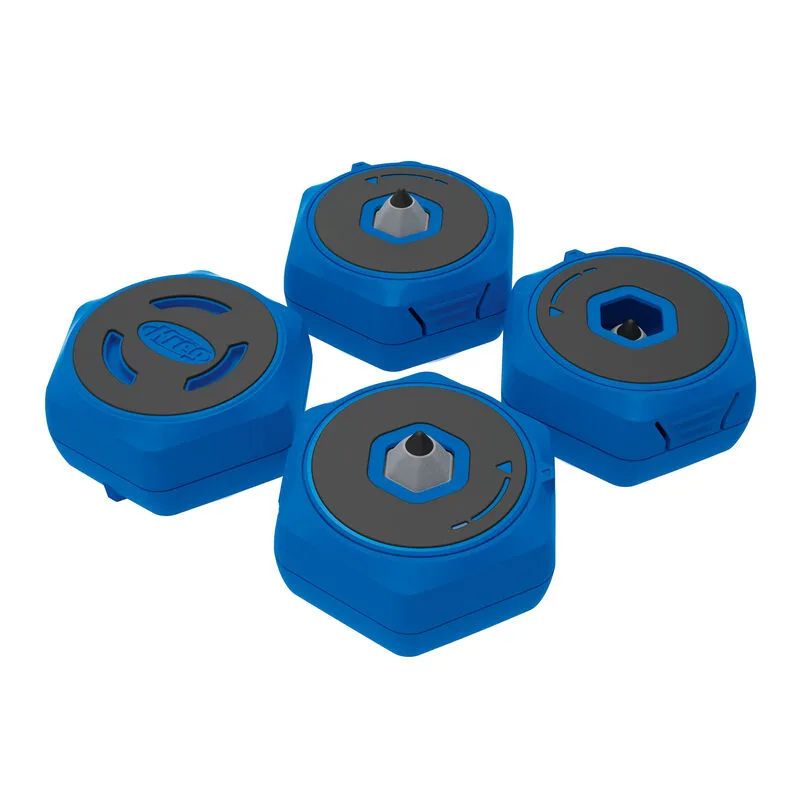
Multipurpose Project Blocks
-
Multipurpose Project Blocks: The hexagon shape won't roll and fits together for compact storage. Blocks stay where you place them on the bench and pack neatly, so you can keep your jig setup organized without losing alignment.