Quick answer
The Logitech MX Anywhere 3S for Mac is a compact wireless mouse that boosts productivity through customizable buttons, gesture controls, and multi-device pairing, making it ideal for Mac users who work on the go.
Why customization matters for Mac workflows
The MX Anywhere 3S for Mac is optimized for macOS, but its real power comes from tailoring it to your daily tasks. By assigning common actions like Mission Control, Exposé, or app switching to the mouse buttons, you can reduce repetitive trackpad gestures and keep your hands on the mouse.
Portability trade-offs
This mouse is compact and designed for travel, but its smaller size may not suit users with larger hands for extended use. If you primarily work at a desk, a full-size ergonomic mouse might be more comfortable. However, for hot-desking, co-working spaces, or working from cafes, the MX Anywhere 3S is hard to beat.
Decision rules for getting the most from your MX Anywhere 3S
- Customize buttons in Logitech Options+: Assign frequently used macOS actions like Mission Control, Launchpad, or screenshot to the three main buttons. This reduces hand movement and speeds up common tasks. Start with the forward/back buttons for browser navigation, then add app-specific shortcuts.
- Enable gesture button for quick navigation: The middle button can be set as a gesture button. Hold it and move the mouse to trigger actions like switching desktops, opening Notification Center, or showing all windows. Use gestures for actions you currently do with trackpad swipes.
- Pair with up to three devices: Use Easy-Switch to connect the mouse to your Mac, iPad, and a second computer. Press the bottom button to switch instantly between devices without re-pairing. Keep one device as your primary Mac, and assign the others to a tablet or work laptop.
- Optimize battery life: The mouse charges via USB-C and lasts up to 70 days on a full charge. A one-minute quick charge gives about three hours of use. Turn off the mouse when not in use to extend battery life. Charge during lunch or breaks to avoid downtime.
Product facts
-
MX Anywhere 3S for Mac - Space Gray: Optimized for Mac compatibility, ensuring seamless integration with your devices. You can pair it instantly with your Mac without extra software, and it supports macOS-specific gestures out of the box.
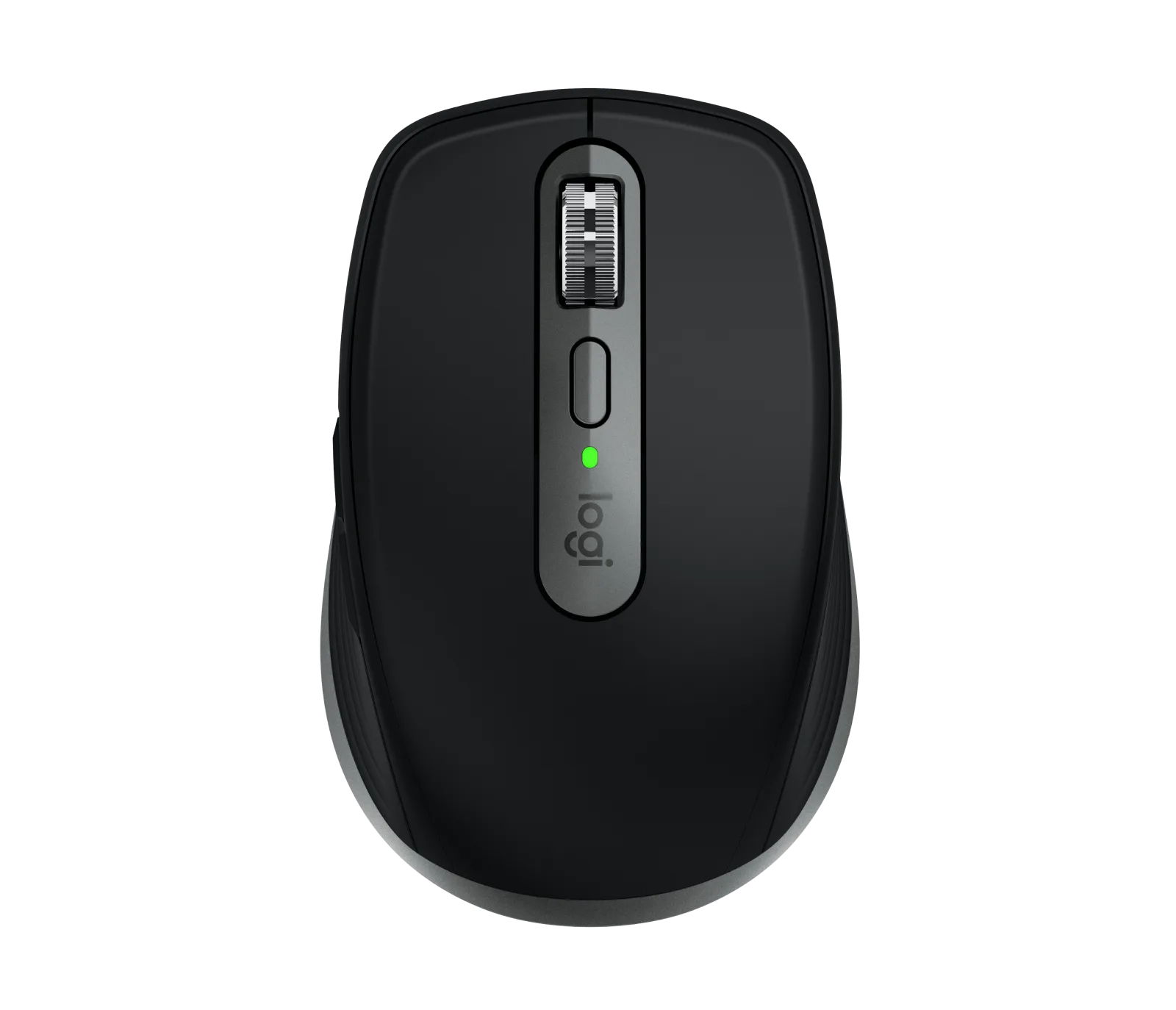
MX Anywhere 3S for Mac - Space Gray
-
MX Anywhere 3S for Mac - Space Gray: Compact and portable design. It slips easily into a laptop bag, making it a practical choice for mobile professionals who need a reliable mouse on the road.
Who should use the MX Anywhere 3S for Mac?
Best for
- Mac users who work from multiple locations and need a portable mouse
- Professionals who want macOS-specific gesture controls without a trackpad
Not ideal for
- Users with large hands who prefer a full-size ergonomic mouse for desk work
- Gamers who need high polling rates and extra programmable buttons