Quick Answer
If you want the cleanest N64 digital output with modern features, N64Digital is the most versatile choice; for a budget-friendly install, Ultra HDMI gets the job done; Retro GEM appeals if you value open-source flexibility and a compact board.
Why Your N64 Needs an HDMI Mod
The N64's original analog video output looks soft and blurry on modern flat-panel TVs. A dedicated HDMI mod bypasses the console's analog circuitry to deliver a crisp, pixel-perfect digital signal. This is a permanent internal modification, unlike external adapters which convert the analog signal and can add lag or artifacts.
Choosing the right mod depends on your TV, your willingness to open the console, and the features you actually need—like scanlines, save-state support, or a specific output resolution.
Understanding the Main N64 HDMI Mod Kits
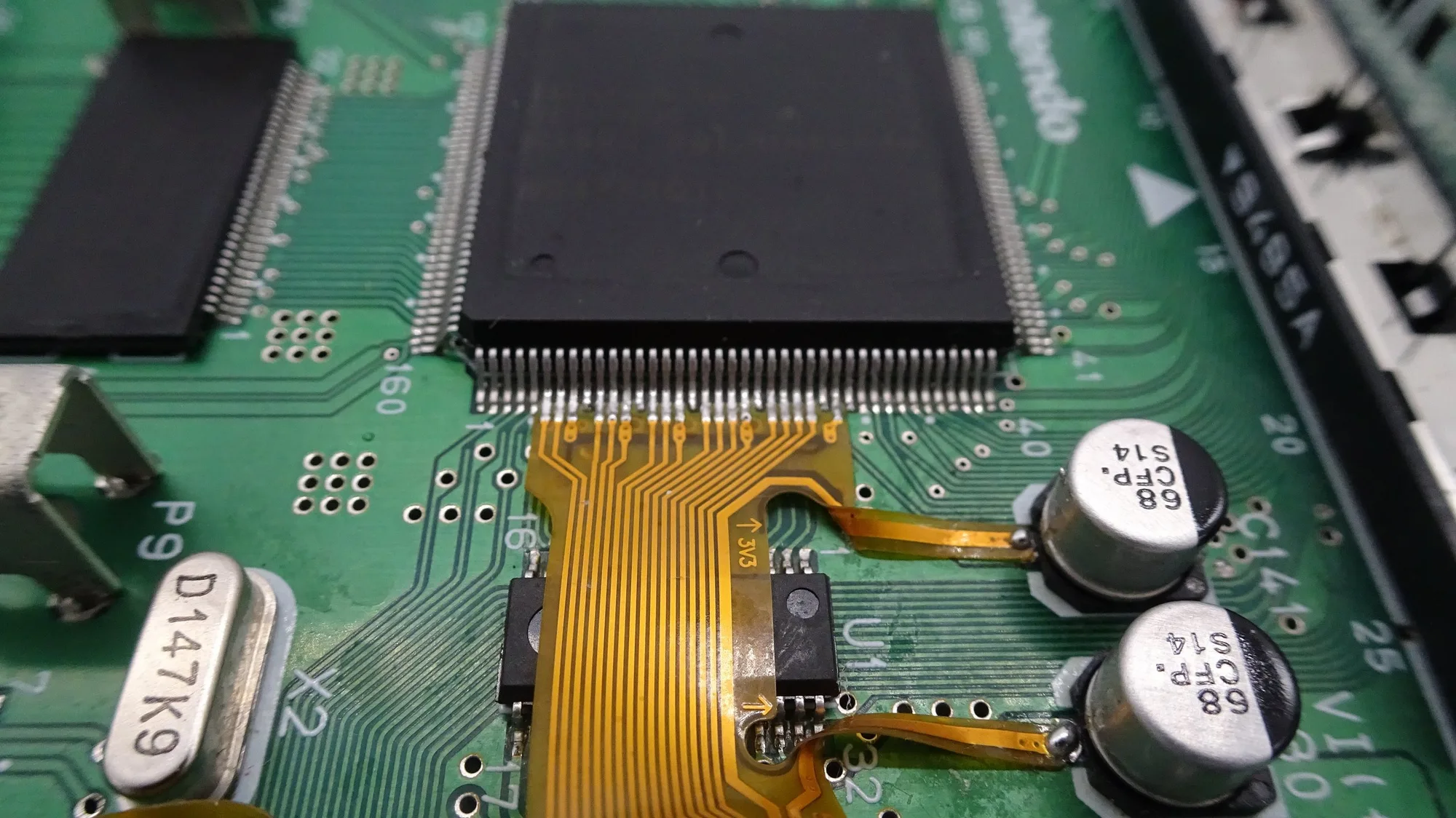
Three kits dominate the N64 HDMI mod scene: Ultra HDMI, N64Digital, and Retro GEM. Each takes a different approach to capturing the console's digital signal. Ultra HDMI uses a dedicated chip that taps the N64's digital bus and outputs HDMI directly. N64Digital is a more comprehensive solution that offers a range of video modes and features. Retro GEM is an open-source alternative that focuses on low-latency output and a compact footprint.
All three require soldering and console disassembly, so installation skill is a real factor. If you're not comfortable with that, a send-in service can handle it for you.
Trade-Offs: Features vs. Price vs. Complexity
Ultra HDMI is the most established option and often the most affordable. It provides a clean 1080p output and is a solid choice if you just want a sharper picture. However, it typically lacks some of the advanced features found in N64Digital, such as deblur and motion-adaptive deinterlacing.
N64Digital is the feature-rich flagship: it includes deblur, scanlines, and support for 480p and 720p output, making it ideal for enthusiasts who want the best possible image quality and customization. The trade-off is a higher price and a more complex installation.
Retro GEM is the open-source newcomer. It offers low-latency output and a small board, but it may require more tinkering and community support. It's a great fit for DIYers who enjoy customization and want to avoid proprietary firmware.
Decision Rules for Choosing Your N64 HDMI Mod
- Budget-conscious and want a proven upgrade: Choose Ultra HDMI if you want a reliable, straightforward 1080p output without extra bells and whistles. Confirm your N64 is a compatible hardware revision before ordering.
- Picture quality and features are your priority: Choose N64Digital if you want deblur, scanlines, and multiple output resolutions for the best possible image quality. Check that your TV supports 480p or 720p to get the most from N64Digital.
- You enjoy open-source tinkering: Choose Retro GEM if you value open-source firmware and a compact board, and you're comfortable with community-driven support. Be ready to research installation guides and firmware updates yourself.
N64 HDMI Mod Options at Powr Up Gaming
-
N64 HDMI Mod Options: This listing lets you choose your preferred installation service or kit option, including Ultra HDMI, N64Digital, or Retro GEM N64 kits, with options to provide your own kit or have one provided. You can pick the exact kit that matches your needs and even send in your own kit if you already have one, making the purchase flexible.
N64 HDMI Mod Options
Who Should Choose Which Mod
Best for
- Ultra HDMI: casual players who want a simple, affordable HDMI upgrade without advanced features.
- N64Digital: enthusiasts who want the best image quality and features like deblur and scanlines.
- Retro GEM: DIYers who prefer open-source hardware and enjoy customizing their setup.
Not for
- Ultra HDMI: players who need advanced features like deblur or multiple output resolutions.
- N64Digital: budget shoppers who just want a basic HDMI output.
- Retro GEM: those who want plug-and-play simplicity and official support.