Quick Answer
Choose a needle file set when you need to shape or deburr hard materials like metal, resin, or hardwood with precise edges. Choose a sanding stick when you need to blend curves, smooth 3D-printed layer lines, or match a uniform scratch pattern on softer materials. Many hobbyists keep both because they solve different finishing problems.
You have a part in front of you. It needs finishing, but the surface is not cooperating. A sanding stick glides over a curve but cannot reach into a tight corner. A needle file bites into the edge but leaves scratches you did not want. The tool you pick changes how much cleanup you do later.
This comparison looks at what each tool does well, where each one struggles, and how to decide between them. It also covers how Excel Blades tools fit into a hobby or model-making workflow, so you can buy once and stop guessing.
How Needle Files Work and Where They Win
A needle file is a small, hardened steel file with a narrow profile. The teeth cut on the push stroke, removing material in a controlled line. Because the file is rigid, it holds a flat or angled edge without flexing. That makes it the better choice for squaring a corner, opening a slot, or removing a burr from a metal edge. You guide the file; the file does not follow the surface.
Needle files come in shapes like flat, round, triangular, and half-round. Each shape reaches a different geometry. A triangular file cleans inside corners, while a round file opens holes or smooths curved slots. The trade-off is that files leave a scratch pattern that can be coarse. You often need to follow with finer abrasives if the surface will be visible.
- Use a light push stroke and lift the file on the return to avoid dulling the teeth.
- Clean the file with a wire brush before switching materials to prevent cross-contamination.
How Sanding Sticks Work and Where They Win
A sanding stick is a foam or plastic core wrapped with abrasive. The core gives slightly, so the abrasive follows curves and contours instead of cutting flat spots. That flexibility is the main advantage. You can blend a transition, soften a sharp edge, or remove layer lines from a 3D print without gouging the surface. Sanding sticks also come in multiple grits, so you can step from coarse shaping to fine finishing.
The trade-off is that a sanding stick cannot cut a crisp edge or remove a lot of material quickly. The abrasive wears down, and the foam core can round over details you wanted to keep sharp. For hard materials like metal, a sanding stick is slow and may glaze over instead of cutting. It is a blending and smoothing tool, not a shaping tool.
- Use a sanding stick with a light touch and let the abrasive do the work; pressing hard wears out the grit and rounds details.
- Rinse or brush the abrasive when it loads up with dust to extend its life.
Material and Access Matter More Than Brand
The material you are finishing should drive the decision. Needle files are the practical choice for metal, hard resin, and dense hardwood. Sanding sticks are the practical choice for plastic, softwood, foam, and painted surfaces. If you work across materials, you will eventually want both. Neither tool replaces the other because they cut differently: files shear material, abrasives scratch it away.
Access is the second factor. A needle file reaches into a slot or inside corner that a sanding stick cannot enter. A sanding stick wraps around a curved surface that a flat file would facet. Think about the geometry of the part before you reach for a tool. If the surface is convex and visible, sanding is usually safer. If the feature is an inside corner or a sharp edge, filing is usually faster.
- Test on scrap material first; the same tool behaves differently on brass, styrene, and basswood.
- Keep a coarse and a fine option of each tool so you can shape and then refine without switching categories.
Kits That Cover Both Jobs
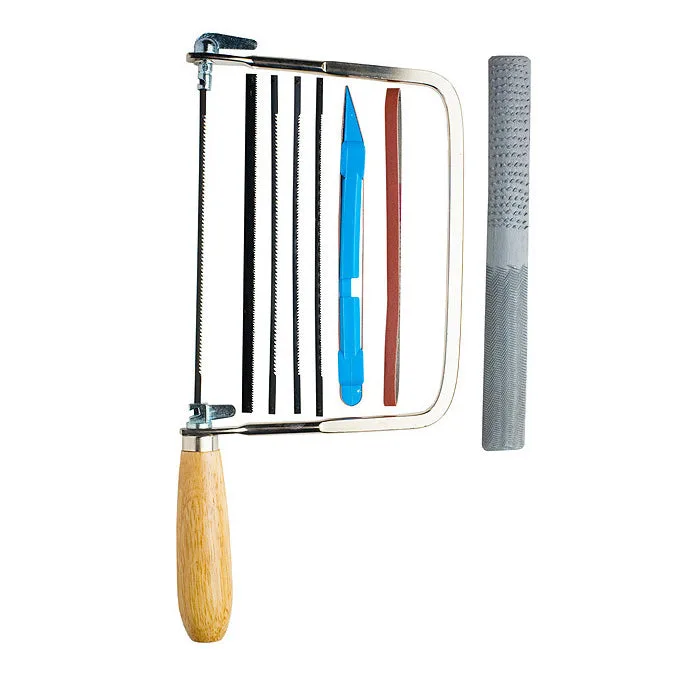
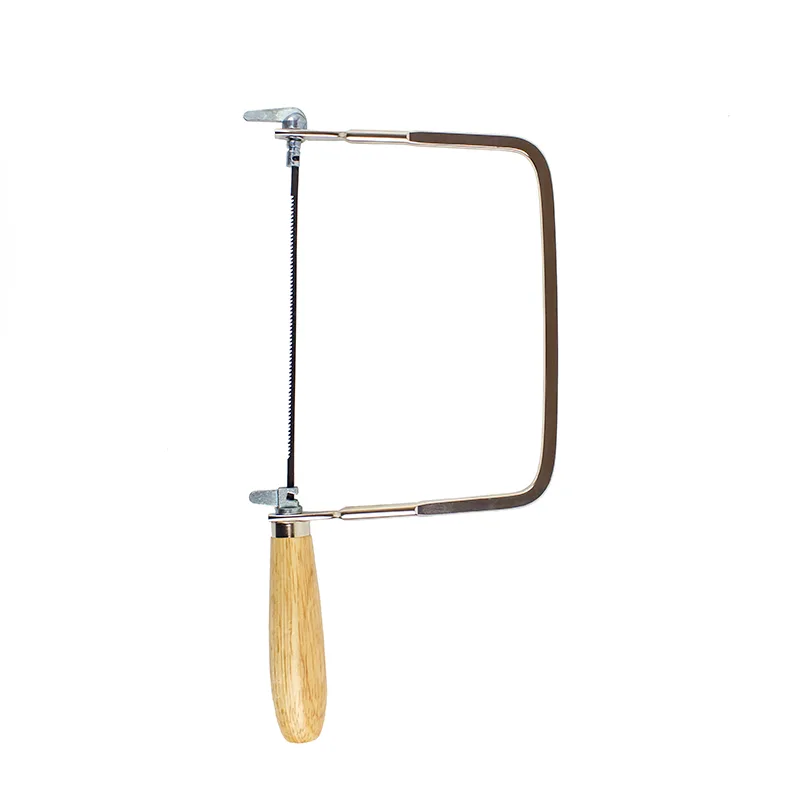
Buying a single tool often leads to a second purchase once you hit a job it cannot handle. A kit that includes both filing and sawing tools can cover more finishing steps. The Excel Blades https://excel-blades.com/products/coping-saw-handsaw-files-set-ea74fe1e84debdfa18195032-1634751Coping Saw Handsaw Set With Files is one example: it combines a coping saw with files and accessories for model building, RC car modification, jewelry work, and fine woods and plastics. That range matters because a coping saw removes bulk, files refine edges, and abrasives finish surfaces.
For builders who also need to cut and shape miniature parts, the Builder's Knife and Hobby Tool Set is a 16-piece kit aimed at miniature furniture, dollhouse building, and model making. It includes a K1 light-duty handle among other precision tools. If your finishing work happens after cutting and assembly, a kit like this reduces the number of separate tools you need to buy.
- Check what a kit actually includes; a handle without the right blade or file shape may not solve your specific finishing problem.
- Store files and abrasives separately so grit does not embed in file teeth.
Trade-Offs at a Glance
- Needle file: precision vs. scratch pattern: A needle file cuts a crisp edge and reaches inside corners, but it leaves a visible scratch pattern that may need finer abrasives afterward. Choose it when edge geometry matters more than surface finish.
- Sanding stick: blending vs. material removal: A sanding stick follows curves and blends transitions without gouging, but it removes material slowly and rounds over sharp details. Choose it when the surface is visible and curved.
- Kit coverage vs. single-tool cost: A kit like the Coping Saw Handsaw Set With Files covers cutting and filing in one purchase, while a single needle file or sanding stick costs less upfront but may leave a step uncovered. Buy the kit if you finish multiple materials; buy single tools if you already know your one recurring job.
Product Facts That Affect Your Choice
- Coping Saw Handsaw Set With Files: The Excel Blades Model Builders Saw Tool Kit (56012) is a precision coping saw set with blades and accessories for miniature models, RC cars, jewelry, and fine woods and plastics. If your finishing work starts with cutting a shape, this kit gives you a saw and files in one purchase instead of buying them separately.
- Builder's Knife and Hobby Tool Set: The Excel Blades Deluxe Builder's Tool Set is a 16-piece miniature dollhouse and model crafting kit that includes a K1 light-duty handle and a range of precision tools. This set suits builders who need multiple precision tools for detail work, but it does not replace a dedicated sanding stick for blending curves.
- Basic Craft Knife Set, K1 and K2 & Assorted Blades: The Excel Blades Basic Hobby Knife Set (19062) includes a K1 craft knife and K2 hobby knife with 10 assorted blades and ergonomic handles. A craft knife trims and shapes before finishing begins, so it pairs with files and sanding sticks rather than replacing them.
Which One Should You Buy?
Best for
- Hobbyists shaping metal, hard resin, or dense hardwood who need precise edges and inside-corner access.
- Modelers who need to deburr, square, or open slots before assembly.
- Builders who want a kit that combines sawing and filing for miniature and model work.
Not for
- Finishing large curved surfaces where a sanding stick blends faster and more evenly.
- Soft plastics or painted surfaces where a file may tear or chip the material.
- Anyone who only needs to smooth 3D-print layer lines; a sanding stick is the simpler tool.
Match the tool to the material and the shape in front of you. Keep a needle file for edges and corners, a sanding stick for curves and blending, and add a kit when you want both capabilities without buying twice.