Quick answer
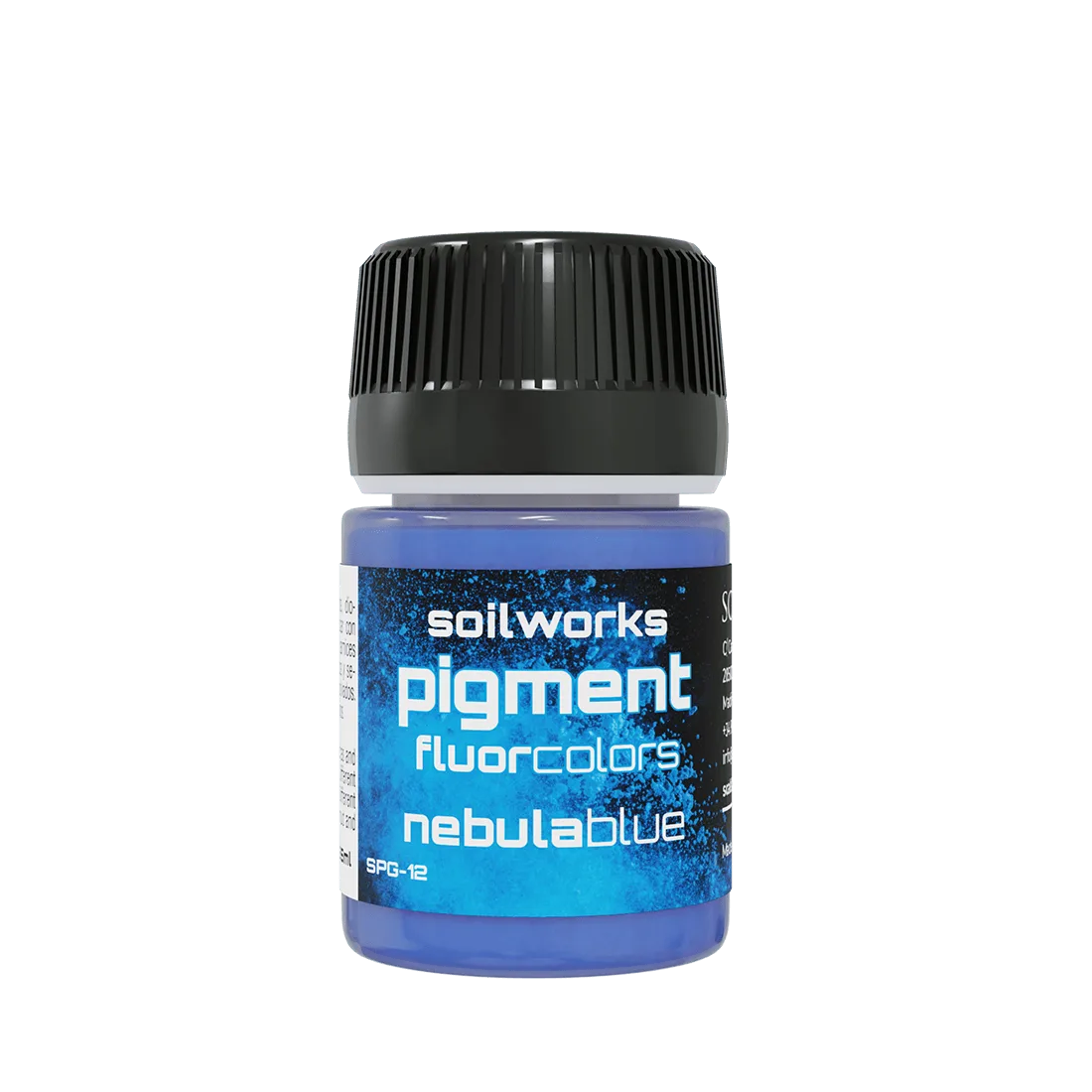
Paint the glow source first with a bright neon blue, then build outward in thin layers from dark to light. Keep the brightest point at the source and let the halo fade into the surrounding armor. A fluorescent pigment like NEBULA BLUE works best over a dark base, because it glows under ultraviolet light and reads as a true light source.
A convincing neon blue glow effect is not about one bright coat. It is about contrast: the darker the surface around the light, the more the blue appears to emit light. That is why sci-fi miniature painting rewards a careful order of operations rather than a single fluorescent layer.
This guide walks through the same sequence for power coils, visors, plasma weapons, and engine vents. You will place the source, build the halo, control the spill, and finish with a clean highlight. If you want to preview the color before committing, NEBULA BLUE is the fluorescent blue in the SCALE75 range.
Set up the light source before you paint the glow
Decide where the light comes from and mark it. On a plasma rifle, that may be the coil or the muzzle; on a drone, it may be the eye lens or a vent. Paint that point with the brightest neon blue you have and keep the surrounding armor dark. The contrast between the two does most of the work.
A common mistake is painting the glow before the source is defined. If you build the halo first, you cannot tell where the light is coming from, and the effect looks like a blue stain rather than a light. Checkpoint: squint at the model. If the brightest point is not obvious, the source is not strong enough yet.
- Work under the same light you will use for display, so your contrast reads correctly.
- Keep the source small. A tight bright point looks brighter than a large pale one.
Build the halo in thin layers, not one flood
Load a small amount of neon blue and drag it outward from the source in thin, transparent layers. Each pass should be slightly wider and slightly weaker than the last. This is the core of a neon blue OSL effect: the paint gets less intense as it moves away from the light.
Do not flood the area with a single heavy coat. Thick fluorescent paint dries unevenly and can leave a chalky edge. If the layer looks patchy, let it dry and add another thin pass instead of adding more paint. Checkpoint: the halo should fade smoothly, with no hard ring where the blue stops.
- Thin fluorescent paint with water or thinner, but do not over-dilute it or the pigment separates.
- Work in small sections so the paint does not dry before you blend the edge.
Use a dark base coat to make the blue read as light
Fluorescent pigments look brightest over dark surfaces. If you paint neon blue directly over a light grey or white primer, the glow will look flat and washed out. Lay down a dark blue, near-black, or deep grey base first, then build the neon blue on top of it.
This is also where you decide how much of the model stays dark. The more dark surface you leave around the glow, the more the blue appears to illuminate the area. Checkpoint: if the glow looks dull, check the base coat before adding more neon blue.
- Keep the base coat matte so the neon layer has something to grip.
- Do not paint the entire model dark; leave enough mid-tone armor to show the light spilling onto it.
Control the spill onto armor and skin
Light does not stop at the edge of the source. It spills onto nearby armor plates, cloth, and faces. Add a very thin glaze of neon blue on the surfaces that face the light, then wipe most of it off. The goal is a hint of blue, not a repaint of the whole area.
A common mistake is spilling too evenly. Light falls off with distance, so the nearest surfaces should get the strongest tint and the farthest should get almost none. Checkpoint: step back and look at the model from arm's length. If the spill looks like a uniform blue wash, remove some with a clean damp brush.
- Apply spill after the base colors are dry, so you can control the tint.
- Use a smaller brush for spill on faces and hands than on large armor panels.
Finish with a clean highlight and check under UV
Once the halo and spill are dry, add a final small highlight at the source. This is the brightest point and should be the smallest mark on the model. If you have a fluorescent blue, this is where it does the most work, because it can glow under ultraviolet light and reinforce the effect on the table.
Check the model under normal light first, then under UV if you have it. A glow that reads well in both is the goal. Checkpoint: if the highlight looks like a dot floating on the surface, soften its edge with a dry brush and a light touch.
- Keep the final highlight smaller than you think it needs to be.
- If the glow looks too strong, darken the surrounding armor rather than removing the blue.
Step-by-step glow sequence
- 1. Mark and paint the source: Decide where the light comes from and paint that point with the brightest neon blue. Keep the surrounding area dark. Checkpoint: the source should be the brightest point on the model before you build any halo.
- 2. Lay a dark base coat: Paint a dark blue, near-black, or deep grey under the glow so the fluorescent pigment has contrast to work against. Checkpoint: if the neon layer looks dull, the base coat is too light.
- 3. Build the halo in thin layers: Drag thinned neon blue outward from the source in progressively wider, weaker passes until the edge fades smoothly. Checkpoint: no hard ring where the blue stops.
- 4. Add controlled spill: Glaze a thin hint of neon blue onto nearby armor, cloth, and skin, then wipe most of it off so the tint fades with distance. Checkpoint: the spill should not look like a uniform blue wash.
- 5. Finish with a small highlight: Place the smallest, brightest mark at the source and soften its edge if it looks like a floating dot. Checkpoint: view the model under normal light and UV to confirm the glow reads in both.
Paints and figures that support this effect
- NEBULA BLUE: Intense blue fluorescent pigment that glows under ultraviolet light. You can apply it directly to your miniature, stage, or model, diluted with thinner or water. This is the paint that makes the glow read as a light source, especially under UV, and it can be thinned for the halo layers described above.
- COBALT BLUE: Range of premium creamy acrylic paints and high coverage inks. Due to the quality of their pigments and formulation, they are absolutely recommended for novice or professional painters. Valid for brush and airbrush. Use it as the darker base coat under the neon layer, or for the mid-tone armor that the glow spills onto.
- Mirabella Miller: 35mm scale Figure made with high quality resin. Unpainted figure Assembly required In each box, you'll find a SCALE75 painting reference to inspire your artistic creations, giving you the freedom to customize the figures and apply your own painting styles. A resin figure at this scale gives you enough surface area to practice a controlled glow and see how the light falls across a body.
A neon blue glow effect is built from contrast, not from a single bright coat. Mark the source, keep the base dark, build the halo in thin layers, and finish with a small highlight. If you want a fluorescent blue that glows under UV, NEBULA BLUE is the one to reach for.