Quick answer
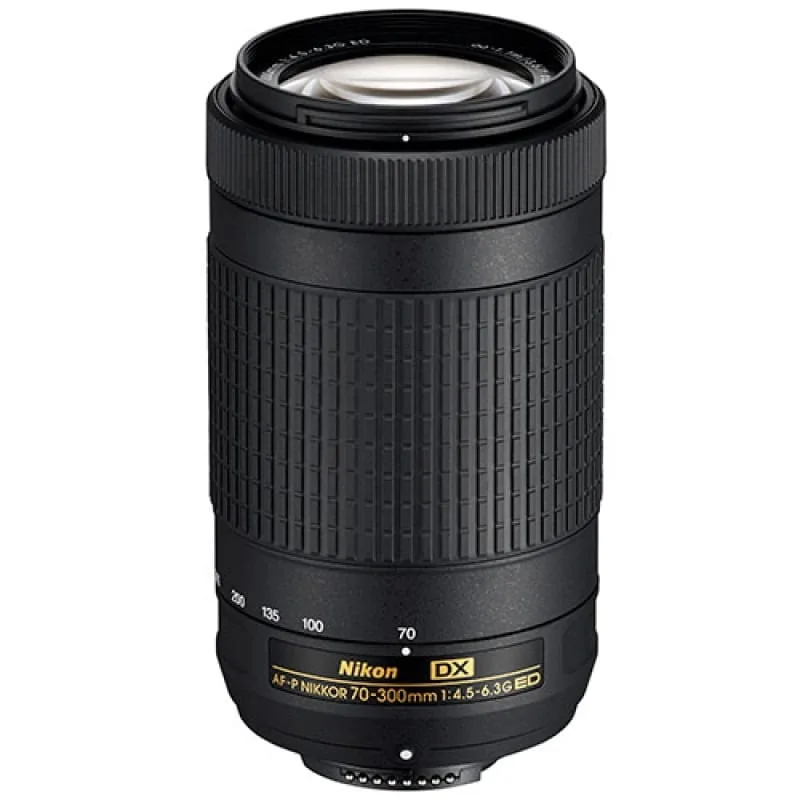
Most issues with the Nikon 70-300mm AF-P DX lens—autofocus hesitation, VR noise, or failure to focus at the long end—are easy to fix without a repair shop. Common causes include outdated camera firmware, a dirty lens contact strip, or accidentally engaging the wrong AF mode. This guide walks you through each symptom, its likely cause, and the corrective action you can take.
Symptom 1: Autofocus stops working at 300mm
At the telephoto end, the lens may hunt or refuse to lock focus. This often happens when the camera body lacks the firmware updates needed for the AF-P stepping motor. Check your camera’s firmware version against Nikon’s compatibility list. If it’s outdated, update the body firmware—not the lens—through the manufacturer’s support site.
If firmware is current, the issue may be a dirty electrical contact on the lens mount. Remove the lens, clean the gold pins with a dry microfiber cloth, and remount it. If the problem persists, the lens may have a mechanical defect that requires a professional inspection.
Symptom 2: Vibration Reduction (VR) makes a grinding sound
A faint grinding or buzzing noise when VR is active is normal for this lens—it’s the sound of the floating element adjusting. But if the noise is loud or accompanied by image blur, the VR unit may be stuck or misaligned. First, try turning VR off and on again via the lens switch. If the sound stops, the lens is likely fine.
If the noise continues with VR off, the gyro mechanism could be damaged. This is a known weakness in some early production units. A used lens from a trustworthy dealer like Mthuli Cameras And Accessories should have been tested for this, but if you bought one elsewhere and hear persistent grinding, consider a return or repair estimate.
Symptom 3: Lens is not recognized by the camera
The AF-P lens uses an electronic diaphragm and relies on the camera body for power. Some older Nikon DSLRs (e.g., D3200, D5200) need a firmware update to support AF-P lenses. If the camera shows 'Lens not attached' or refuses to fire the shutter, update the camera firmware first.
On compatible bodies, the issue may be a loose mount. Tighten the lens until you feel a firm click. If that doesn’t work, the lens’s electronic contacts may be corroded. A quick clean with isopropyl alcohol on a cotton swab often restores communication.
Diagnosis guide
- Symptom: Autofocus hunts or fails at 300mm Update camera firmware first; clean contacts second.
- Symptom: VR makes grinding noise Turn VR off. If noise stops, it’s normal. If not, lens may need service.
- Symptom: Camera does not recognize the lens Check firmware compatibility. Clean mount contacts. If still no communication, the lens may be incompatible with your body.
Product facts
- Nikon LENS 70-300mm F4.5-6.3 AF-P G ED DX pre -owned: The Nikon AF-S NIKKOR 70-300mm f/4.5-6.3G ED VR DX lens brings far-off subjects closer with a versatile telephoto zoom range, making it suitable for wildlife, sports, and distant landscapes. Key features include a 70-300mm focal length, ED glass elements, and VR image stabilization. If you’re considering a used copy, knowing these common issues helps you evaluate condition. A pre-owned lens from a tested inventory—like the one from Mthuli Cameras And Accessories—should have been checked for VR noise and autofocus performance at both ends of the zoom range.