Quick Answer
For indoor event photography, start with your Nikon SB-700 in i-TTL mode with a 0.3 to 0.7 EV positive compensation, then switch to manual mode at 1/4 to 1/2 power once you lock in your shooting distance. Bounce the flash off a white ceiling or wall for soft, natural light.
Why Bounce Flash Works Best Indoors
Direct flash creates harsh shadows and red-eye, especially in low-ceiling event venues. Bouncing the SB-700 off a neutral surface spreads light evenly and mimics natural window light. The key trade-off: you lose about 2-3 stops of light, so you need a higher ISO (800-1600) or a wider aperture to compensate.
i-TTL vs. Manual Mode: When to Switch
i-TTL is great for fast-changing scenes like a dance floor or candid moments, but it can underexpose when the background is dark. Manual mode gives consistent output when your distance to subjects stays roughly the same, like during a seated dinner or speeches. Start with i-TTL and switch to manual once you find a working distance.
Step-by-Step SB-700 Settings for Indoor Events
- Set the flash head angle for bounce: Tilt the SB-700 flash head 60 to 90 degrees upward toward the ceiling. If you're near a wall, rotate the head 45 to 90 degrees sideways for a wall bounce. Avoid colored ceilings—they cast a tint on your subjects. Check the ceiling color before the event; white or light gray works best.
- Choose i-TTL with positive compensation: Set the flash mode to i-TTL. Dial in +0.3 to +0.7 EV flash compensation to prevent underexposure common in dark indoor scenes. Your camera should be in aperture-priority or manual mode with ISO 800-1600. If subjects look too bright, reduce to +0.0 or -0.3 EV.
- Switch to manual mode for consistent power: Once you settle into a fixed shooting distance (e.g., 6-10 feet from the stage), switch the SB-700 to manual mode. Start at 1/4 power for bounce flash. Adjust up to 1/2 or down to 1/8 based on the histogram. A common mistake is leaving i-TTL on during a speech when the distance doesn't change—manual gives you even exposures.
- Fine-tune white balance and sync speed: Set your camera's white balance to Flash (about 5500K) or use a custom preset. Keep shutter speed at or below your camera's sync speed (usually 1/200s or 1/250s) to avoid black bands in the frame. If you see a dark band at the bottom of the frame, slow down the shutter speed.
Gear Used in This Guide
-
Nikon SB-700 Speedlight Flash: The multi-functional Nikon SB-700 is much easier to use especially for beginners. It is equipped with wireless lighting capability, a feature that is indispensable to creative lighting. This means you can trigger the SB-700 off-camera wirelessly, giving you more flexibility to place the flash for bounce or side lighting without being tethered to the hotshoe.
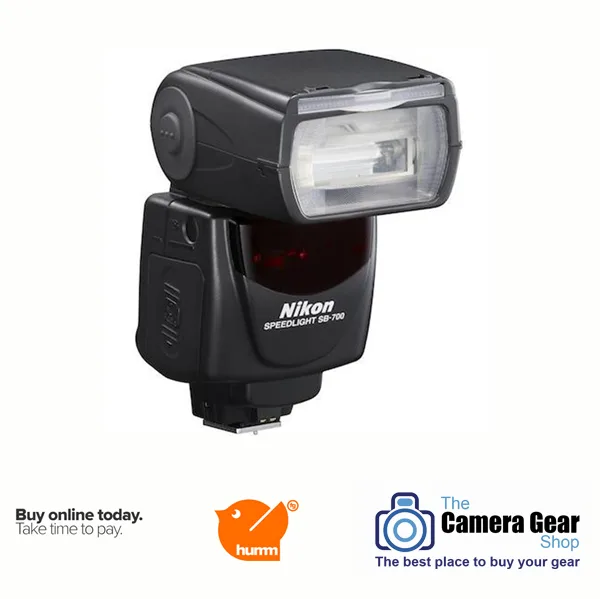
Nikon SB-700 Speedlight Flash