Quick answer
Replacing the battery in a Nintendo 3DS XL is a straightforward process that takes about 10 minutes with a small Phillips-head screwdriver. The key is choosing a compatible replacement and avoiding damage to the fragile ribbon cables inside.
Why replace the battery yourself?
Over time, the original lithium-ion battery in the 3DS XL loses its ability to hold a charge. If your system won't power on, dies quickly, or takes unusually long to charge, a new battery often solves the problem without needing a professional repair. Third-party replacements are widely available and cost a fraction of an OEM part, but quality varies.
Choosing the right replacement battery
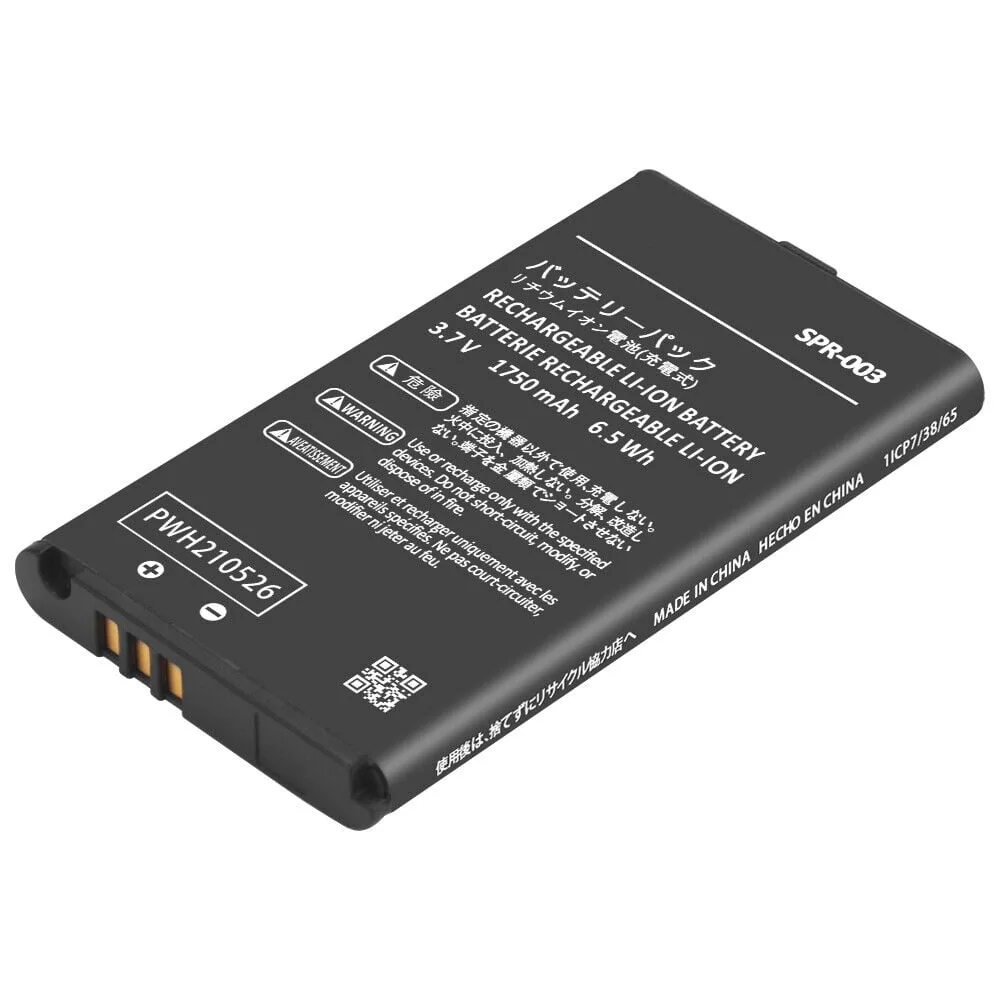
The Nintendo 3DS XL uses battery model SPR-003. You can buy an OEM replacement or a third-party alternative. OEM batteries are reliable but can be expensive and harder to find. Third-party options are cheaper and more readily available, but you should check reviews and ensure the battery is listed as compatible with the 3DS XL. Avoid batteries that claim higher capacity than the original (1750 mAh) unless verified by trusted sources, as they may not fit or could be unsafe.
How to replace the 3DS XL battery step by step
- 1. Power off and remove the back cover: Turn off the 3DS XL completely. Use a small Phillips-head screwdriver to remove the four screws on the back of the console. Gently lift the back cover off. The screws are captive (they stay in the cover), so you don't need to remove them fully. Common mistake: Forcing the cover off without removing all screws can crack the plastic. Double-check that all four screws are loose before prying.
- 2. Disconnect the old battery: Locate the battery connector on the motherboard. Use a plastic spudger or your fingernail to gently lift the ribbon cable connector straight up. Do not pull on the wires. Then carefully lift the old battery out of its compartment. Common mistake: Pulling the wires instead of the connector can tear the cable or damage the motherboard. Always lift the connector itself.
- 3. Insert the new battery and reconnect: Place the new battery (SPR-003 compatible) into the compartment with the label facing up and the connector aligned. Press the connector firmly into the socket until it clicks. Ensure the ribbon cable lies flat and is not pinched. Common mistake: Inserting the battery upside down or forcing the connector backward can short-circuit the system. Align the connector notch with the socket tab.
- 4. Replace the back cover and test: Align the back cover with the console and press down until it snaps into place. Tighten the four screws gently—do not overtighten. Power on the 3DS XL and check that the battery indicator shows a charge. Let it charge fully before first use. Common mistake: Overtightening screws can strip the plastic threads. Stop turning as soon as you feel resistance.
Recommended replacement battery
-
Nintendo 3DS XL Battery 3rd Party: This third-party Nintendo 3DS XL Battery Replacement (SPR-003) is a fully tested and functional lithium-ion rechargeable battery designed for quick charging and long-lasting power. It's a reliable, affordable alternative to the OEM battery, especially if your original unit no longer holds a charge or the system won't power on.
Nintendo 3DS XL Battery 3rd Party