Quick Answer
The H5 Flow RGB and standard H5 Flow use the same compact mid-tower chassis, mesh panels, and perforated PSU shroud. The RGB version adds pre-installed addressable RGB fans, while the standard H5 Flow ships without those fans. If you want lighting out of the box, the RGB version saves you a separate fan purchase. If you already own fans or prefer a no-frills build, the standard H5 Flow is the leaner choice.
H5 Flow RGB
NZXT sells two versions of its popular H5 mid-tower: the H5 Flow and the H5 Flow RGB. They look similar in photos, and both target builders who want strong airflow in a smaller case. The real difference comes down to what's already installed when the box arrives.
This comparison breaks down the shared foundation, the fan and lighting differences, and the practical trade-offs so you can pick the version that matches your build plan. We'll also cover which one makes more sense if you're pairing the case with a bundle like the H5 Flow + Kraken Elite 240.
H5 Flow + Kraken Elite 240
What Both H5 Flow Versions Share
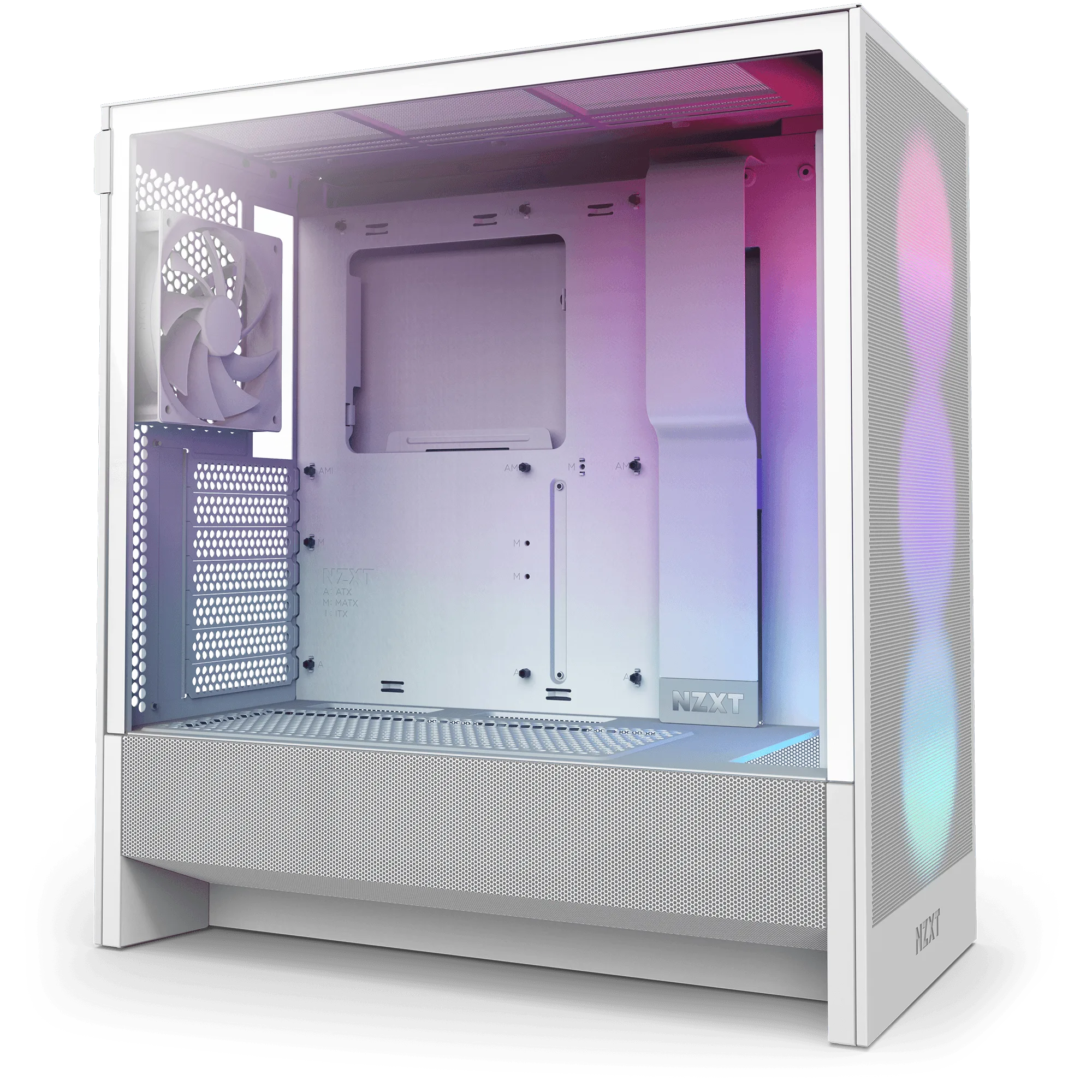
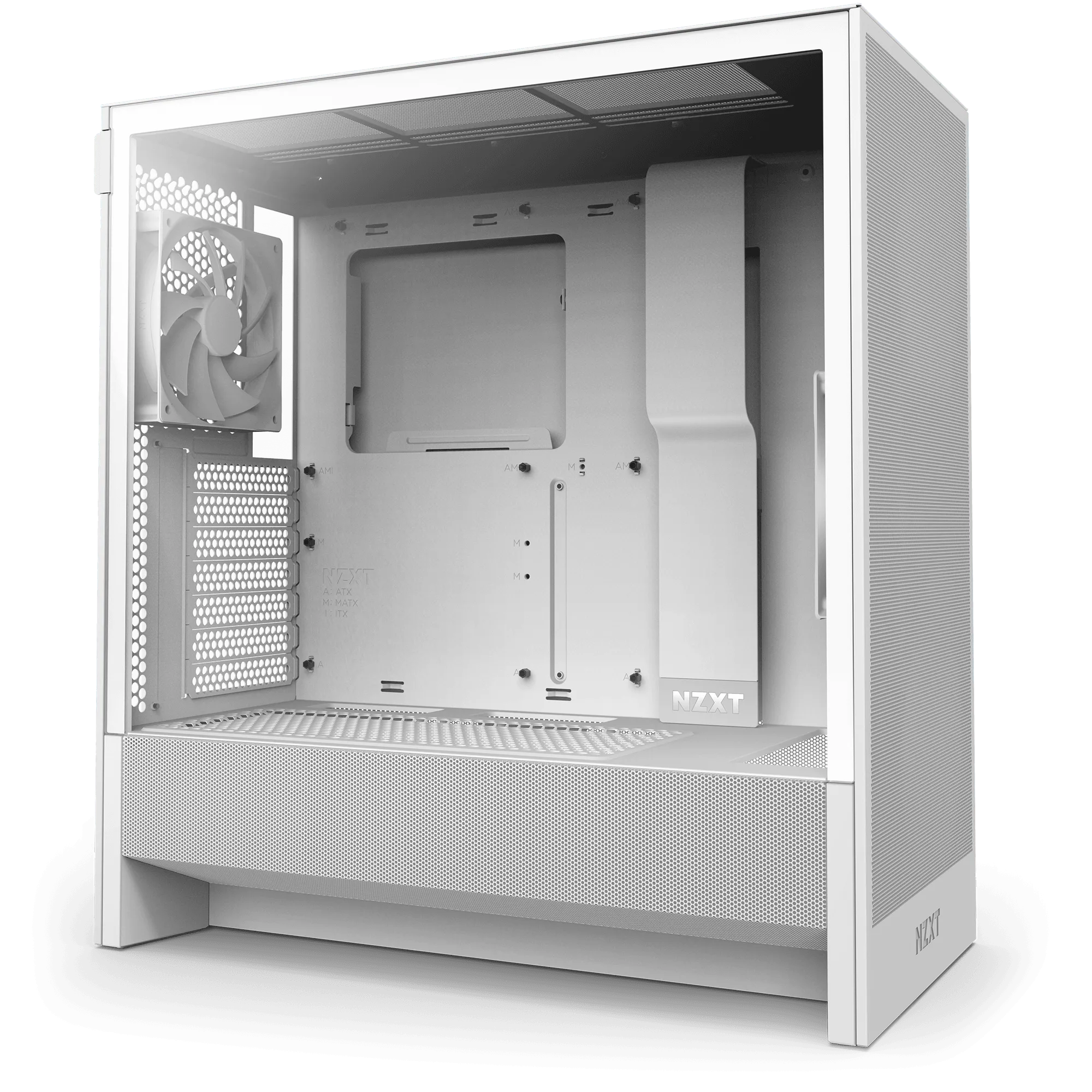
Both cases use the same compact mid-tower frame with mesh panels and a perforated PSU shroud. That shroud is perforated on the side and bottom, which lets two 120mm fans (not included) pull air directly toward the GPU. The case supports up to a 360mm radiator in front and a 240mm radiator up top, so liquid cooling headroom is identical across both versions.
Because the chassis is the same, clearance for GPUs, radiators, and cable management does not change between the RGB and non-RGB models. If you've already checked that a component fits one H5 Flow, it fits the other. The decision is really about fans and lighting, not physical compatibility.
- Same mesh front and top panels for airflow
- Same perforated PSU shroud for GPU-directed intake
- Same radiator support: up to 360mm front, 240mm top
Fan and Lighting Differences
The H5 Flow RGB ships with addressable RGB fans pre-installed, so you get lighting without buying separate fans. The standard H5 Flow does not include those RGB fans, which keeps the upfront cost lower but means you'll need to add your own cooling fans if you want active airflow beyond what the case provides passively.
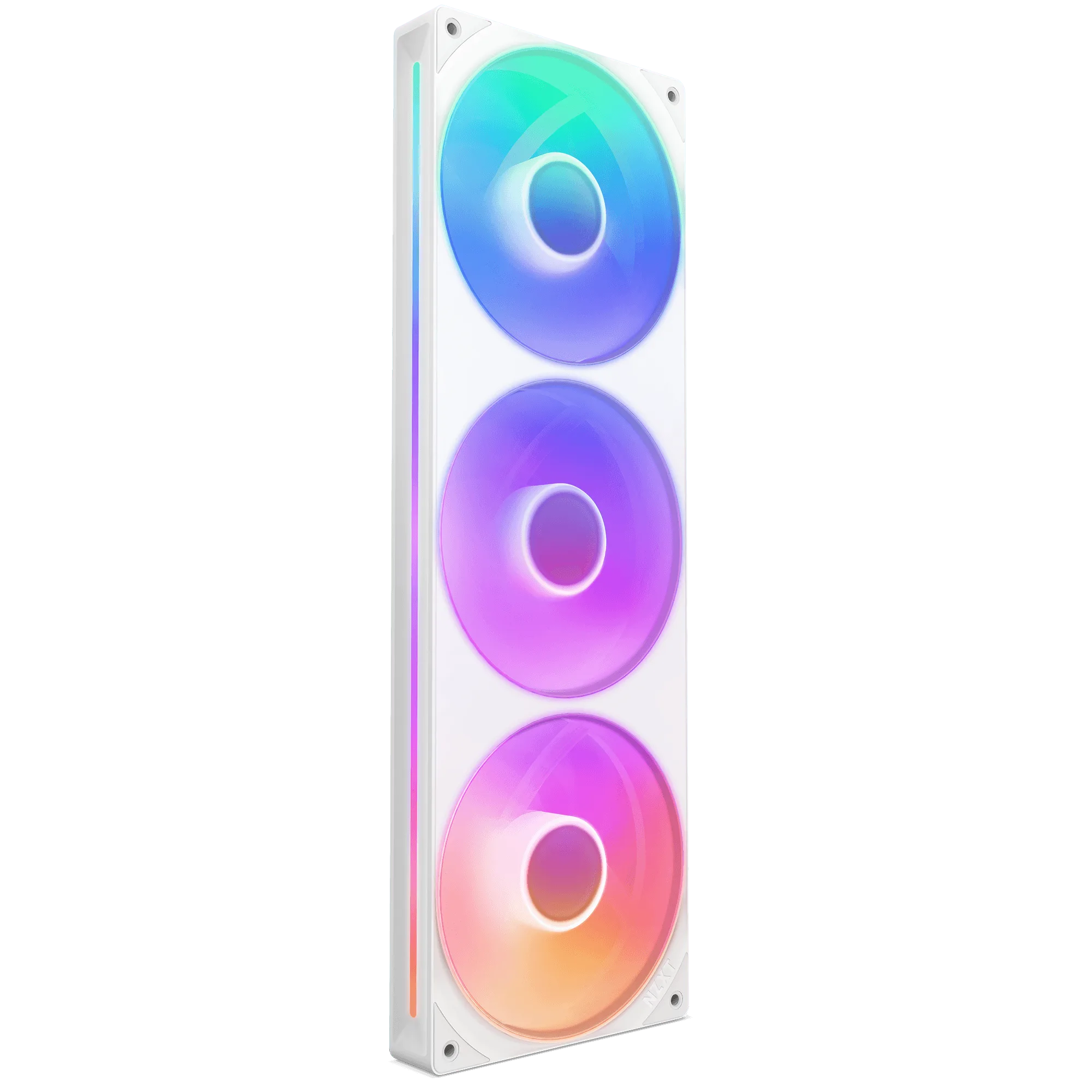
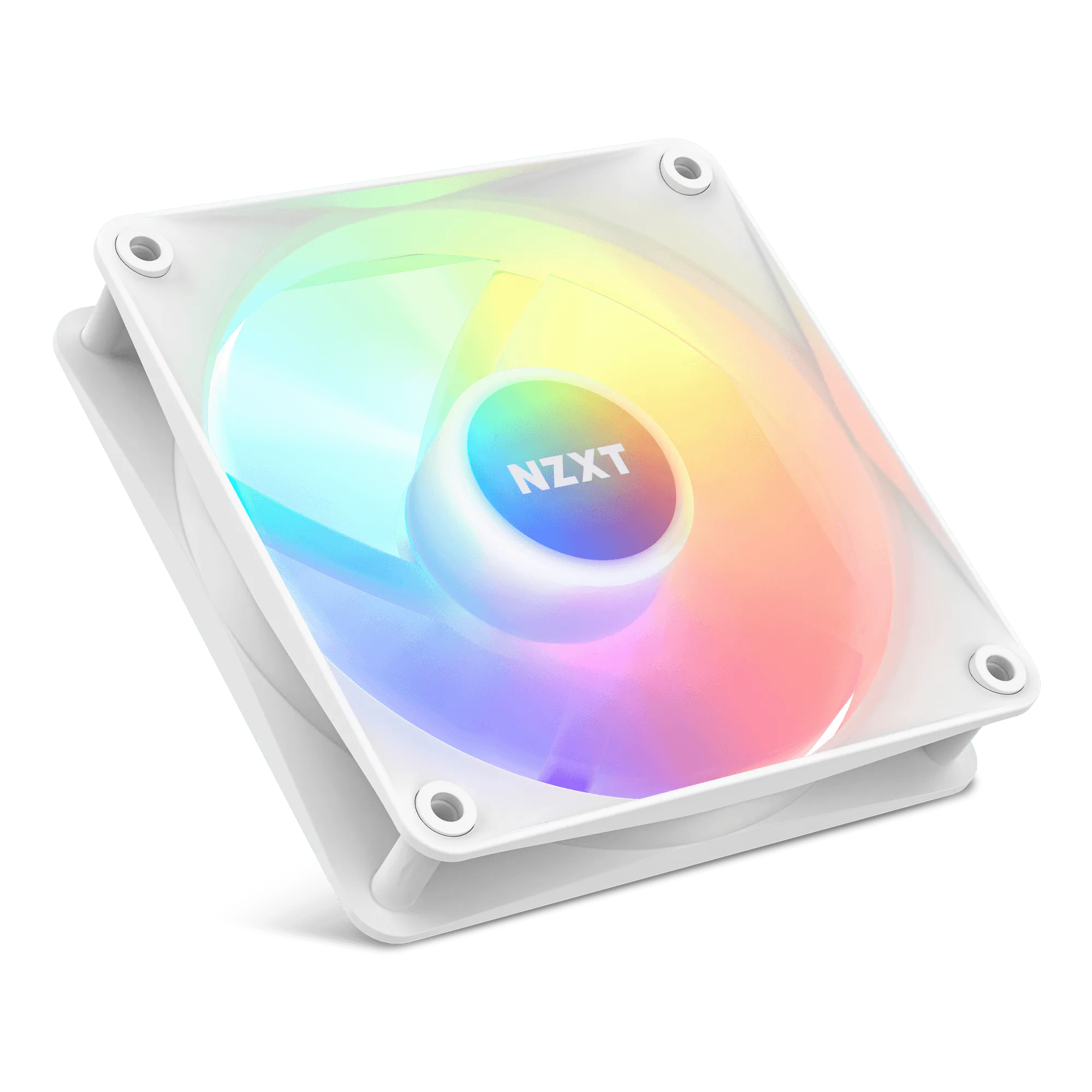
If you're leaning toward the standard H5 Flow and want to add RGB later, NZXT's F120 RGB Core Fans offer eight individually addressable LEDs mounted on the fan hub, diffused through semi-translucent blades. They also use a refined hub and blade design for enhanced static pressure, which helps when pushing air through a radiator. A single-frame alternative like the F240 RGB Core integrates multiple fans into one unit, so you connect a single cable to an NZXT controller (sold separately) for lighting and speed control.
- H5 Flow RGB: lighting included, no extra fan purchase needed
- Standard H5 Flow: lower upfront cost, add fans separately
- F120 RGB Core Fans: 8 addressable LEDs, high static pressure
- F240 RGB Core: single-frame design, one cable to an NZXT controller
Cooling Performance and Noise Trade-offs
Because the chassis and airflow paths are the same, cooling performance depends mostly on which fans you install and how you tune them. The H5 Flow RGB's included fans are designed for both airflow and lighting, while the standard H5 Flow gives you a blank slate to choose fans optimized for your priority — whether that's maximum airflow, low noise, or static pressure for a radiator.
If quiet operation matters more than lighting, a fan like the NZXT F140Q uses nine sickle-style blades and fluid dynamic bearings with PWM control to move air quietly. That's a different trade-off than RGB fans, which prioritize visual effect alongside cooling. Neither approach is wrong — it depends on whether you want the build to look a certain way or sound a certain way.
- Same case airflow potential; fans determine actual performance
- RGB fans balance lighting and cooling
- Quiet-focused fans like F140Q prioritize low noise over lighting
Pairing with the H5 Flow + Kraken Elite 240 Bundle
If you're considering the H5 Flow + Kraken Elite 240 bundle, note that the bundle includes the H5 Flow case and a 240mm Kraken Elite liquid cooler. The H5 Flow supports a 240mm radiator up top, so the Kraken Elite 240 mounts without issue. The bundle's case is the standard H5 Flow, not the RGB version, so if you want pre-installed RGB fans, you'd add them separately.
That said, the bundle's value comes from combining a proven airflow case with a capable cooler. If you already plan to add your own RGB fans, the bundle plus a set of F120 RGB Core Fans gives you both cooling and lighting while letting you choose the fan configuration. If you'd rather have lighting handled at purchase, the standalone H5 Flow RGB may be simpler.
- Bundle includes standard H5 Flow, not RGB version
- Kraken Elite 240 fits the H5 Flow's top 240mm radiator mount
- Add F120 RGB Core Fans to the bundle for lighting
Trade-offs to Weigh
- Upfront cost vs. included lighting: The H5 Flow RGB costs more because RGB fans are pre-installed. The standard H5 Flow costs less but requires a separate fan purchase if you want active airflow or lighting. Choose RGB if you want lighting handled at purchase; choose standard if you already have fans or want to control the fan budget separately.
- Fan choice flexibility: The standard H5 Flow lets you pick any fans, including quiet models like the F140Q or high-static-pressure RGB models like the F120 RGB Core Fans. The RGB version comes with its fans already chosen for you. If you have specific noise or performance targets, the standard version gives you more control.
- Installation effort: The H5 Flow RGB arrives ready to light up, while the standard H5 Flow requires you to install and cable any additional fans. Single-frame options like the F240 RGB Core reduce that effort with one cable to an NZXT controller. Factor in build time if you're adding fans to the standard version.
Product Facts
- H5 Flow + Kraken Elite 240: The H5 Flow boosts airflow and GPU cooling with its perforated PSU shroud, mesh panels, and large radiator support. It supports up to a 360mm radiator in front and a 240mm radiator up top. This bundle pairs the standard H5 Flow with a 240mm cooler that fits the top mount, giving you a complete cooling foundation without RGB fans included.
- F120 RGB Core Fans: Eight individually addressable RGB LEDs mounted on the fan hub are diffused through semi-translucent blades, and a refined hub and blade design offers enhanced static pressure for pushing air through a radiator. These are a direct add-on if you choose the standard H5 Flow but want addressable RGB lighting and radiator-friendly static pressure.
- F240 RGB Core: Single-frame unit with integrated fans streamlines installation, setup, and lighting control—no need to connect individual fans. Connect a single cable to an NZXT controller (sold separately) for lighting and speed control. If you prefer fewer cables and simpler RGB setup in the H5 Flow, this single-frame fan unit reduces installation steps compared to separate fans.
Which H5 Flow Should You Get?
Best for
- Builders who want addressable RGB lighting without buying separate fans
- First-time builders who prefer a case that's ready to run out of the box
- Anyone matching a lighting theme across the build
Not for
- Builders who already own fans or plan to buy specific quiet or high-static-pressure models
- Anyone prioritizing the lowest possible upfront case cost
- Users who prefer no lighting in their build
The H5 Flow RGB and standard H5 Flow are the same case underneath — same airflow design, same radiator support, same clearance. The RGB version simply bundles lighting and fans, while the standard version leaves those choices to you. Pick based on whether you want lighting included or want to choose your own fans, and either way you're getting the same compact, airflow-focused chassis.