Start With the Right Assumption About OpenDots Air
OpenDots Air are open-ear earbuds designed to sit without sealing off the ear canal. That design changes what cleaning should look like: you are not digging earwax out of a sealed silicone tip, and you should not treat these like in-ear buds that need deep nozzle cleaning.
The supplied product information for OpenDots Air confirms the open-ear form factor and two color options, OpenDots Air Daybreak Purple and OpenDots Air Black. It does not include manufacturer cleaning instructions, water-resistance ratings, or approved cleaning agents. So the routine below sticks to conservative, low-risk habits and flags where you should check your own documentation before going further.
A Low-Risk Cleaning Routine for OpenDots Air
These steps are about removing everyday surface residue without pushing anything into the earbud openings. Because the supplied record does not confirm water resistance or approved cleaners, avoid running them under water or soaking them.
- Power off and separate: Turn the earbuds off and take them out of the charging case before cleaning. This prevents accidental pairing or charging while you handle them.
- Wipe the outer surfaces first: Use a dry, soft, lint-free cloth to wipe the outside of each earbud. Focus on the areas that touch your skin, where oils and sweat collect. Avoid abrasive cloths that could dull the finish.
- Clean around the sound openings gently: Use a dry soft brush or a dry cotton swab to loosen dust near any openings. Do not insert sharp tools, and do not push debris inward. If the opening looks blocked and a dry brush does not help, stop and check the manufacturer's support information rather than improvising.
- Leave them to air-dry before charging: If there is any visible moisture from sweat or a damp cloth, let the earbuds air-dry fully before putting them back in the case. Charging contacts and moisture are a poor combination.
Charging Care That Protects the Long-Term Relationship
The supplied record for OpenDots Air does not include battery capacity, charging time, or a stated charging standard. That means you should not assume fast-charging behavior or a particular cable. Use the charging method that came with your earbuds, and check the product documentation if you are unsure.
For open earbuds maintenance, the safer habits are simple: keep the charging case and earbud contacts dry and free of visible residue, avoid leaving the case in direct sun or a hot car, and put the earbuds back in the case only when they are dry. These habits reduce the most common avoidable wear points without requiring any unverified procedure.
OpenDots Air Details That Affect Care
-
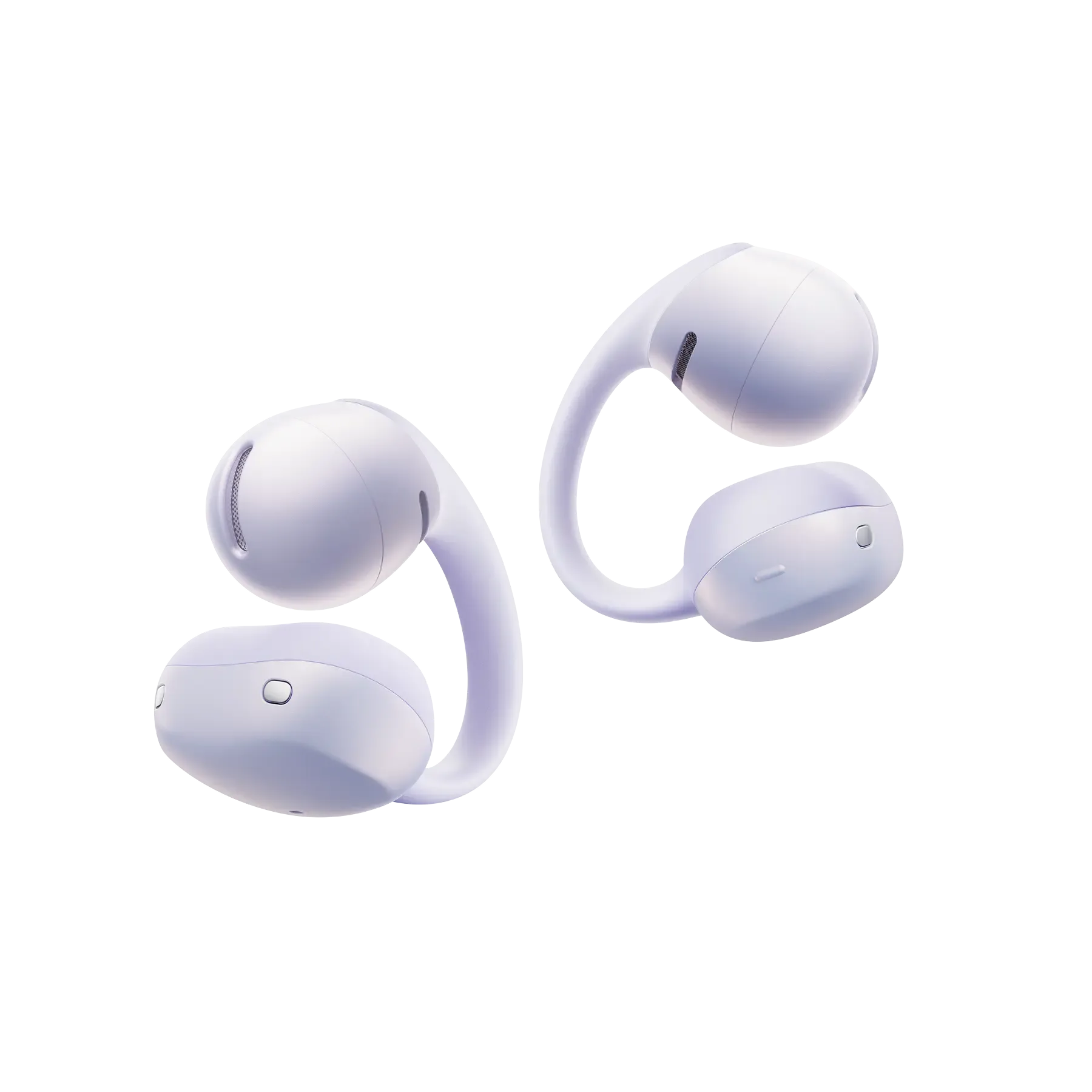
OpenDots Air: OpenDots Air are open-ear earbuds designed to sit without sealing off the ear canal. The open design means there is no sealed ear tip to remove and clean; focus on surface residue and gentle care around openings rather than deep in-ear cleaning.
OpenDots Air
-
OpenDots Air: OpenDots Air are available in Daybreak Purple and Black, with SKU codes E210-ST-PR-US and E210-ST-BK-US. If you are buying a second pair or a gift, matching the color and SKU helps you get the same model and finish, which matters for consistent care and accessory fit.
Habits That Quietly Shorten Open Earbuds Lifespan
Most early failures in open earbuds come from handling and storage, not from the open-ear design itself. Watch for these patterns.
- Storing them loose in a bag: Keys, cables, and coins can scratch the finish and press on the earbud openings. Use the charging case for storage when you are not wearing them.
- Charging while damp: Sweat and humidity are normal with open earbuds, but charging immediately after a workout without drying them can put moisture near the contacts. Wipe and air-dry first.
- Using household cleaners: The supplied information does not confirm which cleaning agents are safe for OpenDots Air. Avoid alcohol, solvents, and abrasive polishes unless your product documentation specifically approves them.
- Ignoring a persistent fit change: If an earbud suddenly feels different or sounds different, clean the outer surfaces and check for visible debris before assuming a fault. OpenDots Air are designed to sit without sealing the ear canal, so a small amount of surface debris can affect how they sit.
What the Supplied Information Does Not Cover
The supplied record for OpenDots Air does not include water-resistance ratings, approved cleaning solutions, battery life figures, or replacement-part instructions. Treat any specific claim about those topics as unconfirmed unless it comes from your own product documentation or Shokz support.
That is not a reason to avoid basic care. It is a reason to keep your routine conservative: dry cloth, gentle brush, air-dry before charging, and store in the case. Those steps are supported by the product's open-ear design and general handling logic, and they do not depend on unverified specifications.