Quick answer
Use the Entity Hook & Loop Low Profile Panel to turn any loop surface into a modular EDC organizer. Attach it, sort your gear by frequency of use, and secure items with the built-in pockets and elastic bands.
Why a low profile panel beats a bulky pouch
A low profile panel keeps your gear flat against the surface, so it adds minimal bulk and stays out of the way. That makes it ideal for the inside of a pack lid, a molle panel, or even the back of a seat cover.
Unlike a pouch that swallows small items, the panel's open layout lets you see everything at a glance. You never have to dig through a pile to find a flashlight or multitool.
Pick the right loop surface
The panel attaches to any loop surface, but not all loop surfaces are equal. A stiff panel inside a pack lid gives you a stable base; a floppy fabric surface might sag under heavier gear.
Test the hook and loop grip before loading it. If the panel peels away easily, choose a different spot or use less weight.
Avoid surfaces that see a lot of friction, like the bottom of a backpack, where the panel could snag or wear.
Set up your Entity panel in 5 steps
- Choose your anchor surface: Pick a loop surface that is stable, accessible, and not subject to heavy friction. Common choices: inside a pack lid, a molle panel, or a seat back. Make sure the surface is clean and dry so the hook and loop grips well. If the panel doesn't stick firmly, move it to a stiffer surface.
- Sort your EDC by frequency of use: Group items into daily use (flashlight, pen, knife) and occasional use (spare batteries, small repair kit). Keep daily items in the most accessible pockets or elastic bands. Frequently used gear should be easy to grab without unloading the panel.
- Load the panel strategically: Place heavier items in the lower sleeves or pockets to keep the panel balanced. Use elastic bands for slim tools like a flashlight or multi-tool. Reserve the flat sleeves for documents or cards. Avoid overloading one side; it can cause the panel to sag.
- Attach the panel securely: Press the panel firmly onto the loop surface, starting from the center and working outward. Apply even pressure to ensure full contact. Check the edges for any lift; re-press if needed.
- Test and adjust: Close and open your pack or access the panel a few times. Make sure nothing shifts or falls out. Adjust the placement of items to eliminate any rattling or obstruction. If an item keeps slipping, move it to a pocket with a tighter fit or a different elastic band.
The panel that makes it work
-
Entity™ Hook & Loop Low Profile Panel: The Entity Hook & Loop Low Profile Panel is a flat organizer panel that can be securely attached to any loop surface. It features assorted pockets, sleeves, and elastic bands to keep objects organized. The mix of pockets and elastic bands lets you separate small items and taller tools so nothing rattles or gets lost.
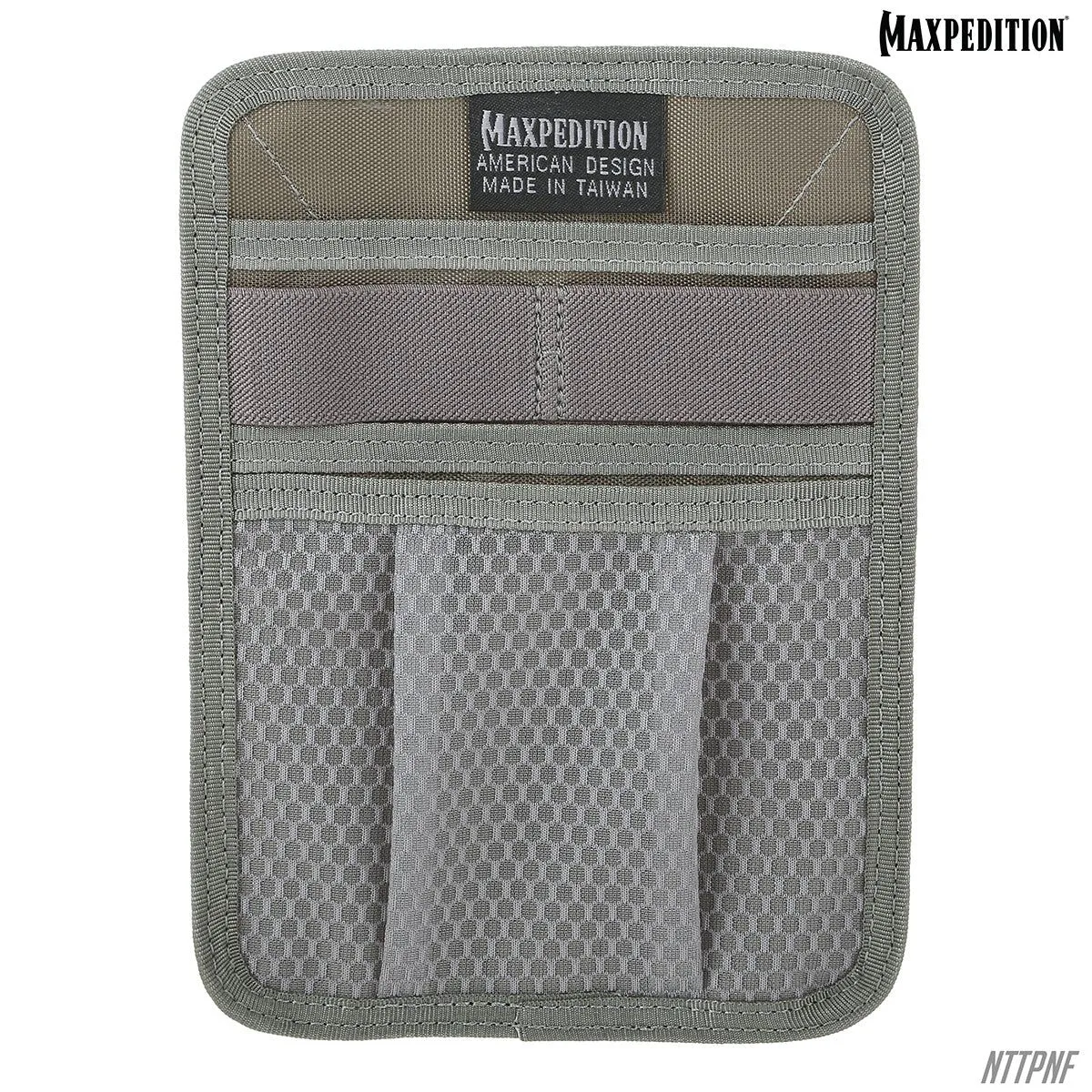
Entity™ Hook & Loop Low Profile Panel