Quick Answer
Pack your drone and camera gear in a single camera backpack for drone storage using separate padded compartments for the drone, camera body, and lenses, and reserve the top section for accessories like batteries and chargers.
Why Separate Compartments Matter
When packing a drone alongside a DSLR or mirrorless camera, the biggest challenge is preventing items from bumping into each other. A dedicated camera backpack for drone use typically offers customizable dividers, letting you create snug compartments for the drone, camera body, and lenses. Without separation, a loose drone controller can scratch your camera lens, or the camera's weight can press against the drone's gimbal, risking damage.
Trade-off: Backpack Size vs. Airline Carry-On Limits
A larger photo video backpack can fit a drone, camera, and accessories in one bag, but it may exceed airline carry-on size restrictions. Compact backpacks fit under the seat but require you to leave behind a lens or tripod. Measure your bag against the airline's dimensions before packing, and prioritize your most-used gear.
Decision Rules for Packing
- Rule 1: Place the Drone First: Unfold the drone and place it in the bottom compartment with its propellers folded. Pad the gimbal with a soft cloth or lens cap. This protects the most fragile part of the drone from pressure.
- Rule 2: Stack the Camera Body and Lenses Vertically: Put the camera body with a lens attached in the middle section, facedown if possible. Store additional lenses upright in padded slots beside it. This prevents the camera from shifting and keeps lenses accessible. If your backpack lacks vertical dividers, use neoprene pouches for each lens.
- Rule 3: Reserve the Top Pocket for Batteries and Cables: Store drone and camera batteries in a fireproof pouch or original cases, then place them in the top pocket. Keep chargers, cables, and memory cards in a small organizer. This keeps weight high and prevents crushing. Always carry spare batteries in your personal item if you travel with a drone, as some airlines restrict lithium batteries in checked bags.
- Rule 4: Use the Side Straps for a Tripod: If your backpack has side compression straps, use them to secure a compact travel tripod. This frees internal space for other gear and keeps the tripod balanced.
Gear That Fits the Bill
-
Deco Photo Photo and Video Backpack for Mirrorless and DSLR Cameras and Drones (Grey): The Deco Photo Photo and Video Backpack is designed for mirrorless and DSLR cameras and drones, with a large capacity and protective padding. This backpack offers dedicated space for both a drone and a camera, making it a practical choice for travelers who need one bag for all their gear.
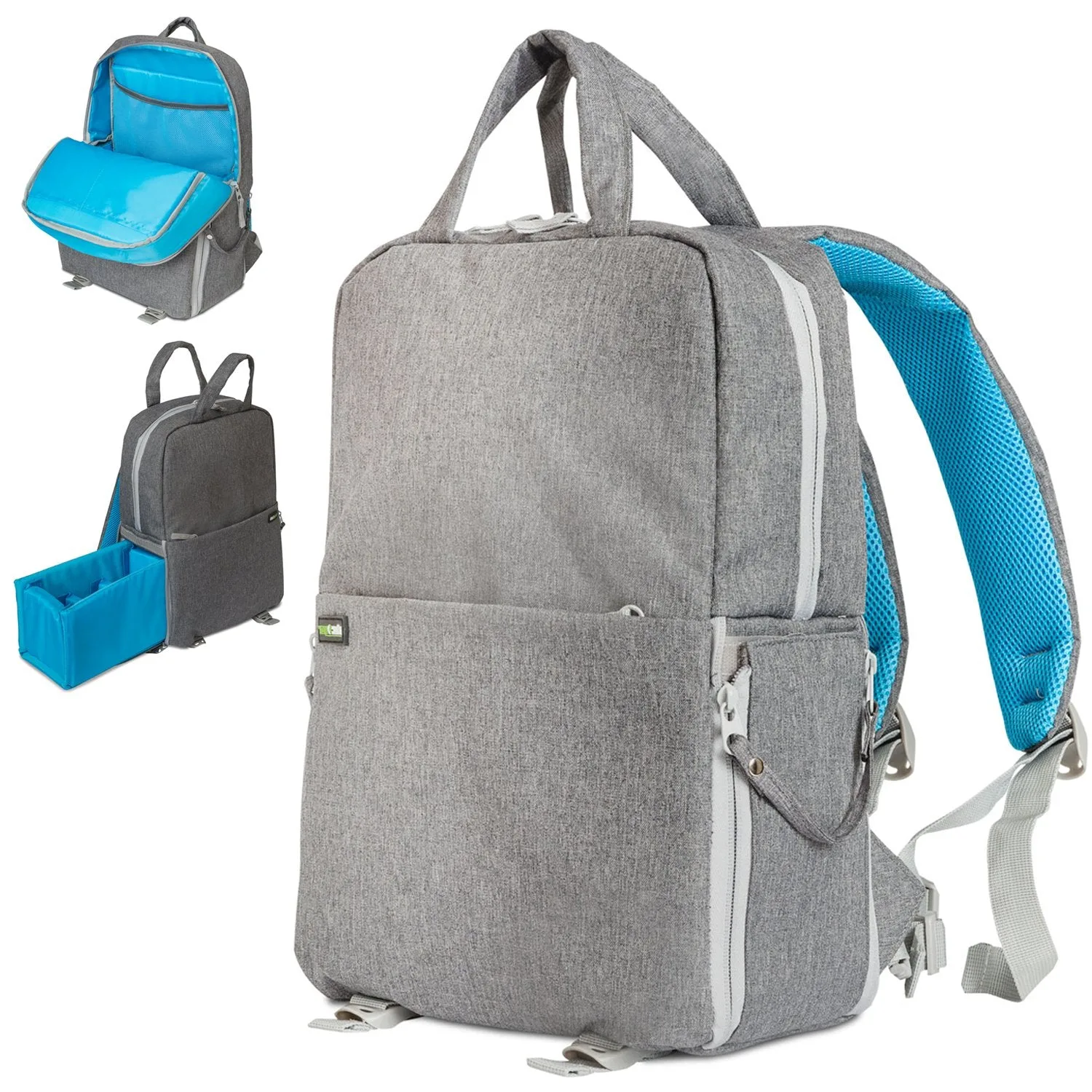
Deco Photo Photo and Video Backpack for Mirrorless and DSLR Cameras and Drones (Grey)
Who This Approach Works For
Best for
- Photographers carrying one drone and one camera body
- Travelers who want to keep all gear in a single backpack
Not for
- Professionals needing multiple drones or full-frame cameras with large telephoto lenses
- Minimalists who prefer a sling bag or separate drone case