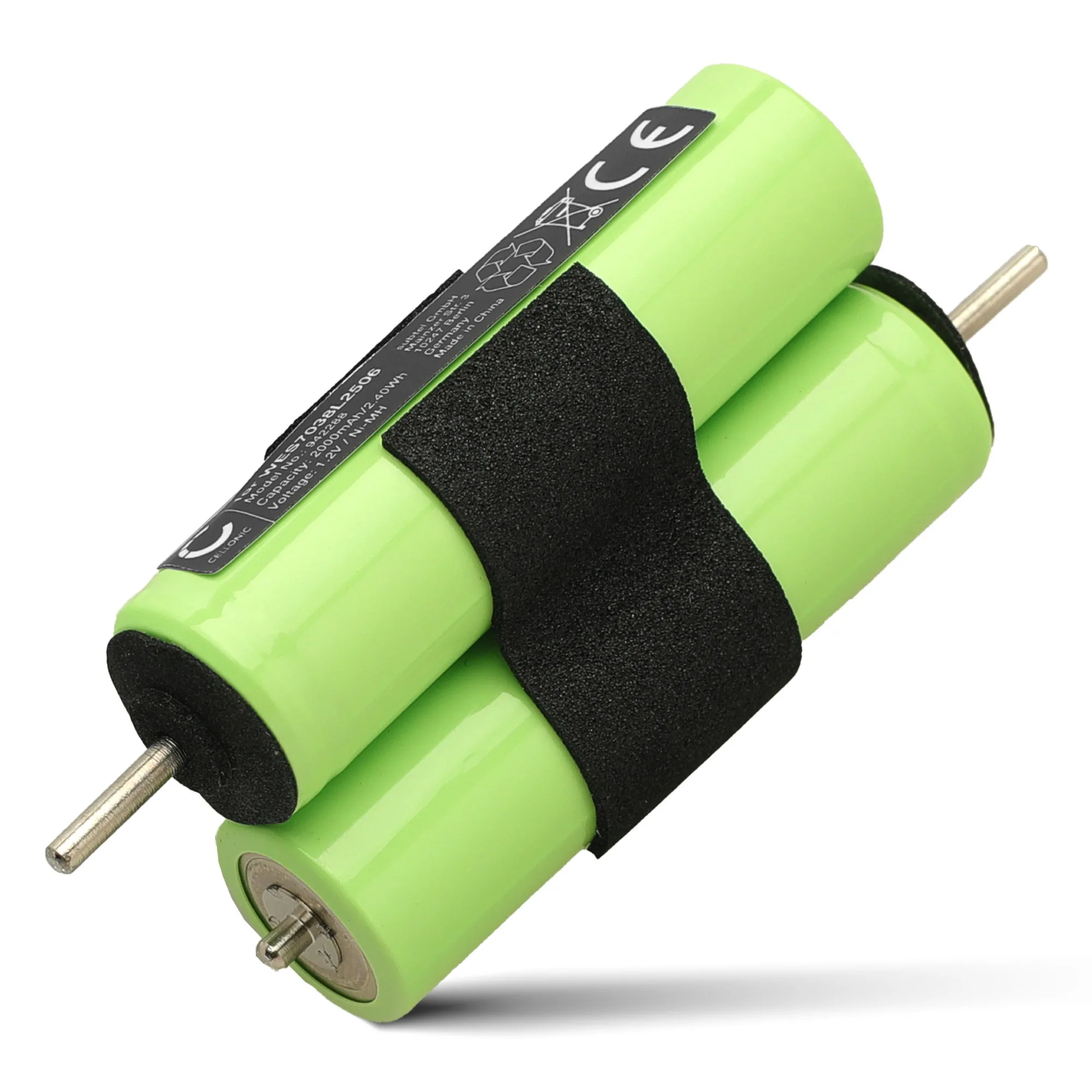
Quick answer
To replace the battery in your Panasonic ES7036, ES7109, ES7101, ES6002, ES4033, ES4001, or ER508 shaver, you need a compatible replacement like the Batterij voor Panasonic ES7036, ES7109, ES7101, ES6002, ES4033, ES4001, ER508 Accu from subtel. The process involves opening the shaver casing, disconnecting the old battery, and installing the new one with care to avoid damaging internal wires.
Identifying the correct replacement battery
Before starting, confirm your shaver model. The battery listed for Panasonic ES7036, ES7109, ES7101, ES6002, ES4033, ES4001, and ER508 is a direct replacement option. Check the model number on the back or bottom of your shaver. Using the wrong battery can cause poor fit or electrical issues.
Tools you will need
You will need a small Phillips-head screwdriver, a plastic spudger or flat tool to pry open the casing, and a pair of tweezers to handle small connectors. Work on a clean, well-lit surface to avoid losing screws.
Step-by-step replacement process
- Remove the shaver foil and cutter: Press the release button to detach the outer foil frame. Lift out the inner cutter blades. Set them aside in a safe place. Common mistake: pulling too hard on the foil can bend it. Use gentle, even pressure.
- Unscrew the casing screws: Locate the screws under the foil area and on the back of the shaver. Use a Phillips-head screwdriver to remove them. Keep screws organized by size and position. Checkpoint: some models have hidden screws under rubber grips. Gently peel back the grip to find them.
- Separate the front and back shells: Insert a plastic spudger into the seam between the shells and gently pry them apart. Work around the perimeter until the clips release. Common mistake: using a metal tool can scratch the plastic and damage internal components. Always use plastic.
- Disconnect the old battery: Locate the battery connector on the circuit board. Use tweezers to gently pull the connector straight out. Do not pull on the wires. Checkpoint: note the orientation of the connector before removal so you can insert the new one correctly.
- Remove the old battery and insert the new one: The old battery may be held in place with adhesive. Gently pry it free. Place the new battery in the same position and reconnect the connector firmly. Common mistake: forcing the battery into a tight space can damage the casing or wires. Ensure it sits flat.
- Reassemble the shaver: Align the front and back shells and press them together until all clips snap. Reinsert and tighten all screws. Reattach the foil and cutter. Test the shaver before fully closing if possible. If it does not power on, check the connector and battery orientation.
Compatible replacement batteries
- Batterij voor Panasonic ES7036, ES7109, ES7101, ES6002, ES4033, ES4001, ER508, ES366 Accu: Batterijen voor je camera, smartphone of tablet bestel je natuurlijk online bij Subtel.nl - Vandaag besteld, snel geleverd. Drie jaar garantie. This battery is designed as a direct replacement for multiple Panasonic ES shaver models, including ES7036, ES7109, ES7101, ES6002, ES4033, ES4001, and ER508. The three-year guarantee provides peace of mind if the battery fails prematurely.


