Quick answer
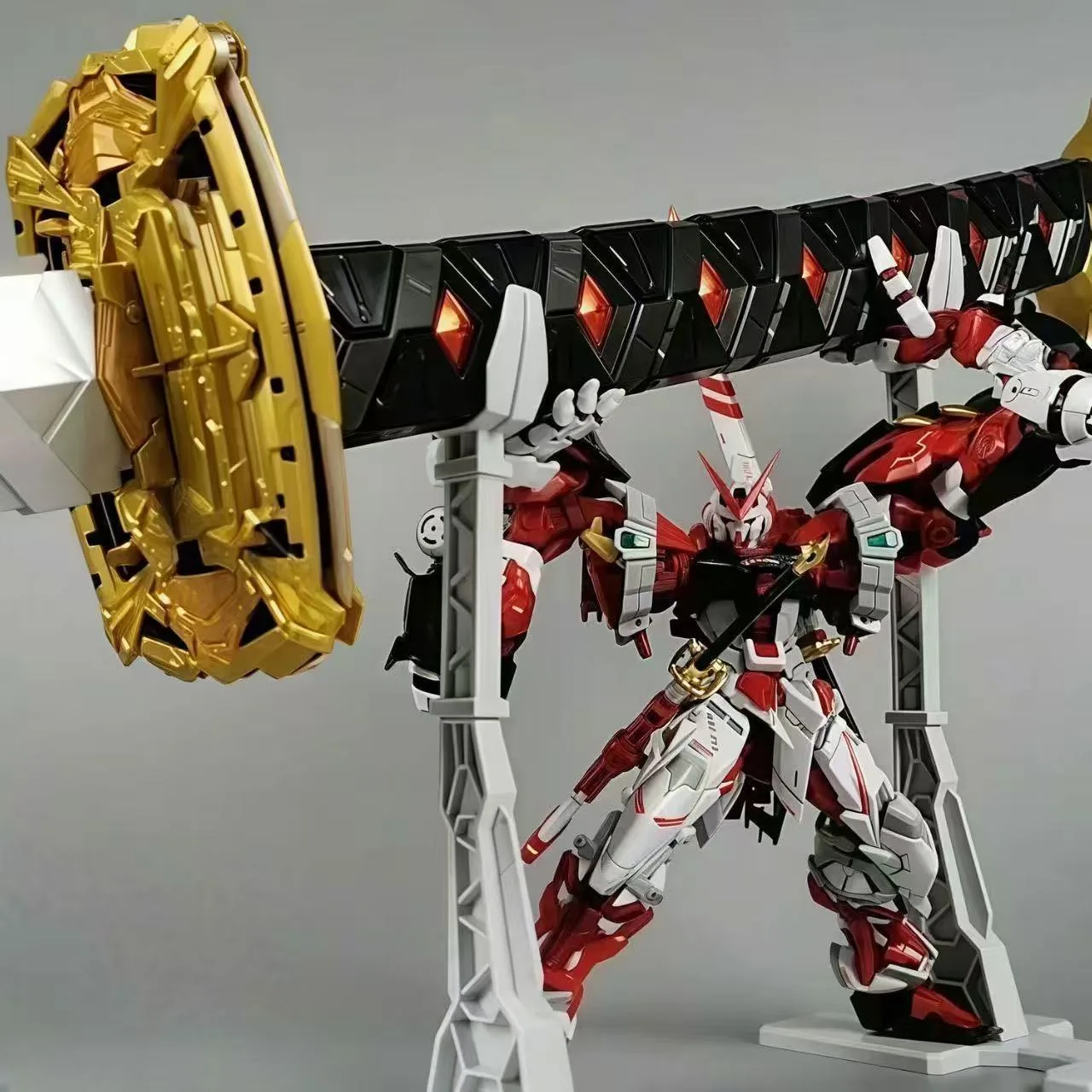
The Playman Studio Snake Bone Action Base Stand Black for PG 00 Raiser 1/60 is designed to support the 1/60 PG 00 Raiser. The kit includes a connector and a metal snake bone action base stand. For a secure fit, use the supplied connector, tighten the joints before mounting, and balance the kit low before adjusting the pose.
Check the stand and kit before you start
Confirm you have the Playman Studio Snake Bone Action Base Stand Black for PG 00 Raiser 1/60 (product ID 521554). The package includes a connector and the metal snake bone action base stand. Compare the connector to the mounting point on your PG 00 Raiser before attaching anything; the connector is the part that bridges the stand to the kit.
This stand is listed for the PG 00 Raiser 1/60, so it is not a universal action base. If you are working with a different 1/60 kit, check the product title and description first rather than forcing the connector. The same Playman Studio line also lists a version for the PG Exia 1/60 (product ID 521546), which shows that the connector is kit-specific.
Prepare the PG 00 Raiser for mounting
Remove the weapons and accessories that shift the center of gravity, such as the GN drives or large binders, until the main body is mounted. A lighter kit is easier to seat on the stand and less likely to stress the connector. Keep small parts in a tray so they do not roll away while you work.
If you have already applied water decals, let them cure fully before handling. The Evo RG Gundam 00 Raiser XN (00RXN) Water Decal (product ID 521596) is made for the RG 00 Raiser XN, not the PG 00 Raiser, so do not use it as a reference for PG mounting points. Use it only on the RG kit it was produced for.
Attach the connector to the kit
Fit the supplied connector into the mounting point on the PG 00 Raiser. Seat it fully but do not force it; if it does not sit flush, stop and check that you are using the correct connector orientation. A partially seated connector is the most common cause of a kit that leans or pops off later.
Once the connector is seated, give it a gentle tug to confirm it is engaged. If it slips out easily, re-seat it before moving on. Do not glue the connector unless you are willing to make the stand permanent, because you may need to remove it for storage or transport.
Mount the kit on the snake bone stand
Place the metal snake bone action base stand on a flat, stable surface. Lower the PG 00 Raiser onto the stand so the connector meets the top of the snake bone. Support the kit with one hand while you guide the connector into place with the other.
Do not let the full weight of the kit hang on the snake bone before the connector is locked in. If the stand tips, the kit can fall and damage parts. A second pair of hands helps with a 1/60 kit, especially the first time you mount it.
Tighten the joints and set the pose
Tighten the snake bone joints one at a time, starting near the base and working upward. Tightening from the base first gives you a stable platform before you adjust the upper sections. If a joint will not hold, check that it is not cross-threaded or blocked by a part of the kit.
Adjust the pose in small increments and re-check balance after each change. Keep the heaviest parts of the kit centered over the base. If the stand feels unstable, lower the kit closer to the base rather than extending the snake bone further out.
Final stability check and display tips
Give the display a light nudge to see how it reacts. If the kit wobbles more than you are comfortable with, lower the center of gravity or move the stand to a surface that does not flex. Keep the stand away from edges and from areas where it can be bumped.
For long-term display, dust the stand and kit regularly and check the connector and joints for looseness. If you plan to move the display, remove the kit from the stand first rather than carrying the whole assembly.
Step-by-step fit process
- Verify the stand matches your kit: Check the product title and description for PG 00 Raiser 1/60 before opening the package. The connector is kit-specific, so a stand listed for another 1/60 kit may not fit. Checkpoint: the stand packaging or listing should name the PG 00 Raiser 1/60.
- Remove heavy accessories first: Take off large weapons, binders, or GN drives before mounting. This lowers the weight and makes it easier to seat the connector without stressing the stand. Checkpoint: the main body should feel light enough to lift with one hand.
- Seat the connector fully: Push the supplied connector into the kit mounting point until it sits flush. Do not force it; if it binds, check orientation before applying more pressure. Checkpoint: a gentle tug should not pull the connector out.
- Mount the kit low on the stand: Place the stand on a flat surface, then lower the kit onto the snake bone with the connector aligned. Keep the kit close to the base until the connection is secure. Checkpoint: the kit should not hang freely before the connector is locked in.
- Tighten joints from base to top: Tighten the snake bone joints starting at the base and moving upward. This builds stability from the bottom instead of locking in a top-heavy pose. Checkpoint: each joint should hold its position without slipping.
- Adjust the pose in small steps: Move one joint at a time and re-check balance after each change. Keep the heaviest parts of the kit centered over the base. Checkpoint: the stand should not tip when you release the kit.
- Do a final stability check: Nudge the display lightly and watch for wobble. If it moves too much, lower the kit or move the stand to a more stable surface. Next step: dust and check the connector and joints periodically during long-term display.
Product facts
- Playman Studio Snake Bone Action Base Stand Black for PG 00 Raiser 1/60: Playman Studio Snake Bone Action Base Stand Black for PG 00 Raiser 1/60 includes a connector and a metal snake bone action base stand. The included connector is the part that fits the PG 00 Raiser mounting point, so you do not need to source a separate adapter for this kit.
- Playman Studio Snake Bone Action Base Stand Black for PG Exia 1/60: Playman Studio also lists a Snake Bone Action Base Stand Black for PG Exia 1/60 with its own connector. If you own both PG 00 Raiser and PG Exia, do not swap connectors between the two stands; each connector is matched to its listed kit.
- Evo RG Gundam 00 Raiser XN (00RXN) Water Decal: Evo RG Gundam 00 Raiser XN (00RXN) Water Decal is a water slide decal set for the RG 00 Raiser XN kit. This decal set is scaled for the RG kit, not the PG 00 Raiser, so it is not a substitute for PG detail work or a guide to PG mounting points.