What the Plugable USB 2.0 Sharing Switch does
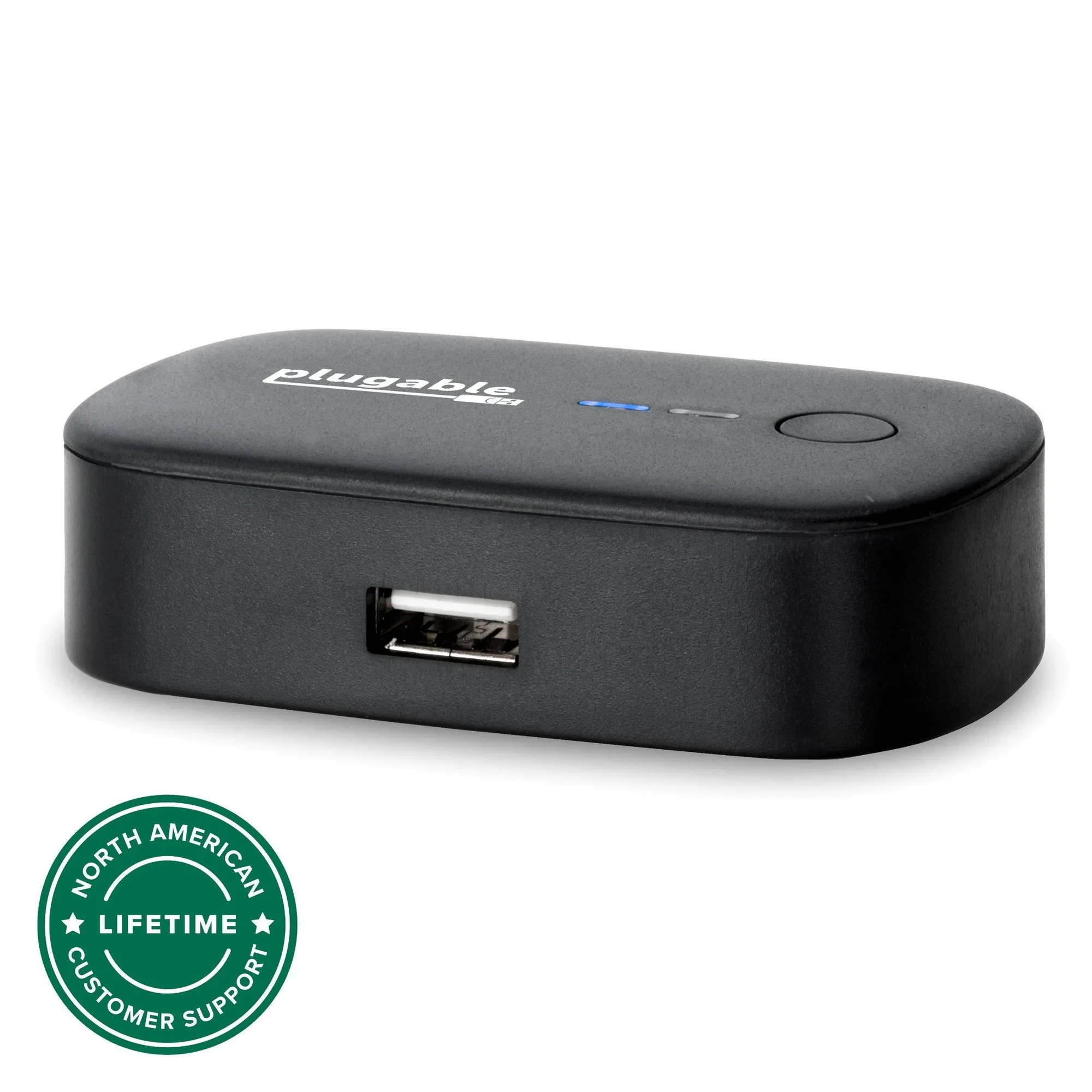
The Plugable USB 2.0 Sharing Switch (USB2-SWITCH2) lets you share one USB device between two computers with the press of a button. You can connect a USB mouse, printer, scanner, or other USB 2.0 device, and switch control between the two computers using the button on the switch. LED indicator lights show which computer currently has control.
The switch works without drivers on any USB-enabled computer running Windows, Mac, or Linux. However, driver installation for the attached devices may be required on the connected computers.
How to set up the switch for a keyboard and mouse
Follow these steps to connect your keyboard and mouse to two computers using the Plugable USB 2.0 Sharing Switch.
- Connect the switch to both computers: Use the two included 59in/1.5m USB cables to connect each computer to the switch.
- Attach your keyboard and mouse: Plug your USB keyboard and mouse into the switch. If you have more than one USB device, attach a powered USB hub to the switch instead of a single device, then connect your devices to the hub.
- Install drivers if needed: Driver installation for the attached devices may be required on the connected computers. The switch itself works without drivers, but your keyboard and mouse may need drivers on each computer.
- Switch between computers: Press the button on the switch to change control of the attached devices between the connected computers. The LED indicator lights show which computer has control.
Key details about the Plugable USB 2.0 Sharing Switch
-
Plugable USB 2.0 Sharing Switch: Share one USB device between two computers with the press of a button. This is the core function: you can switch your keyboard and mouse between two computers without unplugging cables.
Plugable USB 2.0 Sharing Switch
-
Plugable USB 2.0 Sharing Switch: Attach a powered USB hub to the switch instead of a single device for switched access to everything connected to the hub. If you want to share multiple devices (like a keyboard, mouse, and printer) at once, a powered hub lets you switch them all together.
-
Plugable USB 2.0 Sharing Switch: LED indicator lights show which connected computer has control. You can quickly see which computer is active, avoiding confusion when switching.
-
Plugable USB 2.0 Sharing Switch: The USB2-SWITCH2 works without drivers on any USB-enabled computer (Windows, Mac, Linux). No additional software is needed for the switch itself, making setup straightforward across different operating systems.
Compatibility and power limits to check before you buy
The switch is not compatible with USB docking stations or USB graphics adapters. If you plan to share a docking station or a display adapter, this switch won't work for that purpose.
USB devices that require the full 500mA of bus power provided by USB 2.0 are not recommended for use with this switch. This means high-power devices like some external hard drives may not work reliably. For such devices, consider using a powered USB hub connected to the switch, or choose a different solution.
The switch supports USB 2.0 devices. If you have USB 3.0 devices, they will operate at USB 2.0 speeds when connected through this switch.
When a USB 2.0 sharing switch is the right choice
This switch is a good fit if you have two computers and want to share a basic USB keyboard and mouse, or other low-power USB 2.0 devices like a printer or scanner, with simple button switching. It's also useful if you occasionally need to switch a single USB device between computers without networking or software KVM solutions.
If you need to share multiple high-power devices, or if you require USB 3.0 speeds, you may need a different product. The Plugable USB 2.0 Sharing Switch is designed for simplicity and compatibility with basic USB 2.0 peripherals.