Quick Answer
Use the PocketWizard MultiMax AC Adapter (PW-AC-MX) to power your MultiMAX transceiver continuously without batteries—just confirm your unit's software version and region compatibility first.
Why Use the AC Adapter Instead of Batteries?
Battery-powered PocketWizard MultiMAX units are fine for location shoots, but in a studio setting, constant battery changes interrupt your workflow. The PW-AC-MX adapter delivers steady power, so you never miss a trigger because of drained cells.
The trade-off is portability: once plugged in, your transceiver is tethered to a wall outlet. If you frequently move between setups, stick with fresh batteries. For fixed studio flash triggers, the AC adapter is a reliable upgrade.
Compatibility Check Before You Buy
Not every MultiMAX works with this adapter. The PW-AC-MX is designed for US/IC (344 MHz) units with an accessory port and MultiMAX software version 4.03 or higher. It does not work with CE (433 MHz) versions.
To check your unit's software version, press the Menu button, navigate to Info, and look for the firmware number. If it's below 4.03, the adapter won't function—even if the physical connector fits.
How to Set Up the PocketWizard MultiMax AC Adapter
- Confirm Compatibility: Verify your MultiMAX has software version 4.03 or higher and is a US/IC (344 MHz) model with an accessory port. Do not attempt to force the plug into a CE (433 MHz) unit—it will not work and may damage the port.
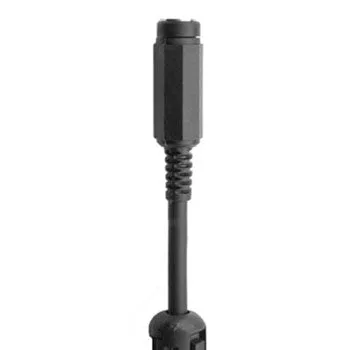
- Connect the Adapter Cable: Plug the 1/8-inch (3.5 mm) connector into the accessory port on the side of the MultiMAX. Push gently until it seats firmly—do not twist or wiggle the plug, as the port is delicate. If the plug feels loose, stop. A damaged port can cause intermittent triggering or no power at all.
- Attach the Wall Wart: Connect the adapter cable to the wall wart, then plug the wart into a standard US wall outlet. The MultiMAX should power on immediately—if it does not, check the outlet with another device. Use a surge-protected power strip to protect your gear from voltage spikes common in studio environments.
- Test Triggering: With the adapter connected, fire a test flash from your transmitter to confirm the MultiMAX receives and sends the trigger signal. Walk around the studio to verify range is unaffected by the tether. If the flash fires intermittently, the cable may be partially unseated—reseat it and test again.
Product Details
-
PocketWizard MultiMax AC Adapter: AC Adapter for MultiMax Rev 4.03 and up PW-AC-MX; includes wall wart and adapter cable with 7-inch (17.78 cm) cable length. The short cable keeps your setup tidy but means the adapter must sit close to the transceiver—plan your outlet placement accordingly.
PocketWizard MultiMax AC Adapter