Quick answer
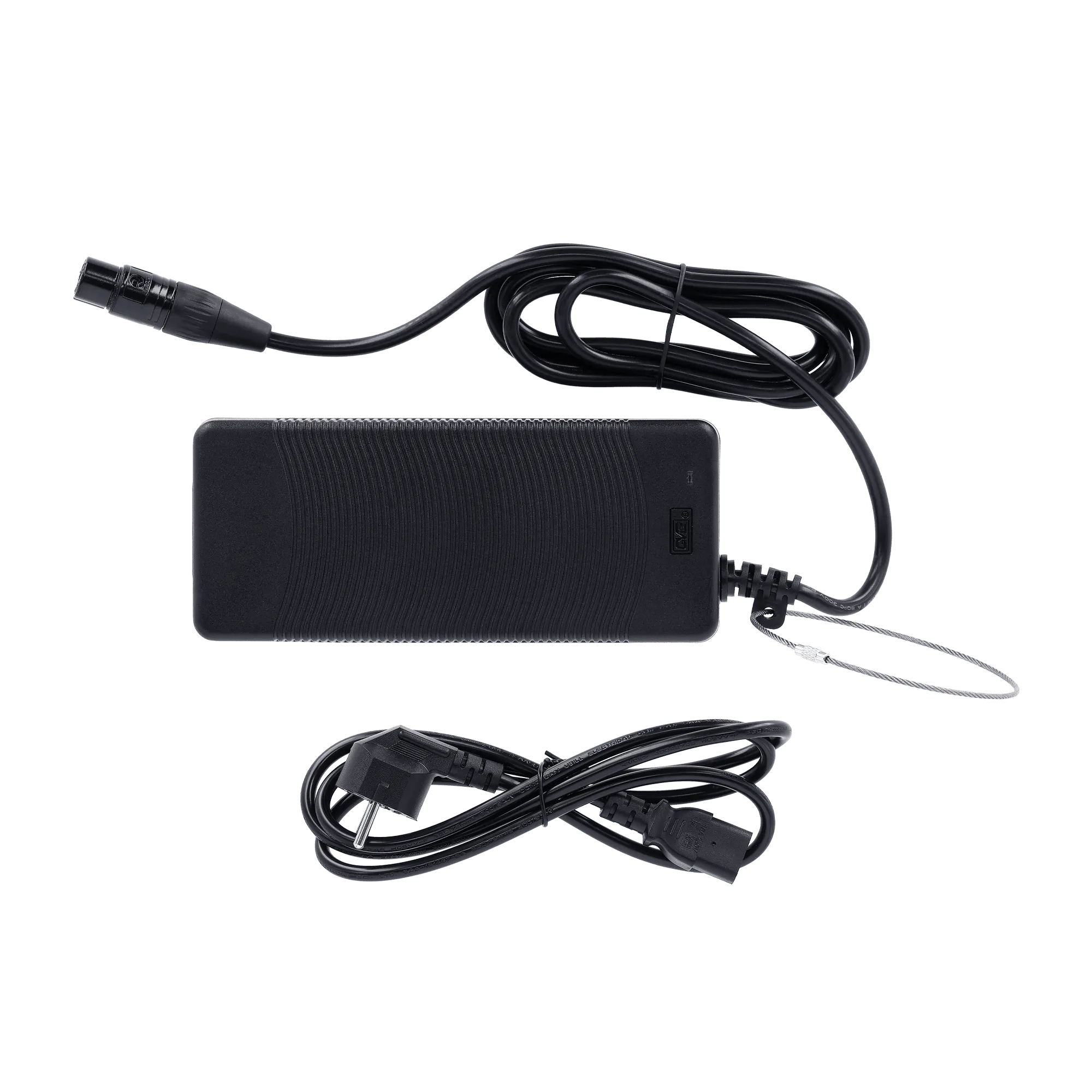
The Rollei Power Adapter for Candela 200 Studio RGB and Bi-Color provides uninterrupted power for flicker-free operation during long shoots.
Why use a dedicated power adapter?
Running your Candela 200 Studio on battery power is convenient, but for extended studio sessions, a dedicated AC adapter ensures consistent brightness and color temperature. The Rollei Power Adapter is specifically designed for the Candela 200 Studio RGB and Bi-Color, so you get a reliable connection without voltage mismatches.
Using a generic third-party adapter might not deliver the same flicker-free performance, especially during video recording. The Rollei unit is engineered to maintain a steady current, which is critical for professional-looking results.
Trade-offs to consider
While the power adapter eliminates battery anxiety, it tethers your light to a wall outlet. If you frequently shoot on location without power, you may still need a battery solution. The adapter is also an extra item to pack, but its compact size makes it easy to slip into a camera bag.
The adapter is designed exclusively for the Candela 200 Studio series. It won't work with other Rollei lights or third-party fixtures, so verify your model before purchasing.
Frequently asked questions
Is the power adapter compatible with both RGB and Bi-Color versions of Candela 200 Studio?
Yes, the Rollei Power Adapter works with both the RGB and Bi-Color variants. It is designed to deliver consistent power to either model, so you can use it interchangeably.
How do I connect the power adapter to my Candela 200 Studio?
First, ensure the light is turned off. Plug the adapter's DC connector into the power input port on the back of the Candela 200 Studio. Then, connect the AC plug to a wall outlet. Turn on the light and verify the LED indicator shows it's receiving external power. Always power off the light before connecting or disconnecting the adapter to avoid damage.
Can I use the adapter while the battery is installed?
Yes, the Candela 200 Studio is designed to prioritize AC power when the adapter is connected. The battery will not be drained while the adapter is in use. This is useful for extending your battery life during long shoots.
Does the adapter support dimming and special effects?
Yes, the adapter delivers full power to the light, so all functions including dimming, color temperature adjustment, and special effects (like lightning or police lights) work exactly as they do on battery power. You will not lose any features. For flicker-free effects during video, ensure the adapter is securely connected and the light is set to a suitable refresh rate.
What should I do if the light flickers when using the adapter?
First, check that the adapter is fully inserted into the light's power port. If the connection is loose, flickering can occur. Also, verify that the wall outlet is providing stable power. If the problem persists, try a different outlet. If flickering continues, the adapter may be faulty and should be inspected. A loose connection is the most common cause of flickering. Always push the connector in until it clicks.
Product details
-
Power Adapter | Candela 200 Studio | RGB & Bi-Color: Power Adapter für Candela 200 Studio: Energie ohne Unterbrechung. Speziell abgestimmtes Netzteil liefert konstante Leistung für flackerfreies Licht. This means you can shoot long interviews, product videos, or live streams without worrying about flicker or sudden power loss.
Power Adapter | Candela 200 Studio | RGB & Bi-Color