Quick Answer
Most Pugzilla front panel problems—unresponsive buttons, dead USB ports, or flickering LEDs—are caused by loose internal connections or incorrect version selection. This guide walks you through diagnosing each symptom and applying the right fix.
Before You Start: Know Your MG-1 Version
The Pugzilla front panel is designed specifically for the MAINGEAR MG-1, but it comes in two versions: one for the All-new MG-1 and one for the Classic MG-1. Using the wrong version can cause physical misalignment or electrical issues. If you are unsure which model you own, check the system label on the back of your chassis or contact MAINGEAR support. This step alone can save you from unnecessary troubleshooting.
Diagnosis and Fixes
- Symptom: Power button does nothing: Likely cause: The front-panel header cable is loose or plugged into the wrong motherboard pins. Corrective action: Open the case, locate the small two-pin connector labeled 'PWR SW' from the Pugzilla cable bundle, and reseat it on the motherboard header. Consult your motherboard manual for the exact pin layout. If the button still does not work, the switch may be defective. If reseating does not work, test the motherboard by briefly shorting the two power pins with a screwdriver. If the PC boots, the Pugzilla switch is faulty and should be replaced.
- Symptom: USB ports not recognized: Likely cause: The internal USB cable is disconnected or the header is bent. Corrective action: Check that the USB 3.2 or USB-C cable from the Pugzilla panel is firmly seated in the corresponding motherboard header. Inspect the header pins for bending. If pins are bent, carefully straighten them with tweezers. If the header is damaged, use a different USB header if available. If no header works, the Pugzilla USB cable or controller may be damaged. Contact MAINGEAR support for a replacement.
- Symptom: LED lights flicker or stay off: Likely cause: Loose power or LED cable connection. Corrective action: Ensure the SATA power connector from the Pugzilla is fully inserted into the power supply cable. Also check the small LED connector on the motherboard header. If flickering persists, try a different SATA power cable from your PSU. If all connections are secure and the LED still flickers, the LED strip inside the panel may have a fault. At this point, consider ordering a replacement Pugzilla panel rather than attempting a repair.
Product Facts
-
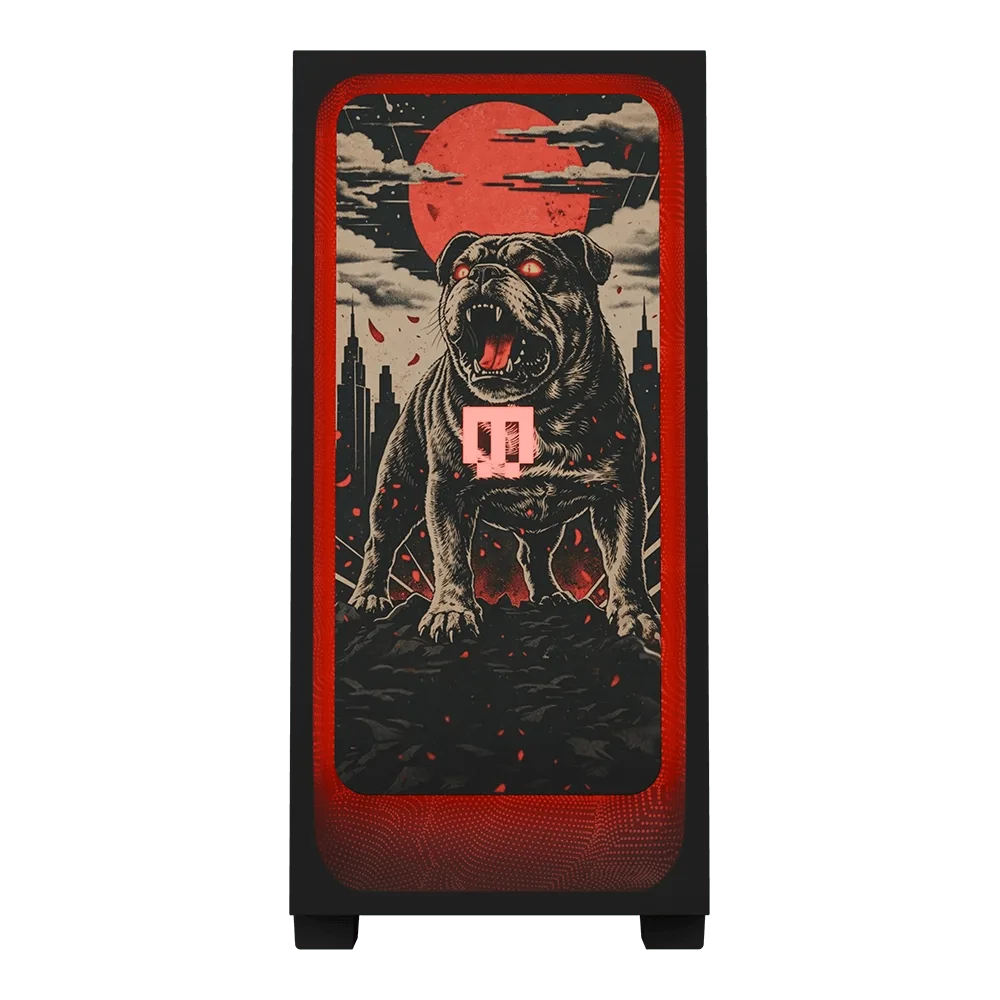
Pugzilla: Pugzilla is a front panel from MAINGEAR designed for the MG-1, available in two versions: All-new MG-1 and Classic MG-1. Selecting the correct version when ordering ensures the panel fits and functions properly, preventing many common issues from the start.
Pugzilla