The Quad Lock 360 Arm Dual Pivot is one of the most versatile accessories in the Quad Lock ecosystem. Whether you're navigating on your motorcycle, filming action sports, or keeping your phone in view while driving, the dual pivot arm lets you position your device at the perfect angle. But getting the most out of it requires understanding how the two pivot points work together.
In this guide, we'll walk you through the anatomy of the Quad Lock 360 Arm Dual Pivot, show you how to adjust it for different scenarios, and share pro tips for achieving a rock-solid, glare-free view. By the end, you'll be able to set up your Quad Lock mount in seconds—no matter where you're headed.
Understanding the Dual Pivot Design
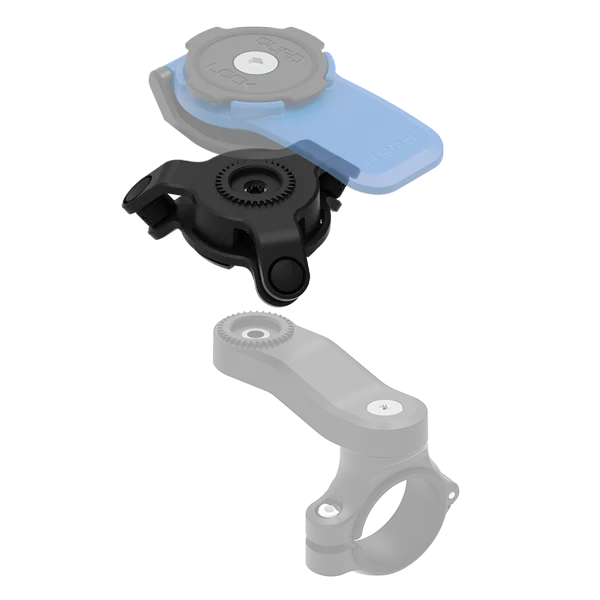
The Quad Lock 360 Arm Dual Pivot features two independent pivot points that connect your device to a Quad Lock 360 base. Each pivot uses a friction-tightened joint that can be loosened with a simple twist, allowing you to rotate the arm in almost any direction. This design gives you the freedom to position your phone or camera in portrait, landscape, or any angle in between.
The first pivot connects the arm to the base, letting you rotate the entire arm 360 degrees. The second pivot sits near the head, allowing you to tilt the device forward or backward. Together, these two points create a wide range of motion that adapts to any mounting location—from a handlebar to a dashboard.
- First pivot: rotates the arm around the base for 360° positioning.
- Second pivot: tilts the head for up-and-down angle adjustment.
- Both joints lock firmly with a simple twist, so your device stays put.
Step-by-Step: Adjusting Your Quad Lock 360 Arm
Adjusting the Quad Lock 360 Arm Dual Pivot is a straightforward process. Start by loosening the pivot joint closest to the base. While holding your device (or the head), rotate the arm to the desired horizontal position. Then, tighten the joint by twisting it clockwise until it feels snug—but avoid over-tightening, as this can make future adjustments harder.
Next, adjust the second pivot near the head. Loosen it slightly, tilt the device to your preferred viewing angle, and then lock it in place. For most users, a slight downward tilt reduces glare and improves visibility. If you're using an action camera, you might want a more upright angle to capture the horizon.
Remember to check both joints after adjustment. A loose pivot can cause your device to sag or vibrate, especially on rough terrain. Give each joint a gentle tug to ensure it's secure before you ride or drive.
- Always loosen before adjusting to avoid undue stress on the arm.
- Test the angle with your device attached to ensure the view is clear.
- Re-tighten after every adjustment to prevent movement.
Optimizing Viewing Angles for Different Mounts
The beauty of the dual pivot arm is its adaptability. On a motorcycle handlebar, you'll typically want the arm extended upward and tilted slightly toward you, so your phone is in your peripheral vision without blocking the road. On a car dashboard, a shorter extension with a slight tilt can minimize windshield glare.
For action cameras mounted on a roll cage or off-road vehicle, the arm can be angled to capture the action from a unique perspective. The Quad Lock 360 - Roll Cage Mount pairs perfectly with the dual pivot arm, letting you position your camera for the best shot while keeping it secure.
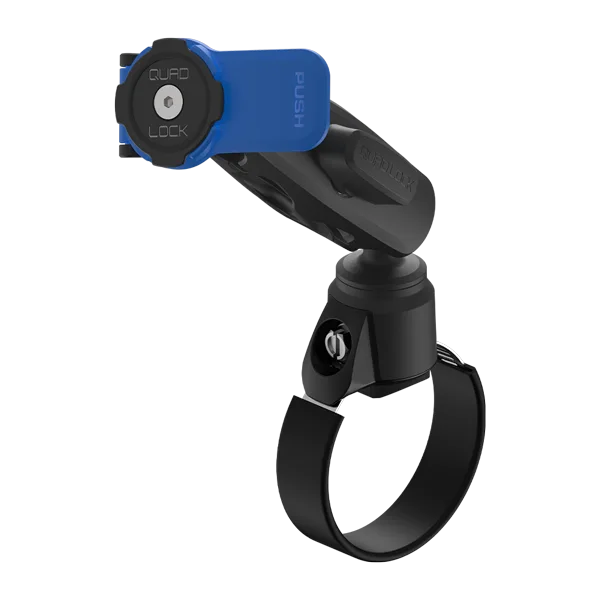
Quad Lock 360 - Roll Cage Mount
If you're using a tripod for stationary shots, the Tripod Adaptor Kits - Universal Fit can be combined with the arm to achieve precise framing. The dual pivot gives you the flexibility to pan and tilt without moving the tripod itself.
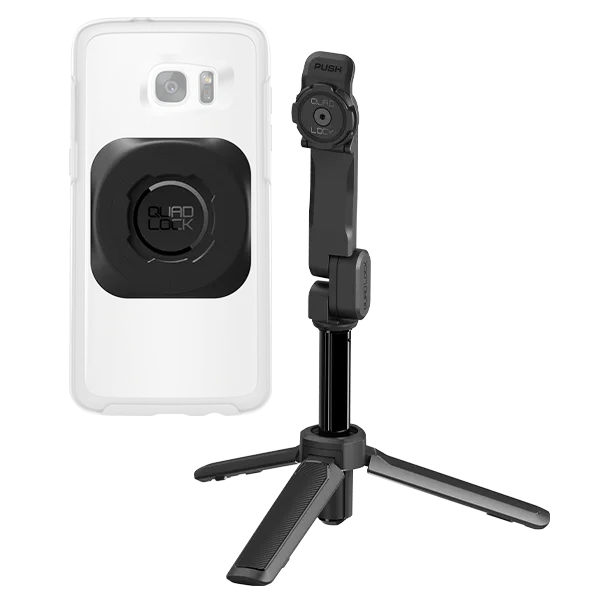
Tripod Adaptor Kits - Universal Fit
- Motorcycle: extend arm upward and tilt toward rider.
- Car: keep arm short and tilt down to reduce glare.
- Action camera: use a longer extension for dynamic angles.
Common Mistakes and How to Avoid Them
One common mistake is over-tightening the pivots, which can strip the threads or make the arm difficult to adjust later. Another is adjusting the arm while the device is attached, which can put unnecessary strain on the mount. Always make adjustments with your phone or camera removed, then attach it afterward.
Also, be mindful of the arm's length. Extending it too far can cause leverage issues, especially on rough terrain, leading to vibration or even damage. Keep the arm as short as possible while still achieving your desired angle. If you experience vibration, consider adding the Quad Lock 360 Accessory - Vibration Dampener to your setup—it's a simple add-on that makes a big difference.
- Don't over-tighten—snug is enough.
- Adjust with the device off to avoid strain.
- Keep the arm short to minimize vibration.
Pairing the Dual Pivot Arm with Other Quad Lock Products
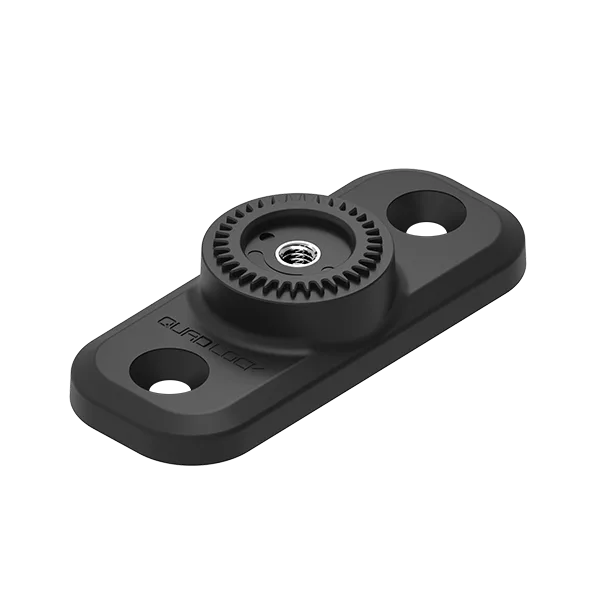
The dual pivot arm is designed to work seamlessly with the entire Quad Lock 360 system. For everyday use, you can attach it to a Quad Lock 360 Base - Flat Rectangle Bases on your desk or nightstand, giving you a convenient hands-free viewing station. When you're on the go, swap it to a car mount or bike mount in seconds.
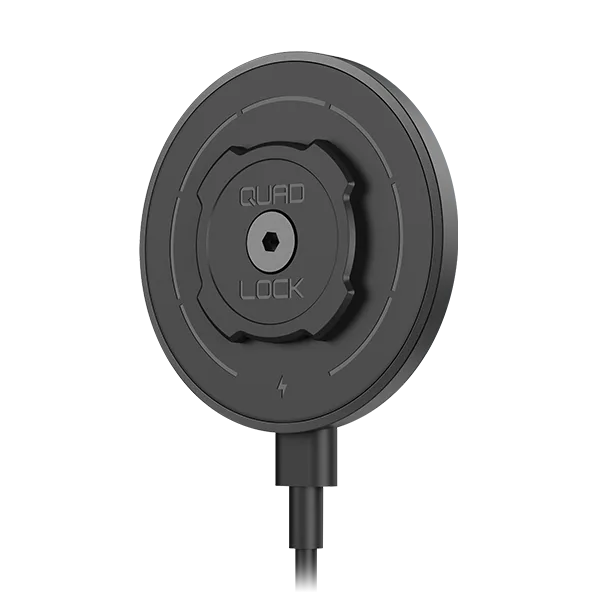
If you're a runner or cyclist who prefers a more secure hold, the Replacement - Sports Armband Strap can be used with the arm for a custom fit. And for those who want wireless charging on the move, the Quad Lock 360 Head - MAG Wireless Charging Head snaps onto the arm, keeping your device powered while you navigate.
- Use with flat bases for desk or bedside viewing.
- Combine with MAG charging head for wireless power.
- Pair with sports armband for active use.
The Quad Lock 360 Arm Dual Pivot is a game-changer for anyone who wants complete control over their device's viewing angle. By understanding how to adjust it properly and pairing it with the right accessories, you can enjoy a safe, comfortable, and convenient experience—whether you're on the road, on the trail, or at home. Start exploring the possibilities and find the perfect setup for your needs.