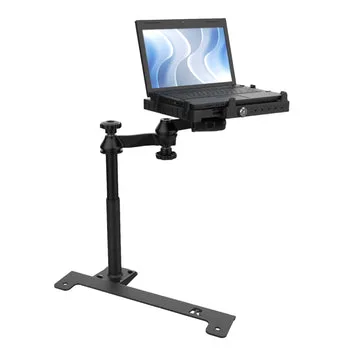
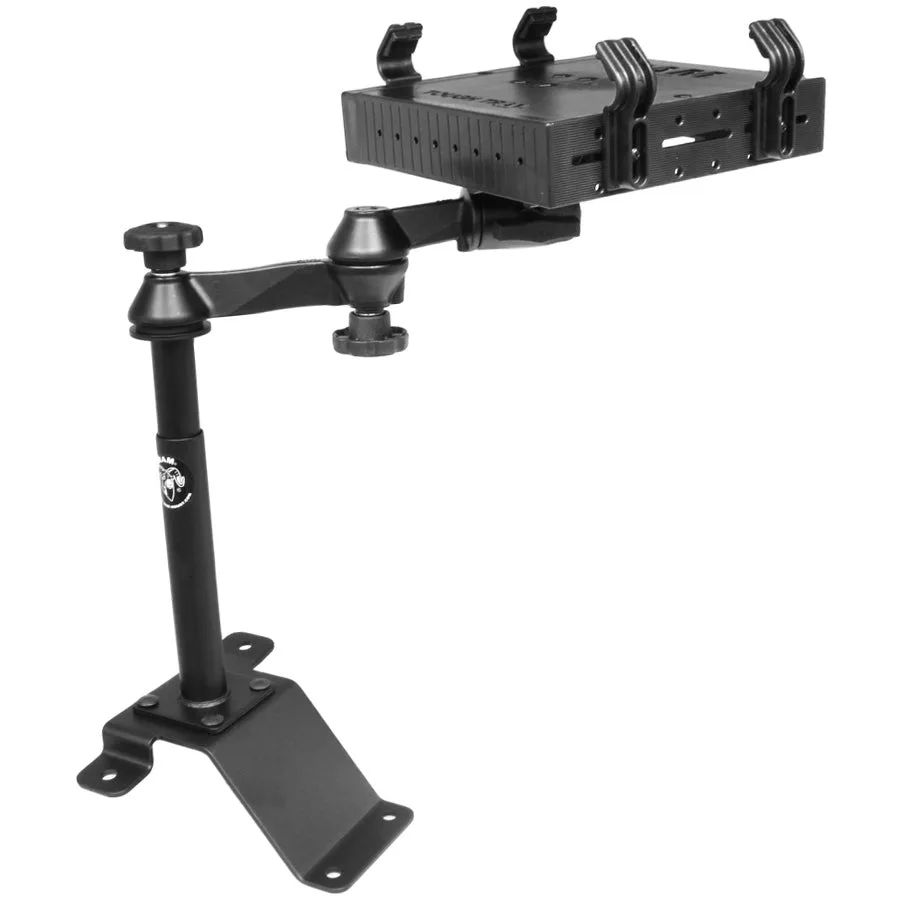
Which Chevy Colorado Models Fit This RAM Laptop Mount?
The RAM Laptop Mount is designed specifically for 2015-2022 Chevrolet Colorado vehicles and other select compatible models. If you drive a Colorado from those model years, this mount is built to fit your cab without requiring permanent modifications to the interior.
The mount is a legacy product from RAM Mounts, a brand known for durable vehicle mounting solutions. It holds a laptop securely in place while keeping it within easy reach during drives. Before purchasing, verify that your specific Colorado trim and cab configuration match the intended fitment.
Product Facts at a Glance
-
RAM® Laptop Mount for '15-22 Chevrolet Colorado + More (Legacy): Compatible with 2015-2022 Chevrolet Colorado and other select vehicles. This confirms the mount fits your Colorado without guesswork, as long as your model year falls within that range.
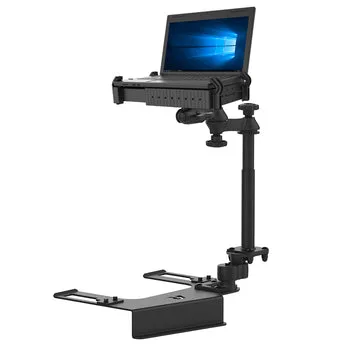
RAM® Laptop Mount for '15-22 Chevrolet Colorado + More (Legacy)
-
RAM® Laptop Mount for '15-22 Chevrolet Colorado + More (Legacy): Legacy model from RAM Mounts, known for durable mounting solutions. The legacy designation means the mount uses proven hardware, but you should confirm long-term availability of any replacement parts if needed.
-
RAM® Laptop Mount for '15-22 Chevrolet Colorado + More (Legacy): Designed to hold a laptop securely in place. The mount provides a stable platform for your laptop, reducing movement while driving and protecting your device.
How to Install the RAM Laptop Mount in Your Colorado
The catalog confirms the mount is designed for the Colorado but does not supply step-by-step installation instructions. The following general approach is based on typical RAM Mounts hardware. Always refer to the included manual for your specific mount variant.
- 1. Identify the mounting location: Choose a spot on the floor or transmission tunnel where the mount base can sit flat and the laptop will not interfere with driving controls or airbag deployment.
- 2. Attach the base plate: Use the provided hardware to secure the base plate to the vehicle floor. The mount is designed for a no-drill installation in many cases, but check your vehicle's existing bolt holes or seat-mount points.
- 3. Assemble the arm and laptop cradle: Connect the adjustable arm to the base plate and then attach the laptop cradle. Tighten all knobs and joints by hand until snug.
- 4. Position and test the laptop: Place your laptop in the cradle and adjust the arm angle for comfortable viewing and typing. Ensure the mount does not obstruct pedals or gear shift.
- 5. Secure all fasteners: Once positioned, tighten all locking mechanisms. Give the mount a firm shake to confirm it is stable before driving.
What the Catalog Does Not Specify
The catalog does not include detailed installation instructions, torque specifications, or a list of compatible laptop sizes. If your Colorado has a unique cab configuration (extended cab vs. crew cab), test the fit before finalizing the installation. For specific questions about your vehicle's compatibility, consult RAM Mounts customer support or your vehicle's owner manual.