Quick Answer
If you need to keep your computer awake while you step away, a rechargeable mouse with a built-in jiggler like the TECKNET Rechargeable Mouse with Jiggler is a smart choice. For general everyday use without that feature, a standard wireless mouse may be simpler and more affordable.
Why a built-in jiggler matters
A mouse with a jiggler simulates small movements so your computer doesn't lock or go to sleep. This is useful for remote workers, IT staff, or anyone who needs their screen active during idle periods. A standard wireless mouse does not offer this feature, so you'd need separate software or a third-party device to achieve the same effect.
Battery and charging differences
Rechargeable mice eliminate the need for disposable batteries, but they require periodic charging. The TECKNET Rechargeable Mouse with Jiggler includes an 800mAh battery with 3X faster charging, so you spend less time plugged in. Standard wireless mice often use AA or AAA batteries, which can last months but require replacements. If you prefer not to remember charging, a battery-powered standard mouse may be more convenient.
Connectivity and compatibility
Both types use a 2.4G USB receiver for a stable connection up to 33 feet. The TECKNET mouse includes a Type-C to USB-A adapter, making it easy to connect to modern laptops without a full-size USB port. Standard wireless mice typically come with a USB-A receiver only, so you may need an adapter separately. Note that the adapter is not a standalone Type-C receiver; it converts the USB-A dongle.
Silent operation and ergonomics
The TECKNET Rechargeable Mouse with Jiggler features quiet clicks, which is helpful in shared workspaces or late-night use. It also offers 6400 DPI adjustability for cursor speed. Standard wireless mice vary widely in noise and DPI range; many budget models are louder and have fixed or lower DPI settings. If silence and precision are priorities, the jiggler model delivers both.
Trade-Offs at a Glance
- Built-in jiggler: Keeps computer awake without extra software or hardware. Useful for remote work, presentations, or monitoring tasks. Only the jiggler model offers this; standard mice require separate tools.
- Rechargeable vs battery-powered: Rechargeable saves on battery waste but needs periodic charging. Standard battery mice last months on one set but require replacements. Choose rechargeable if you prefer USB charging; choose battery if you want to avoid remembering to charge.
- Connectivity and adapter: The TECKNET mouse includes a Type-C to USB-A adapter for modern laptops. Standard mice usually lack this, so you may need to buy one separately. The adapter makes it plug-and-play with USB-C devices without extra purchases.
- Silent clicks and DPI: Quiet operation and 6400 DPI adjustability suit shared or quiet environments. Standard mice vary widely; many are louder and have lower DPI. If noise or cursor precision matters, the jiggler model is a better fit.
Product Facts
-
TECKNET Rechargeable Mouse with Jiggler, Plug & Play, 2.4G Connection with USB-C Adapter, Silent Mouse Quiet Click, 6400 DPI Ergonomic Mouse, Cordless Computer Mice for Laptop, Desktop, PC: Plug & Play: simply plug the USB receiver into your computer—no drivers required. A Type-C adapter is included for hassle-free compatibility with most devices. You can start using it immediately on any laptop or desktop without installing software, and the adapter ensures it works with newer USB-C ports.
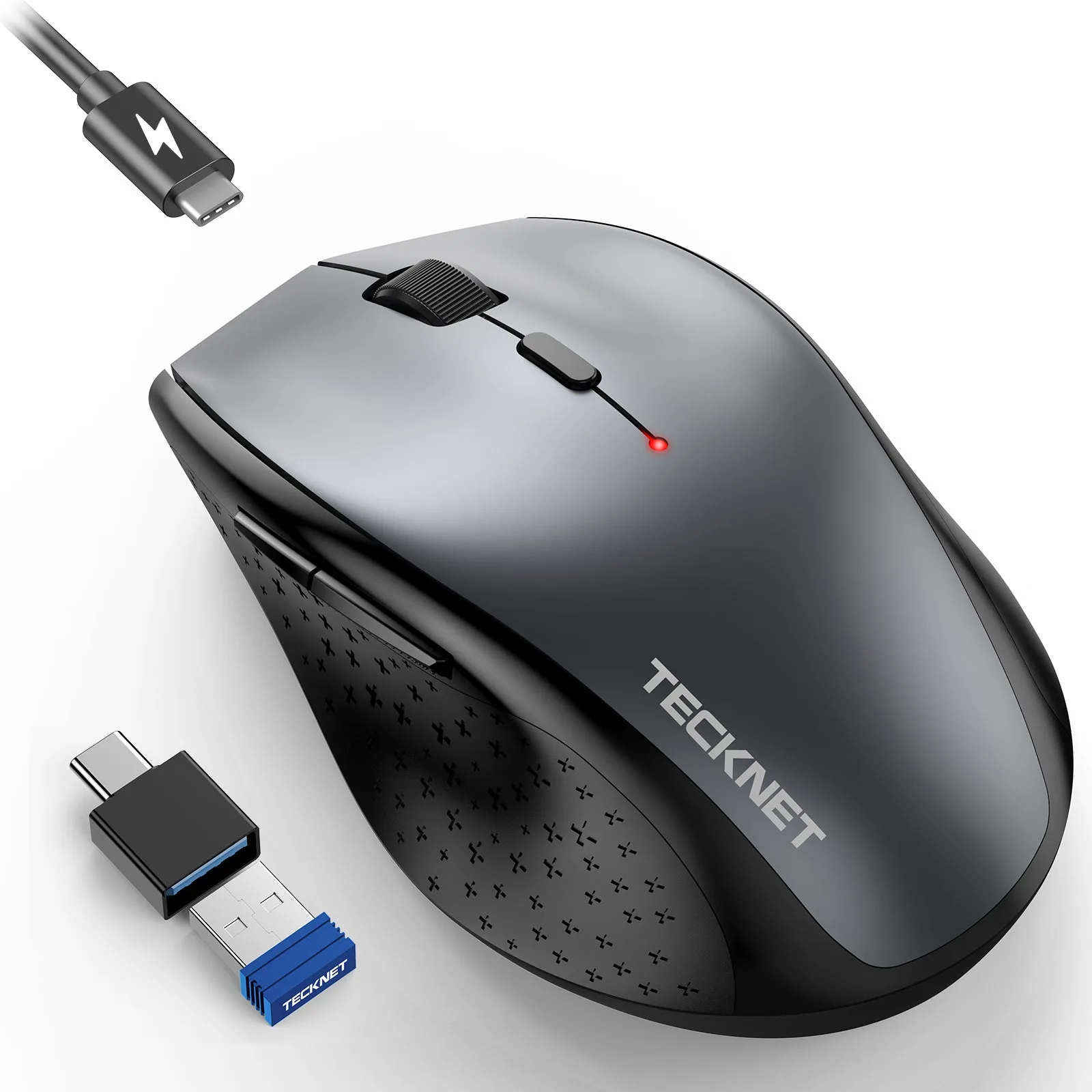
TECKNET Rechargeable Mouse with Jiggler, Plug & Play, 2.4G Connection with USB-C Adapter, Silent Mouse Quiet Click, 6400 DPI Ergonomic Mouse, Cordless Computer Mice for Laptop, Desktop, PC
-
TECKNET Rechargeable Mouse with Jiggler, Plug & Play, 2.4G Connection with USB-C Adapter, Silent Mouse Quiet Click, 6400 DPI Ergonomic Mouse, Cordless Computer Mice for Laptop, Desktop, PC: 3X Faster Charge, Energy-Efficient: powered by a built-in 800mAh battery. Charging is quicker than many rechargeable mice, so you spend less time tethered to a cable and more time working wirelessly.
Which One Should You Choose?
Best For
- Remote workers who need to keep their computer awake during idle periods
- Users who want a rechargeable, silent mouse with high DPI and USB-C compatibility
Not For
- Users who prefer long-lasting battery-powered mice without charging
- Anyone who does not need a jiggler and wants the simplest, lowest-cost wireless mouse