Quick answer
Yes, a refurbished iMac M1 is still a strong value for everyday computing, creative work, and video calls. You save significantly over newer models while getting a bright 4.5K display and fast M1 performance. But if you need the latest processor generation or advanced graphics, consider a newer iMac.
What the M1 iMac still does well
The 2021 iMac with Apple M1 chip delivers a 24-inch 4.5K Retina display with P3 wide color and 500 nits brightness. That screen is still excellent for photo editing, video conferencing, and daily productivity. The M1 chip handles typical tasks like web browsing, office apps, and light creative work with ease.
At a refurbished price of $509.99 (compared to $749.99 new), you save about $240. That is a meaningful discount for a machine that still runs the latest macOS and will receive software updates for years.
Where the M1 falls short against newer models
Newer iMacs (M3 or later) offer faster CPU and GPU performance, better neural engine for AI tasks, and support for newer connectivity standards. If you edit 4K video, run heavy 3D rendering, or use demanding machine learning applications, the newer chips will save you time.
The M1 iMac uses DDR3 RAM, which is slower than the DDR5 memory in newer models. This matters if you multitask with many large files or virtual machines.
Key tradeoffs: M1 vs newer iMac
- Performance: M1 is excellent for everyday use, office work, and creative apps. Newer chips (M3) are faster for video editing, 3D rendering, and AI tasks.
- Display and design: The 24-inch 4.5K display on the M1 is still top-notch. Newer models have similar or better displays, but the difference is minor for most users.
- Memory and storage: M1 uses DDR3 RAM (16GB max). Newer models support DDR5 and higher capacity. If you need more than 16GB RAM or faster memory, go newer. Check your typical multitasking load. If you often run multiple virtual machines or large datasets, consider a newer iMac.
- Price and value: Refurbished M1 iMac saves about $240 vs new. You get a capable machine for less, but you lose the latest processor generation. If your budget is tight and your tasks are moderate, the M1 is a smart buy. If you need cutting-edge performance, invest in a newer model.
Product facts
-
2021 Apple iMac with Apple M1 Chip with 8-core CPU (24-inch, 16GB RAM, 1TB SSD Storage)- Blue (Refurbished): Apple iMac 24" (M1 Chip) features a 4.5K Retina display with P3 wide color and 500 nits brightness. This means you get a vibrant, color-accurate screen for photo editing and video calls, comparable to many newer displays.
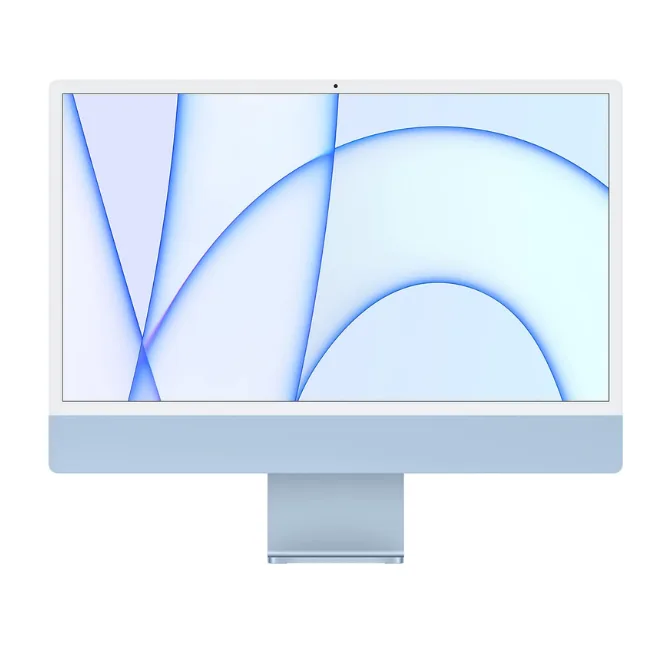
2021 Apple iMac with Apple M1 Chip with 8-core CPU (24-inch, 16GB RAM, 1TB SSD Storage)- Blue (Refurbished)
-
2021 Apple iMac with Apple M1 Chip with 8-core CPU (24-inch, 16GB RAM, 1TB SSD Storage)- Blue (Refurbished): Powered by the Apple M1 chip with 8-core CPU and 8-core GPU. It handles everyday tasks, creative apps, and light gaming smoothly, but may lag behind M3 in heavy rendering or multitasking.
Which one fits you?
Best for
- Students and home users who need a reliable, all-in-one computer for browsing, streaming, and office work.
- Creative professionals on a budget who work with photos, light video, and design apps.
Not ideal for
- Users who need maximum performance for 4K/8K video editing, 3D rendering, or heavy machine learning workloads.
- Those who want the latest connectivity (Wi-Fi 6E, Thunderbolt 4) and fastest memory.