Quick answer
Buy a renewed iPad if you want Apple hardware at a much lower price and can accept an older model, a shorter return window, and no manufacturer-sealed box. Buy new if you need the latest chip, the longest software support, and a full Apple warranty. For most casual users, a renewed iPad like the Apple iPad Pro 10.5in is the smarter value.
What renewed actually means for an iPad
Renewed iPads are pre-owned devices that a third-party seller has inspected, cleaned, and tested to work like new. They are not the same as Apple Certified Refurbished, which uses Apple's own parts and warranty. The trade-off is price versus certainty: you save money, but you accept that the battery may not be new and the device may show minor cosmetic wear.
Where renewed iPads win on price and specs
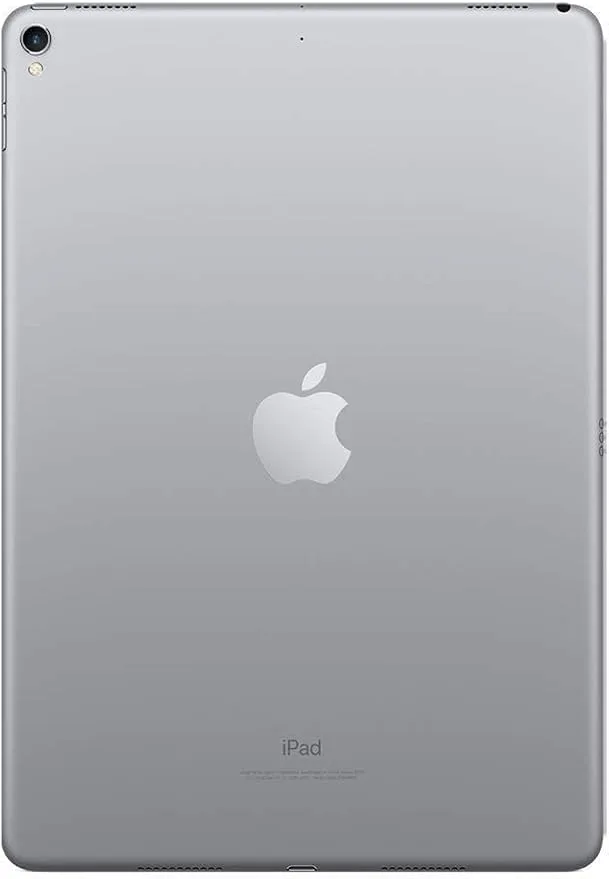
A renewed Apple iPad Pro 10.5in with 64GB Wi-Fi and the A10X Fusion chip costs $177.11, compared with a $245.99 list price. That is a 28% saving for a tablet that still handles streaming, note-taking, and light editing. The 10.5-inch Retina display at 2224 x 1668 with Wide Color and True Tone, plus four-speaker audio, remains better than many new budget tablets. If you mainly watch video, read, or browse, the renewed Pro delivers more screen and sound per dollar than a new entry-level iPad.
Where new iPads justify the higher price
New iPads give you the latest processor, longer software updates, and a full one-year Apple warranty. They also come sealed, so you know the battery is fresh. If you rely on iPadOS features that require newer chips, or you need cellular options not listed for the renewed model, new is the safer long-term buy. But for basic tasks, the performance gap between a 2017 Pro and a current base iPad is smaller than the price gap.
How to check a renewed iPad before you buy
Confirm the model year, storage, and connectivity in the listing. The renewed iPad Pro above is a 2017 model with 64GB and Wi-Fi only, so it will not take a SIM card. Check the seller's return window and battery health policy. If the listing does not state battery capacity, assume it is not guaranteed to be above 80%. Also verify that the charger and cable are included, since renewed devices sometimes ship with third-party accessories.
Renewed iPad vs a renewed phone or laptop
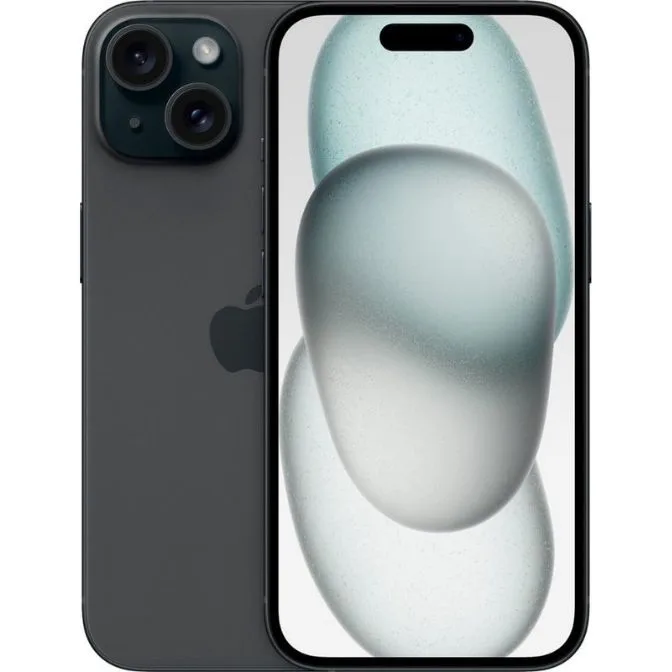
The same renewed logic applies across devices. A renewed iPhone 15 with 128GB and an A16 Bionic chip costs $467.19 versus $639.99 new, and it still gets current iOS updates. A renewed HP 14 laptop at $106.17 is a low-risk way to get a Windows 11 machine for writing and browsing. But if your work depends on the latest security patches or you need a guaranteed battery, buying new for your primary device and renewed for secondary devices is a practical split.
Trade-offs to weigh
- Price vs warranty: Renewed saves 25-30% but usually comes with a 90-day seller warranty instead of a one-year Apple warranty. If you want peace of mind, buy new or buy renewed from a seller with a long return window.
- Performance vs software life: A 2017 iPad Pro runs iPadOS 16 but not iPadOS 17 or later, so some new apps will not install. Check the latest supported OS for the exact model before buying renewed.
- Battery vs age: Renewed batteries are tested but not always replaced; capacity may be lower than a new iPad. Ask for battery health or budget for a replacement if the listing is vague.
Key product facts
- Apple iPad Pro 10.5in -64GB Wifi - 2017 Model - Gray (Renewed): 10.5-inch Retina display at 2224 x 1668 with Wide Color and True Tone, A10X Fusion chip, 64GB storage, Wi-Fi only, four-speaker audio. Good for media and light productivity, but no cellular and limited storage for large app libraries.
- Apple iPhone 15, 128GB, Black - Unlocked (Renewed): iPhone 15 with 6.1-inch Super Retina XDR display, A16 Bionic chip, 48MP dual camera, USB-C, up to 26 hours video playback. A renewed iPhone 15 still gets modern iOS features and performs close to new, making it a strong value if you want a recent phone without the new price.
Who should buy which
Buy renewed if you
- want an iPad for streaming, reading, and light apps on a tight budget
- are comfortable checking return policies and battery details
- need a secondary device for travel or kids
Buy new if you
- need the longest software support and latest chip for work
- want a sealed box and full Apple warranty
- cannot risk a battery that may need replacement soon