When the Handlebar Button Needs Replacing
The blue button on the Micro Luggage handlebar controls the folding and locking mechanism. Over time, the button may become stiff, break, or fail to engage properly, making it difficult to fold or secure the handlebar. If you notice the button sticking or not clicking into place, it may be time for a replacement.
This guide covers the replacement part and the basic steps to swap the button. The process is straightforward and requires minimal tools.
The Replacement Part: Blue Button for Micro Luggage Handlebar
-
Parts: Blue Button for Micro Luggage Handlebar: The Blue Button for Micro Luggage Handlebar is a replacement part intended for the Micro Luggage handlebar. It is listed under Scooter Parts and offered by Micro Kickboard. The button is blue and comes as a Standard SKU (code 1925). This is the exact part you need to restore the folding button function on your Micro Luggage. Ordering the correct SKU ensures compatibility with the handlebar assembly.
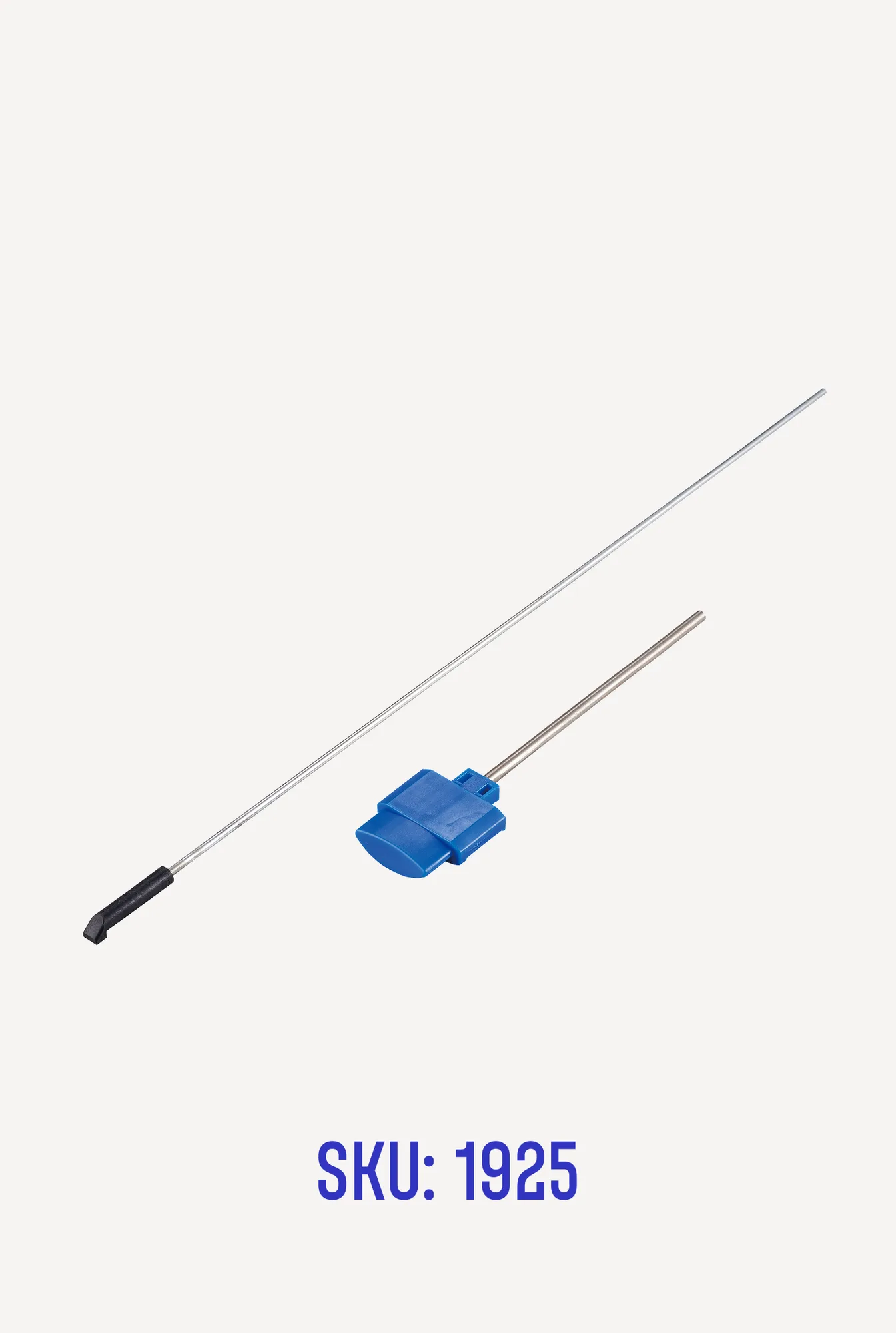
Parts: Blue Button for Micro Luggage Handlebar
How to Replace the Blue Button
Before starting, make sure you have the replacement button and a small flathead screwdriver or similar tool to help release the old button. The supplied information does not include detailed installation steps, so the following is general guidance based on typical button replacement on folding handlebars.
- Remove the old button: Locate the blue button on the handlebar. Depending on the design, you may need to press a release tab or use a small screwdriver to gently pry the button out of its housing. Be careful not to damage the surrounding plastic.
- Insert the new button: Align the new blue button with the slot on the handlebar. Press it firmly into place until you hear or feel a click, indicating it is seated correctly. The button should move freely when pressed.
- Test the mechanism: With the button installed, test the folding action of the handlebar. The button should engage and release smoothly. If it sticks or fails to lock, remove the button and check for obstructions or misalignment.
What the Supplied Information Does Not Cover
The available product record does not include detailed installation instructions, torque specifications, or safety checks. The steps above are based on typical replacement procedures for similar folding handlebar buttons. For complete guidance, refer to the manufacturer's documentation or contact Micro Kickboard support.