Two Adapters, Two Different Jobs
The Ricoh GW-4 Wide Conversion Lens and the Canon EF-EOS R 0.71x Mount Adapter both change how your camera sees the world, but they solve completely different problems. The GW-4 is an optical converter that fits onto the Ricoh GR III's fixed lens to give you a wider field of view. The Canon adapter is a mount adapter that lets you attach EF lenses to RF-mount cameras, while also changing the effective angle of view and aperture. Choosing between them means first deciding which camera system you're working with and what you need the adapter to do.
Purpose and Compatibility
- Ricoh GW-4 Wide Conversion Lens: Designed specifically for the Ricoh GR III digital camera. It requires the separately available GA-1 Adapter to attach. It provides a 0.75x magnification and adds an equivalent focal length of 21mm, widening the field of view for landscape or group photos.
- Canon EF-EOS R 0.71x Mount Adapter: Seamlessly connects EF-mount lenses to RF-mount cine and mirrorless cameras. It is specifically tailored for cameras with a Super 35 sensor size, such as the EOS C70 Cinema Camera. It widens the effective angle of view by 0.71x, counteracting the full-frame to Super 35 crop factor, and boosts maximum aperture performance by one stop.
What the Specs Confirm
-
Ricoh GW-4 Wide Conversion Lens for GR III: The GW-4 provides a magnification of 0.75x and adds an equivalent focal length of 21mm for the Ricoh GR III. This confirms the GW-4 is a dedicated wide-angle converter, not a mount adapter. It only works with the GR III and requires the GA-1 Adapter.
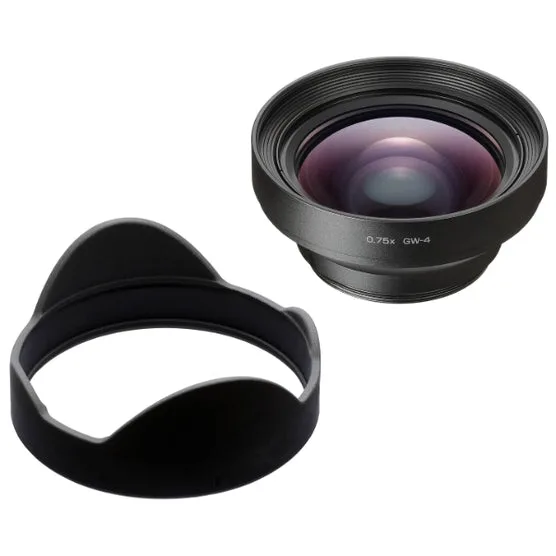
Ricoh GW-4 Wide Conversion Lens for GR III
-
Canon EF-EOS R 0.71x Mount Adapter: The Canon EF-EOS R 0.71x adapter connects EF lenses to RF-mount bodies, is designed for Super 35 sensors, and increases the angle of view by 0.71x while boosting aperture by one stop. This confirms the adapter is a mount adapter with optical elements that affect both field of view and light transmission, specifically for cine and mirrorless cameras with Super 35 sensors.
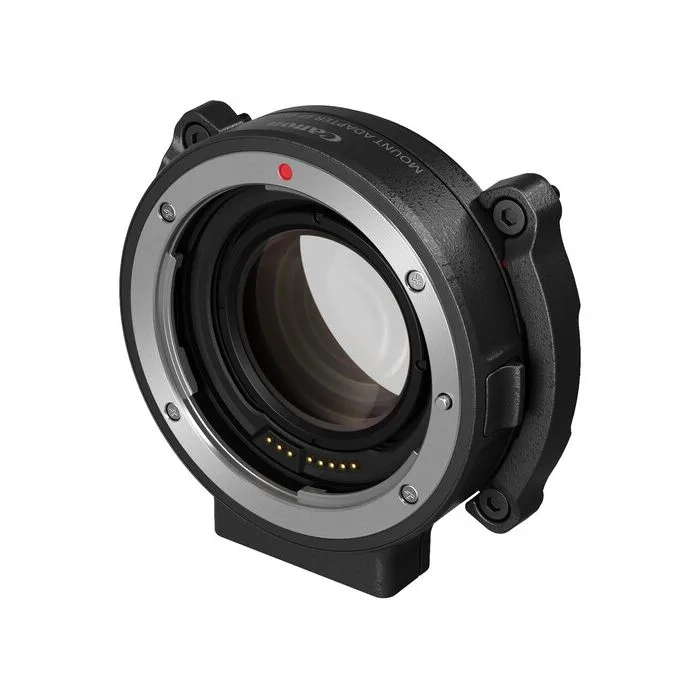
Canon EF-EOS R 0.71x Mount Adapter
Optical Effects and Tradeoffs
The Ricoh GW-4 is purely an optical converter: it makes the GR III's lens wider without changing the mount or sensor relationship. The Canon EF-EOS R 0.71x adapter, on the other hand, is a speed booster: it not only adapts the mount but also concentrates the image circle from a full-frame lens onto a Super 35 sensor, giving you a wider effective view and a brighter aperture. This makes the two adapters fundamentally different in how they affect image quality and exposure.
One tradeoff with the GW-4 is that it requires the GA-1 Adapter, adding cost and bulk. The Canon adapter includes electric contacts for full communication (metadata, Dual Pixel AF with compatible Canon EF lenses), but it is only confirmed for use with the EOS C70 and similar Super 35 bodies. Neither adapter is a simple step-down ring; both are specialized tools for specific camera systems.
Key Differences at a Glance
- Type: GW-4: Wide conversion lens (optical converter). Canon: Mount adapter with speed-boosting optics.
- Compatibility: GW-4: Ricoh GR III only (requires GA-1 Adapter). Canon: EF lenses to RF-mount cameras with Super 35 sensor (e.g., EOS C70).
- Effect on Field of View: GW-4: 0.75x magnification, adds 21mm equivalent focal length. Canon: 0.71x wider effective angle of view, counteracts crop factor.
- Aperture Effect: GW-4: No change. Canon: Boosts maximum aperture by one stop.
- Additional Requirements: GW-4: GA-1 Adapter (sold separately). Canon: None (mount adapter works directly).
Which One Should You Choose?
If you own a Ricoh GR III and want to capture wider landscapes or group shots without switching cameras, the Ricoh GW-4 is the only dedicated option. Just remember you'll need the GA-1 Adapter to attach it. If you shoot with a Canon EOS C70 or another RF-mount Super 35 camera and want to use your existing EF lenses with a wider field of view and brighter aperture, the Canon EF-EOS R 0.71x Mount Adapter is the tool for the job. These two adapters serve different cameras and different needs, so your decision starts with your camera system.