Quick Answer
To set up the Sea Dragon Fluoro-Dual Beam, attach it to your camera tray, select the blue fluoro beam for fluorescence, and adjust the beam angle for optimal excitation.
Understanding the Dual Beam System
The Fluoro-Dual Beam combines a blue light with a dichroic filter for fluorescence and a white 800-lumen beam for general illumination. Switching between them is instant with a button press, but each mode requires different camera settings.
For fluorescence, use the blue flood beam (65°) to excite marine life. For video or focus assistance, switch to the white concentrated beam (15°). Do not use the white beam while shooting fluorescence—it will wash out the glow.
Mounting and Positioning
Mount the light on your camera tray using the included Flex-Connect clamp or a compatible ball mount. Position it so the beam overlaps your camera's field of view—typically 6–12 inches from the subject for macro fluorescence.
If you are using a single light, aim it slightly off-center to avoid backscatter. For best results, pair it with a second light for even illumination.
Setup and Use Steps
- Attach the light to your tray: Secure the Fluoro-Dual Beam to your camera tray using the Flex-Connect clamp. Tighten the knob firmly so the light does not shift during the dive. Check that the clamp is tight before entering the water—a loose light can rotate and miss the subject.
- Select the blue fluoro beam: Press the mode button once to activate the blue beam. The light will emit a deep blue flood (65°) optimized for fluorescence. Do not use the white beam for fluorescence shots—it will overpower the fluorescent glow.
- Adjust camera settings for fluorescence: Set your SeaLife camera to a custom white balance using a white target under the blue light. Use a slow shutter speed (1/30s or slower) and high ISO (800–1600) to capture the dim fluorescent emissions. Auto white balance will produce a blue-tinted image—manual custom white balance is essential.
- Position the light and focus: Hold the light 6–12 inches from the subject. Use the camera's focus light or the white beam briefly to lock focus, then switch back to blue. If the subject is too far, the blue beam may not excite fluorescence—stay close.
- Switch to white beam for video or navigation: Press the mode button again to toggle to the white 800-lumen beam (15°). Use this for general video, focusing, or moving between dive sites. The white beam is narrow—sweep it slowly to avoid missing details.
- Rinse and dry after the dive: Rinse the light in fresh water and dry it thoroughly. Remove the battery if storing for more than a few days. Salt residue on the lens or switch can reduce performance over time.
Product Facts
-
Sea Dragon Fluoro-Dual Beam: The Sea Dragon Fluoro-Dual Beam emits a powerful blue light beam with an integrated dichroic filter to excite underwater life. This filter is key to revealing fluorescent colors in corals and marine organisms that are invisible under white light.
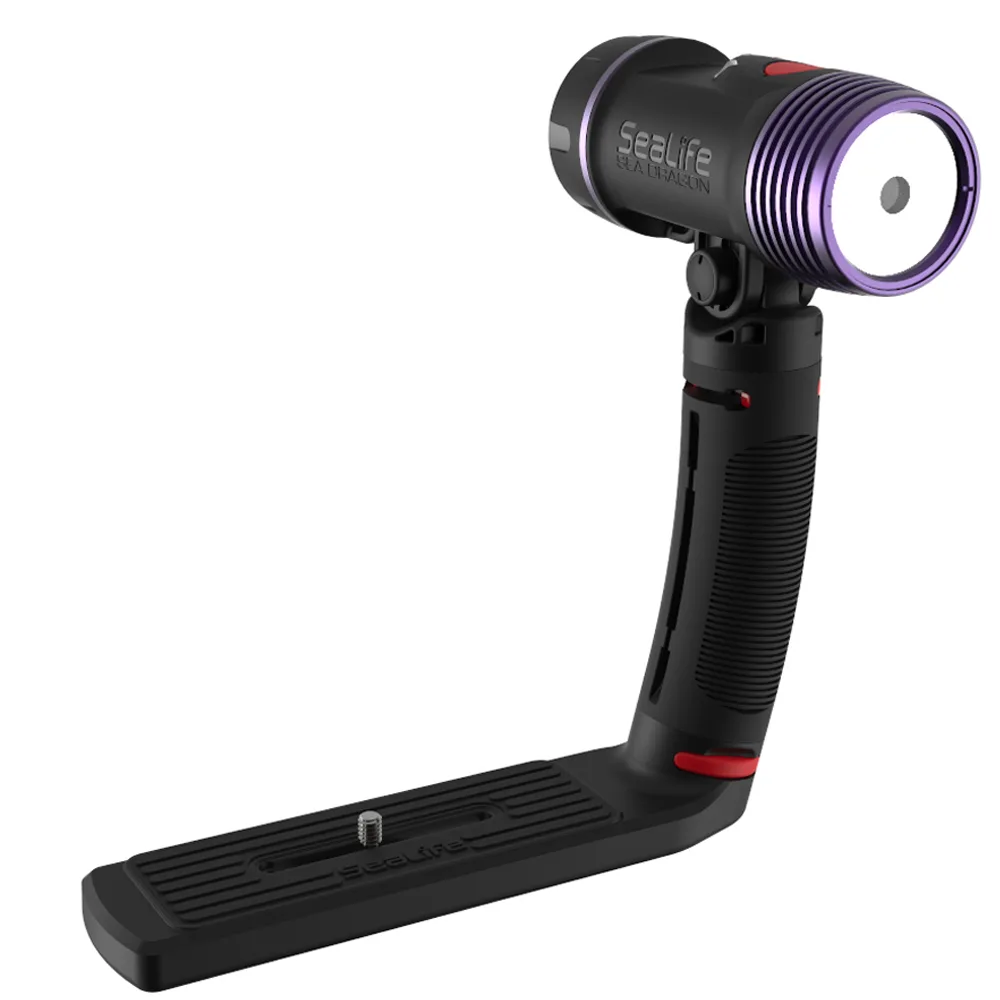
Sea Dragon Fluoro-Dual Beam