Quick answer
For most people who want to play Japanese Saturn games, the Action Replay cartridge is the simplest first step because it is plug-and-play and also adds RAM for compatible titles. If you want the cleanest long-term setup with no cartridge in the slot, a region-free BIOS or mod chip is the better fit, but both require soldering and a careful install. A region switch sits in the middle: it is a physical mod, but it lets you flip between regions without swapping cartridges.
Why Saturn region matters more than on other retro consoles
The Saturn checks the region of every disc before it will boot. A North American console will refuse a Japanese game, and a Japanese console will refuse a North American one. That check is separate from the console's ability to read the disc, so a clean laser and a good disc still will not help if the region does not match.
There is no universal region-free mode built into stock hardware. Every practical solution either intercepts that check or replaces the code that performs it. The four common approaches below differ mainly in where they sit in that chain and how much work they require.
Action Replay cartridge: the plug-and-play path
The Action Replay cartridge is the least invasive option because it does not require opening the console. It sits in the cartridge slot and provides a menu that can boot import discs, and it also adds RAM that some Saturn games use for smoother performance or extra content. If you already own an Action Replay, you are most of the way to playing Japanese Saturn games.
The trade-off is that the cartridge occupies the slot permanently, so you cannot use it alongside another cartridge such as a memory card or a different cheat device. It also depends on the cartridge slot being clean and reliable, which is not guaranteed on a well-used console. Some users report compatibility quirks with certain games, so it is worth checking the specific titles you care about before relying on it as your only method.
Region-free BIOS and mod chips: clean, permanent, and more work
A region-free BIOS replaces the console's firmware so it no longer enforces region locks at all. A mod chip takes a different route, typically patching the disc check at the drive level. Both are permanent internal changes, and both require soldering and a careful teardown. Neither is a beginner-friendly first project unless you have practice with fine-pitch soldering or you are sending the console to a service.
The payoff is a console that behaves normally with no cartridge in the slot and no menu to navigate. That matters if you use the cartridge slot for a memory card or if you simply want the console to feel stock. The trade-off is risk: a failed install can damage the console, and reversing the mod means undoing the work. If you are not confident, paying for installation is usually cheaper than replacing a ruined board.
Region switch: a physical toggle for people who want control
A region switch is a small physical switch wired into the console that changes the region the hardware reports. It is less common than the other options, but it appeals to people who want to move between regions without a cartridge and without reflashing firmware. It is still a soldering mod, so it carries the same installation risk as a BIOS or chip.
The practical trade-off is that a switch is a mechanical part. It can wear out, and it adds a hole or a mounting point to the shell. If you like the idea of a deliberate, visible control and you are comfortable with the install, it is a clean solution. If you want the least possible intervention, the cartridge or a professionally installed BIOS is easier to live with.
What to check before you choose
Start by confirming your console's region and whether the cartridge slot is reliable. If the slot is loose or dirty, a cartridge-based solution will be frustrating, and an internal mod becomes more attractive. If the slot is fine and you want to keep the console closed, the Action Replay is the lowest-risk starting point.
Next, decide how much soldering you are willing to do. Internal mods require opening the shell, working around the disc drive, and handling small pads. If that is not something you want to practice on a working Saturn, factor in the cost of professional installation. Finally, think about what else you want in the slot. A cartridge solution uses the slot; an internal mod leaves it free.
Parts and care that support either path
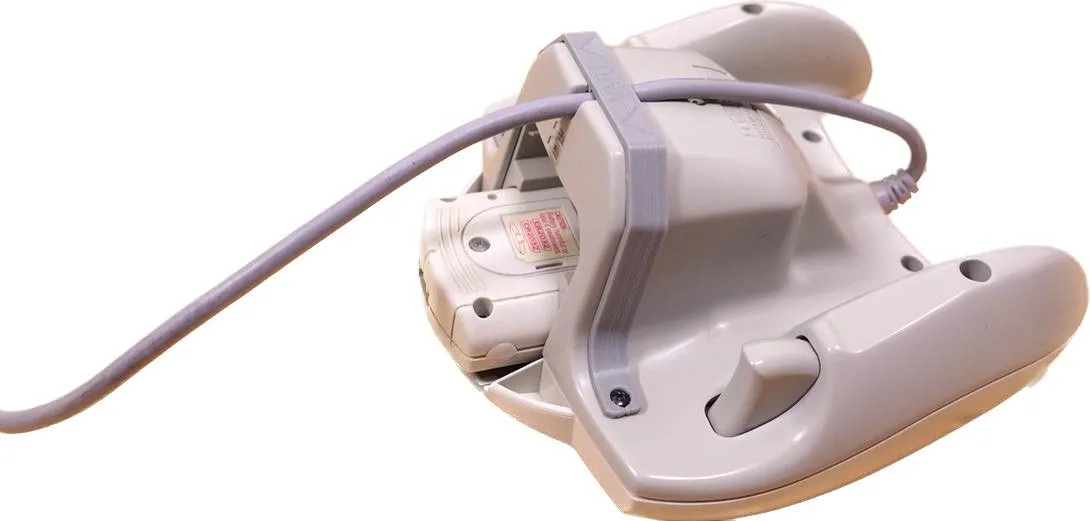
Whichever route you choose, a few small parts make the job easier. If you are opening a Sega CD or CDX for related work, the replacement fuse is a direct-fit part rated at 12V 2.5A, and it requires soldering. For controller work, a transparent replacement shell gives you a fresh housing and a clear view of the internals, though it is shell only, so you reuse your existing buttons and board.
For your game library, a proper cartridge case protects Genesis and Mega Drive carts from dust and keeps manuals with the game. These are not Saturn-specific, but they are the kind of storage habits that keep a collection usable while you are busy modding a console.
Trade-offs at a glance
- Action Replay cartridge: No soldering, adds RAM, but permanently occupies the cartridge slot and depends on a clean slot. Best first step if you want to play imports today with minimal risk.
- Region-free BIOS or mod chip: Clean internal solution with no cartridge, but requires soldering and carries install risk. Choose this if you want a permanent, stock-feeling console and can handle or outsource the install.
- Region switch: Physical toggle for region changes without a cartridge, but adds a mechanical part and still requires soldering. A good fit if you want deliberate control and are comfortable with the install.
Parts that fit these projects
- Replacement 12V 2.5A Fuse for Sega CD / CDX: Replacement fuse rated at 12V and 2.5A for Sega CD and CDX consoles; installation requires soldering. If you are already opening a Sega CD or CDX for related repairs, this is a direct-fit part with the original rating, but you will need soldering tools and practice.
- Super NES / Super Famicom Controller Replacement Shell: Super NES / Super Famicom controller replacement shell made from polycarbonate; includes front shell, bottom shell, and L/R shoulder button set. Shell only. Useful if you want a fresh controller housing while working on a console mod, but you must reuse your existing buttons, pads, and board.
- Retro Bit Cartridge Case for Sega Genesis and Mega Drive: Retro Bit cartridge case for Sega Genesis and Mega Drive games with a plastic outer sleeve for artwork and a tab for instruction manuals. Keeps your Genesis and Mega Drive library protected and organized, which matters if you are also collecting imports for other Sega systems.
Which option fits you?
Best for
- Players who want to play Japanese Saturn games with no soldering and minimal setup
- Collectors who already use an Action Replay and want to keep the console closed
Not for
- Players who need the cartridge slot free for a memory card or other accessory
- Anyone unwilling to solder or pay for professional installation when choosing an internal mod