Quick answer
Set up your Benro carbon fiber tripod for video by extending the legs in the correct order, locking each twist lock securely, mounting the head, and checking stability before attaching your gear.
Why carbon fiber matters for video work
Carbon fiber tripods like the Benro TMA48CXL are lighter than aluminum, which helps during location shoots. They also dampen vibrations better, a key advantage for video where even small shakes show in footage. The trade-off is cost and care — carbon fiber can crack under extreme impact, so avoid dropping it.
Understanding the 4-section leg design
The TMA48CXL uses four-section legs secured by twist locks. Each section must be fully extended and locked before moving to the next. If you skip a lock or leave a section partially extended, the tripod may wobble or collapse under load.
Step-by-step setup for video
- 1. Extend the legs in order: Start with the thickest (top) section, then work down to the thinnest (bottom) section. Extend each fully before moving to the next. Common mistake: extending the bottom section first, which makes the tripod top-heavy and unstable.
- 2. Lock each twist lock firmly: Twist each lock clockwise until it stops. Do not overtighten — hand-tight is enough. Check that the leg does not slide back when you apply light pressure. Common mistake: leaving a lock loose, causing the leg to collapse under load. After locking, give each leg a gentle pull to confirm it is secure.
- 3. Mount the tripod head or fluid head: Screw the head onto the center column. For video, use a fluid head or a video head with a pan handle for smooth pans. Avoid using a standard ball head for video — it makes smooth panning nearly impossible.
- 4. Set the leg angle and spread: Spread the legs to a 30–40° angle from vertical for a stable base. On uneven ground, adjust each leg individually to level the head. Common mistake: spreading legs too wide, which reduces stability and increases the risk of tipping.
- 5. Attach your camera or rig: Mount the camera on the head and tighten the screw. Use a safety tether if your rig is heavy. Check that the tripod does not shift when you let go. Common mistake: not checking stability before releasing the camera, which can lead to a fall. After attaching gear, give the tripod a gentle nudge to confirm it stays planted.
Product facts
-
Benro TMA48CXL Extra Long Series 4 Mach3 Carbon Fiber Tripod: Supports up to 20kg of gear and is made from 9-layer carbon fiber with 4-section legs secured via twist locks, extending to a maximum height of 2.11m. This load capacity covers most video rigs including a DSLR/mirrorless with a heavy lens, while the height allows shooting from eye level or above.
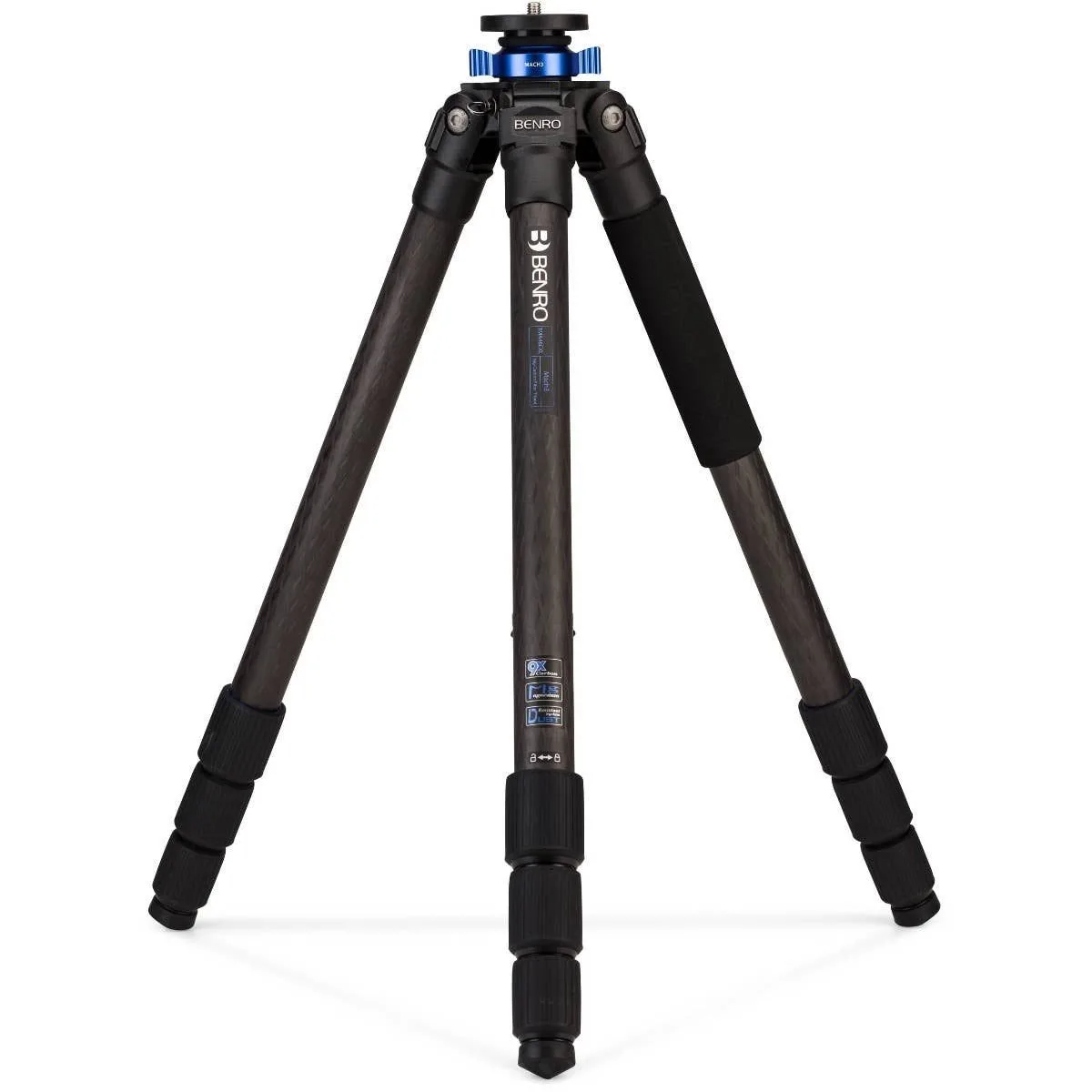
Benro TMA48CXL Extra Long Series 4 Mach3 Carbon Fiber Tripod