Quick Answer
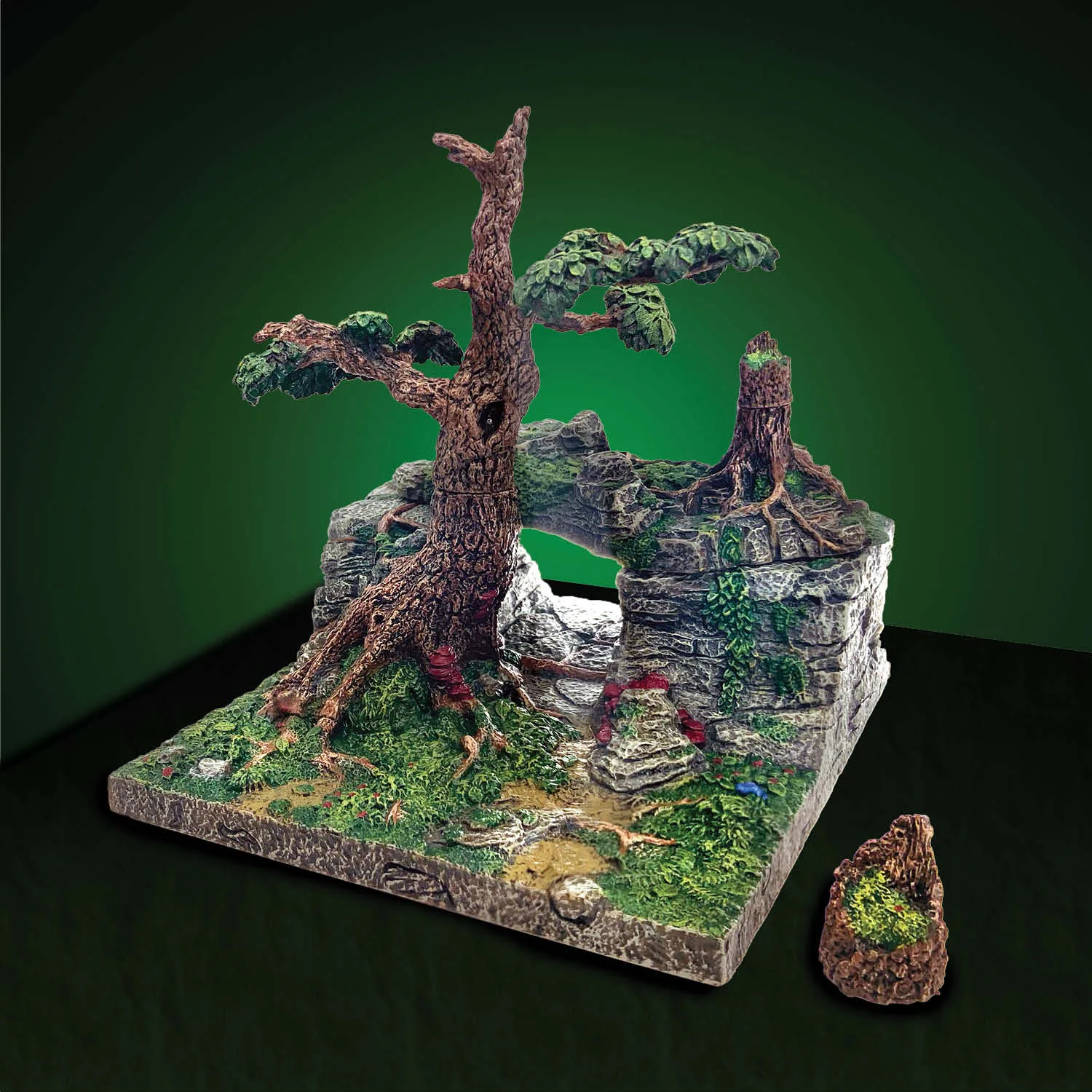
Setting up the Cave Mouth Pack is straightforward: attach the escarpment base, position the cave mouth piece, and add the cover piece to transition from cavern to forest terrain.
Understanding the Cave Mouth Pack Components
The Cave Mouth Pack includes a cave mouth built into an escarpment, designed to transition from caverns to forest. The cover piece doubles as freestanding scatter terrain, giving you flexibility in placement. Note that this set features updated Forest painting with a narrower color palette to match Wildlands Forest sets, but it remains compatible with Forest sets from the original Caverns Deep release.
Step-by-Step Setup
- Prepare the Escarpment Base: Place the escarpment base on your gaming table where you want the cave entrance to appear. Ensure the surface is flat and stable to prevent wobbling during play. Check that the base sits flush against any adjacent terrain pieces to avoid gaps.
- Attach the Cave Mouth Piece: Align the cave mouth piece with the escarpment base, pressing gently until it clicks or sits securely. The piece should angle naturally to create a realistic transition from cavern to forest. Avoid forcing the piece; if it doesn't fit easily, check alignment with the base.
- Position the Cover Piece: Place the cover piece over the cave mouth to create a seamless transition, or use it as standalone scatter terrain elsewhere on the table. For a closed cave look, leave the cover piece in place; for an open entrance, set it aside. The cover piece is versatile—experiment with different placements to suit your encounter.
Product Facts
-
Cave Mouth Pack (Painted): A cave mouth built into an escarpment to transition from caverns to forest. The cover piece doubles as freestanding scatter terrain. This means you can use the cover piece on its own for variety, not just as part of the cave mouth setup.
Cave Mouth Pack (Painted)