Quick answer
Arrange three Paterson developing dishes in a row under safelight: developer, stop bath, and fixer. Use the colored dishes to differentiate chemicals and avoid cross-contamination.
Why three dishes?
Black and white print processing requires three separate baths: developer, stop bath, and fixer. Using dedicated dishes for each chemical prevents contamination and ensures consistent results. The Paterson Developing Dishes come in three colors (typically red, green, and blue) so you can assign each color to a specific chemical and easily identify them under safelight conditions.
Safelight considerations
Your darkroom safelight should match the sensitivity of your printing paper. Most multigrade papers are safe under a red or amber safelight, but check the paper's datasheet. Position the safelight at least 4 feet from your dishes to prevent fogging. The colored Paterson dishes help you quickly locate the correct tray without fumbling in dim light.
Steps to set up your developing dishes
- Choose your dish size: Select dishes that are slightly larger than your largest print size. The Paterson 10x12in set works for prints up to 10x12 inches, giving you room to maneuver the print without touching the edges. Using dishes too small can scratch prints; too large wastes chemistry.
- Arrange dishes in order: Place the three dishes in a line from left to right: developer, stop bath, fixer. This keeps your workflow logical and minimizes drips between baths. Keep a water wash tray nearby for after fixing. Always work in the same order to avoid contaminating the developer with fixer.
- Label or color-code each dish: Assign one color to each chemical and stick to it. For example, red for developer, green for stop bath, blue for fixer. The Paterson dishes are already colored, so you can memorize the assignment. If you swap colors mid-session, you risk ruining a print.
- Prepare chemistry at working temperature: Mix your developer, stop bath, and fixer according to their instructions, aiming for 68°F (20°C). Pour enough solution to cover the dish bottom by about 1/4 inch. The Paterson base design uses less volume than flat-bottom trays. Check temperature with a darkroom thermometer; too warm or cold affects development time.
- Set up safelight and timer: Position your safelight above or to the side of the dishes, not directly over them. Set a timer for the recommended development time for your paper and developer combination. Have a print tongs or gloved hand ready. Test safelight safety by leaving a piece of paper out for 5 minutes; if it fogs, move the light farther away.
- Run a test print: Before processing your final print, run a test strip to confirm exposure and development times. Slide the exposed paper into the developer dish, agitate gently, then transfer to stop bath and fixer following the times you set. A test print saves paper and reveals timing errors before you commit to a full sheet.
Product facts
-
Paterson Developing Dishes - 10 x 12in Set of 3: Paterson makes the best developing dishes in the world. Available for all popular print sizes in 3 colours to differentiate between chemicals under safelight conditions. Base design gives maximum economy of solution and easy print removal and the pouring lip offers drip-free emptying. The three colors let you assign each dish to a specific chemical, reducing mistakes. The pouring lip makes emptying easy without spills, and the base design uses less chemistry, saving you money.
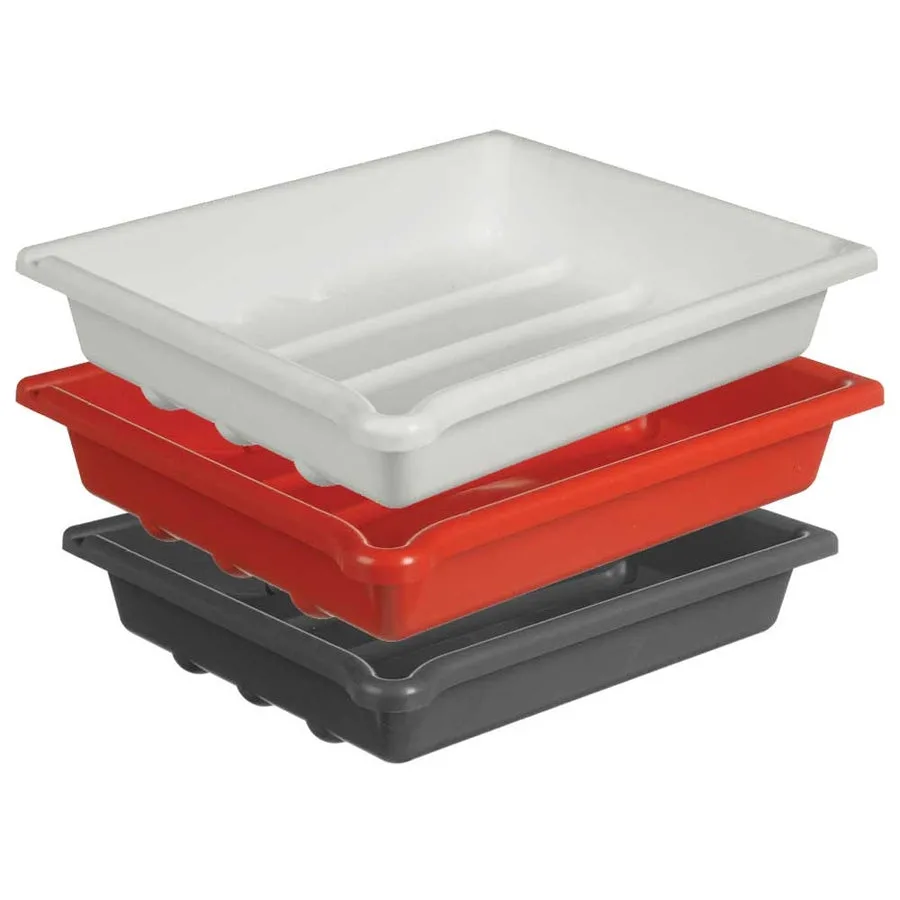
Paterson Developing Dishes - 10 x 12in Set of 3


