Quick answer
Assemble the SHAPE Creator Camera Cage Kit by first attaching the CNC-machined aluminum cage to your Nikon ZR, then mounting the 15mm LWS base for accessory rods. Follow the steps below to avoid stripped threads or misaligned rails.
Why a model-specific cage matters
The SHAPE Creator Camera Cage Kit is precision-machined for the Nikon ZR body. Unlike universal cages, it provides exact cutouts for ports, battery door access, and tripod mount alignment. This reduces the risk of blocking controls or causing interference during a shoot.
Cage vs. full kit: what each includes
The basic cage (product 1922770) wraps the camera body and adds mounting points. The Full Creator Kit (product 1922769) adds a 15mm LWS base with rod support for matte boxes, follow focus units, or external monitors. Choose the full kit if you plan to add production accessories; stick with the cage alone if you only need protection and a few accessory mounts.
Step-by-step assembly guide
- 1. Remove the camera strap and base plate: Take off any neck strap or wrist strap from your Nikon ZR. Unscrew the factory tripod mount base plate if one is attached. A clean, flat bottom surface ensures the cage seats evenly. Check that the camera battery door can open freely after the cage is mounted.
- 2. Align the cage with the camera body: Place the SHAPE cage over the Nikon ZR so the tripod screw lines up with the camera's 1/4-20 socket. Gently press the cage onto the body; the cutouts should match the ports and buttons. Do not force it. If the cage does not seat flush, recheck alignment—forcing it can scratch the camera finish.
- 3. Tighten the tripod screw evenly: Use a coin or flathead screwdriver to tighten the captive 1/4-20 screw in the cage base. Turn until snug, then give a quarter turn more. Over-tightening can strip the camera's socket. Stop turning as soon as you feel resistance. The cage should not move when you grip it, but the screw should not be cranked.
- 4. Mount the 15mm LWS base (full kit only): Slide the LWS base onto the bottom of the cage using the alignment pins. Secure it with the included hex screws. Tighten them in a cross pattern to keep the base level. Use the hex key that came with the kit. A loose base will cause rods to shift under load.
- 5. Install the 15mm rods: Insert two 15mm rods into the LWS base clamps. Push them through until they protrude equally on both sides. Tighten the clamp thumbscrews by hand. Leave the rods slightly loose until you attach accessories—this lets you slide them to the exact position.
- 6. Attach accessories and test fit: Mount your matte box, follow focus, or monitor arm onto the rods. Adjust rod depth and tighten all clamps. Power on the camera and cycle through buttons to confirm nothing is blocked. If a control is hard to reach, loosen the cage screw slightly and shift the cage a millimeter before re-tightening.
Products used in this guide
-
SHAPE Creator Camera Cage Kit for Nikon ZR: The SHAPE Creator Camera Cage Kit for Nikon ZR is built from durable CNC-machined aluminum, precisely engineered to protect and expand the functionality of the Nikon ZR camera. The aluminum construction keeps the cage lightweight yet rigid, and the model-specific fit ensures no wobble or blocked ports.
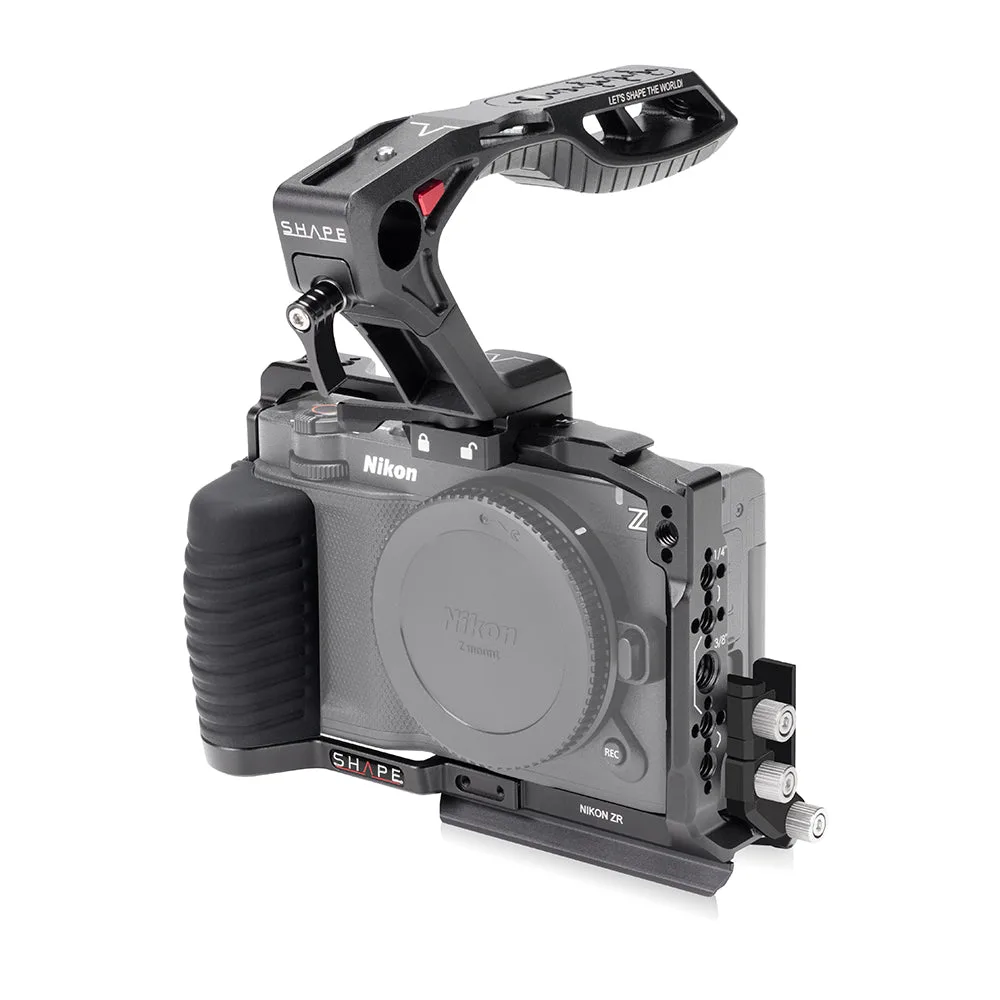
SHAPE Creator Camera Cage Kit for Nikon ZR
-
SHAPE Full Creator Kit 15mm LWS Base for Nikon ZR: The SHAPE Full Creator Kit 15mm LWS Base for Nikon ZR includes the same cage plus a 15mm LWS rod base for professional accessory mounting. Adding the LWS base lets you attach follow focus motors, matte boxes, or battery plates without extra adapters.
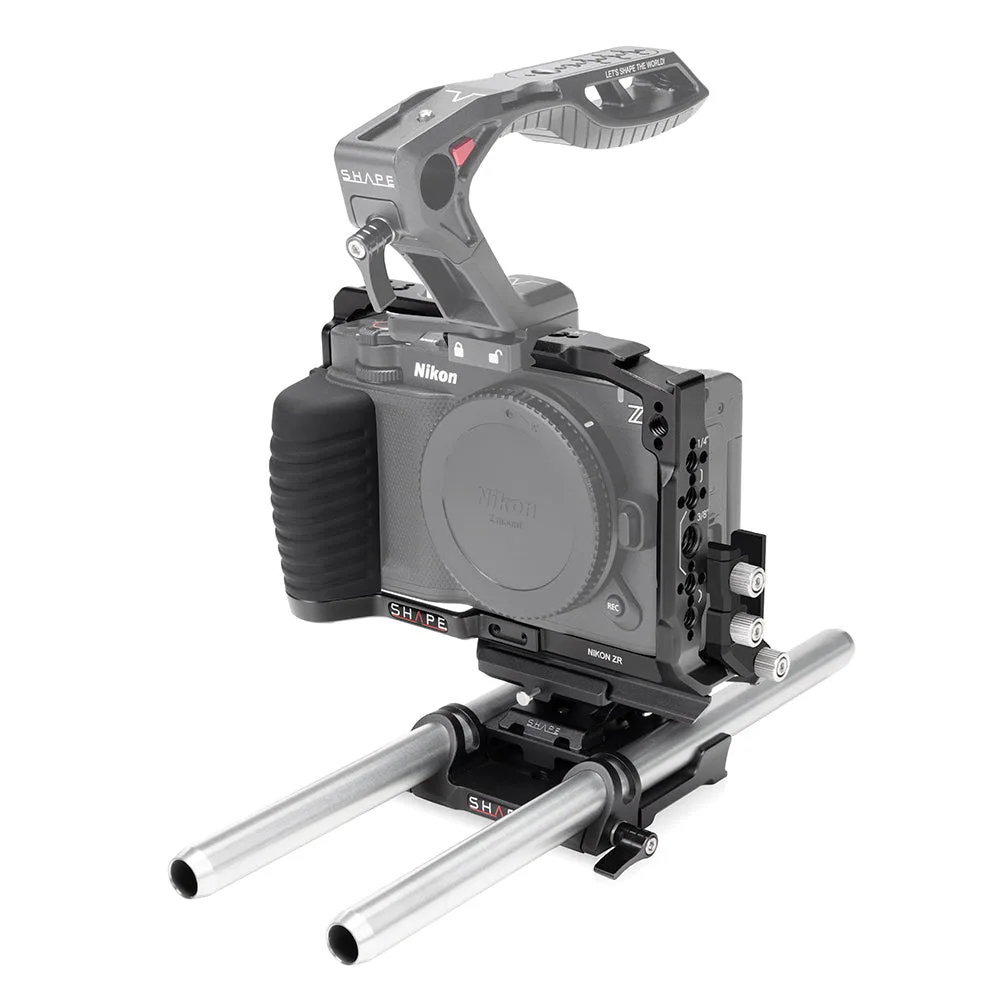
SHAPE Full Creator Kit 15mm LWS Base for Nikon ZR


