Quick answer
Install a titanium optic plate by degreasing the slide pocket, seating the plate fully, and torquing the mounting screws to the plate maker's specification with a calibrated driver. Then confirm the optic screws are snug, re-check torque after the first range session, and keep the plate and pocket dry and clean. A properly seated titanium plate solves the loose-tolerance issue common to factory SIG plates and keeps your red dot zeroed.
Why a titanium plate changes your mounting routine
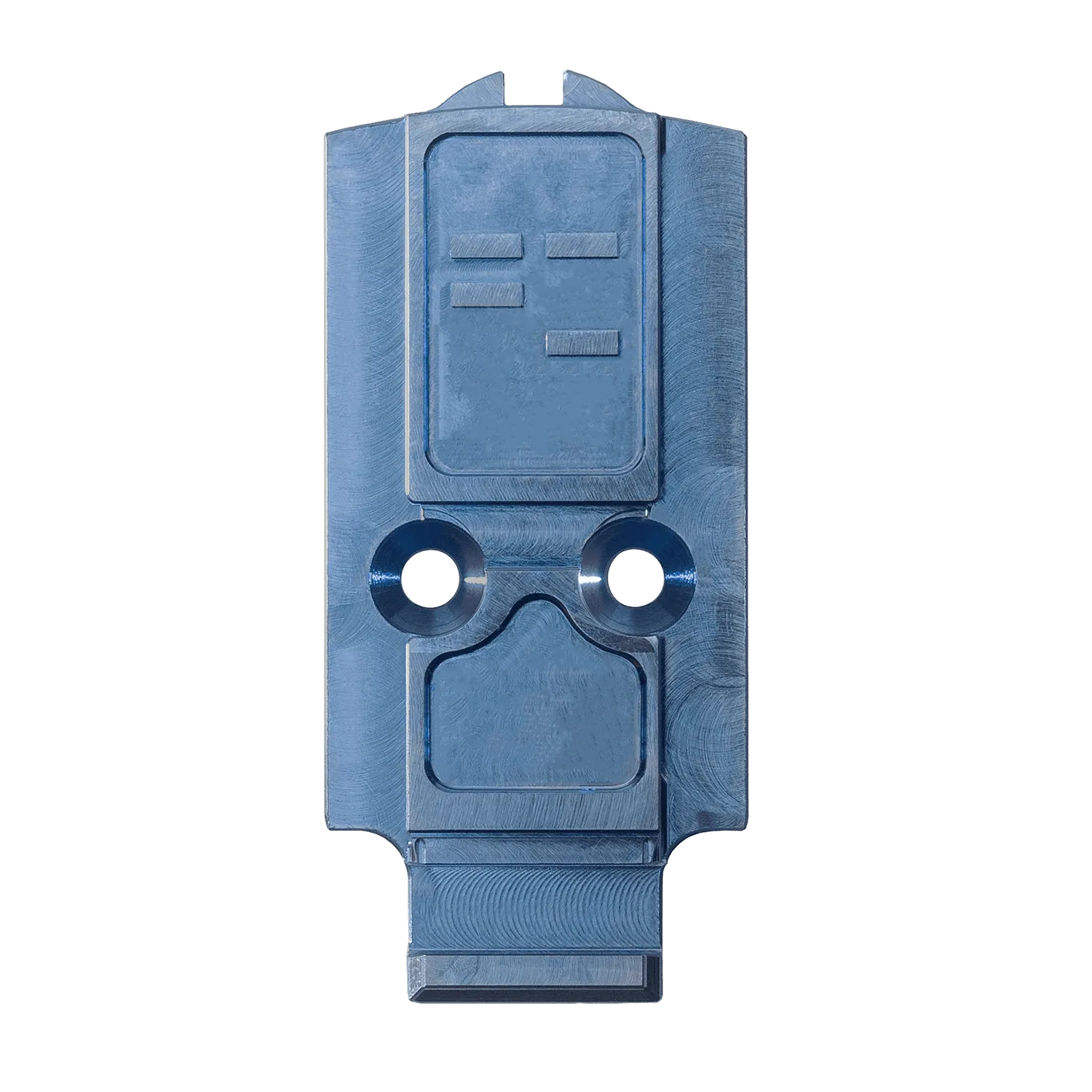
Factory SIG Sauer optic plates are known for loose tolerances, which lets the plate shift slightly in the optic pocket and can cause your red dot to lose zero. A precision-machined 6al-4v titanium plate is designed to sit tightly in the pocket and support the optic body, so the mounting process rewards patience and correct torque rather than force. Titanium is also light and corrosion-resistant, so the plate itself needs very little maintenance once it is installed correctly.
Tools and prep you actually need
Gather a torque driver with a bit that fits your screws, a degreaser or isopropyl alcohol, lint-free patches, and threadlocker only if the plate manufacturer specifies it. Check the optic and plate instructions for the recommended screw torque values; do not guess. Work on a clean, well-lit surface so you can see the plate seat flush.
Step-by-step installation and care
Follow the sequence below for the first install, then use the same steps as a maintenance check every few months or after heavy range use.
Installation and care steps
- Degrease the slide pocket and plate: Wipe the optic pocket and the underside of the titanium plate with isopropyl alcohol or a degreaser, then let them dry completely. Oil or solvent residue prevents the plate from seating fully and can cause screws to loosen. Checkpoint: the pocket and plate should look matte and dry, with no visible film.
- Test-fit the plate before adding screws: Set the plate into the pocket without screws and press down evenly. It should sit flush with no rocking. If it rocks, stop and identify the obstruction rather than forcing it. Common mistake: assuming a tight plate is defective when it is actually a burr or debris keeping it from seating.
- Apply threadlocker only if specified: Some plate makers call for a small amount of medium-strength threadlocker on the plate screws, others do not. Follow the instructions that came with your plate. Excess threadlocker can seep into the optic pocket. Checkpoint: if the instructions are silent, use none and rely on correct torque.
- Torque the plate screws in a cross pattern: Use a calibrated torque driver set to the plate maker's specification. Tighten in an X pattern in small increments until each screw reaches the value. Do not overtighten to compensate for a loose fit. Common mistake: guessing torque by feel, which can strip screws or crush the plate.
- Mount the optic and torque its screws: Seat the red dot on the plate and start the optic screws by hand. Torque them to the optic manufacturer's specification, again in a cross pattern. The plate supports the optic, so the optic screws should not need excessive force. Checkpoint: the optic should sit flat on the plate with no gap at the front or rear.
- Confirm zero and re-check torque after the first session: Fire a few groups to confirm your zero, then let the slide cool and re-check both plate and optic screws with the torque driver. Titanium and steel expand at different rates, so a screw that was correct when cold can feel slightly loose after heat cycling. Next step: if any screw moves, reset it to spec and note it; repeated loosening means you should inspect the threads.
- Clean and inspect the plate during routine maintenance: Wipe the plate and pocket with a dry or lightly oiled patch, and keep solvent away from the optic lenses. Inspect for corrosion or debris, though titanium resists rust. Re-torque screws only when they have actually moved. Common mistake: over-cleaning with harsh solvents that can damage optic coatings or leave residue in the pocket.
Product facts
- SIG Sauer Titanium Optic Plate: Our SIG M17/M18 Titanium Plates are designed to solve the issue of loose tolerances on the factory SIG Sauer optics plates. Machined with precision out of 6al-4v Titanium, this plate sits tightly in the optic pocket and also provides ample support for the optic. Tight tolerances paired with quality mounting hardware means that you’ve got a solution that will remain durable even under hard use conditions. A tight-fitting titanium plate reduces shifting in the pocket, which helps your red dot hold zero and makes the mounting process more repeatable.