Quick answer
Mount and adjust your SimXPro Seat Harness by first securing the lap belts to your cockpit's shoulder harness bar or seat bracket, then routing the shoulder straps over your seat back, and finally tensioning all straps so the harness sits flat and snug without restricting movement.
Why harness fitment matters
A properly fitted harness keeps you locked into your seating position during hard braking and cornering, which improves consistency and reduces fatigue. Poor fitment can cause the belts to slip off your shoulders or dig into your neck, ruining immersion and comfort.
The SimXPro Seat Harness comes with a mounting kit and T-nuts, so you can attach it directly to most aluminum-profile cockpits. The choice between 4-point and 6-point systems depends on whether you want a crotch strap for additional lateral restraint.
Trade-offs to consider
A 4-point harness is easier to get in and out of but may ride up under hard braking. A 6-point harness adds a crotch strap that prevents submarining, which is ideal for aggressive driving but adds a step to entry and exit. Choose based on how much time you spend in the rig versus how much support you need.
The harness color is purely cosmetic, but darker shades show less wear over time. The 2-year warranty covers manufacturing defects, so you can install with confidence.
How to fit your SimXPro Seat Harness
- 1. Position the lap belts: Thread the lap belt mounting plates through the slots in your seat or attach them directly to the cockpit frame using the supplied T-nuts and bolts. The lap belts should sit across your hip bones, not your stomach. Common mistake: mounting the lap belts too high. They must rest on your hips to avoid abdominal pressure.
- 2. Route the shoulder straps: Pass the shoulder straps over the top of your seat back and down to the mounting points behind the seat. For a 6-point harness, also route the crotch strap between your legs and attach it to a bracket on the seat base or cockpit floor. Check that the shoulder straps are not twisted and that the crotch strap does not pull the lap belts upward.
- 3. Adjust strap length: Sit in the rig and pull the adjuster tabs on each strap to remove slack. The harness should be snug enough that you can slide only one flat hand between the belt and your chest. Tighten the lap belts first, then the shoulder straps. Over-tightening restricts breathing; under-tightening allows body movement. Re-adjust after the first 30 minutes of use.
- 4. Secure the quick-release buckle: Connect all straps into the central buckle until you hear a click. Give each strap a firm tug to confirm the connection. For 6-point systems, ensure the crotch strap is locked into the buckle before the shoulder straps. A loose buckle connection can release under load. Always double-check before starting a session.
- 5. Final fit check: Lean forward and back, then simulate steering inputs. The harness should keep your torso stable without shifting. If the shoulder straps slide off your shoulders, lower the mounting points behind the seat. If the lap belts ride up, reposition the mounting brackets lower on the cockpit frame. Re-tighten after the first few sessions as the webbing settles. This is normal and not a defect.
Product details
-
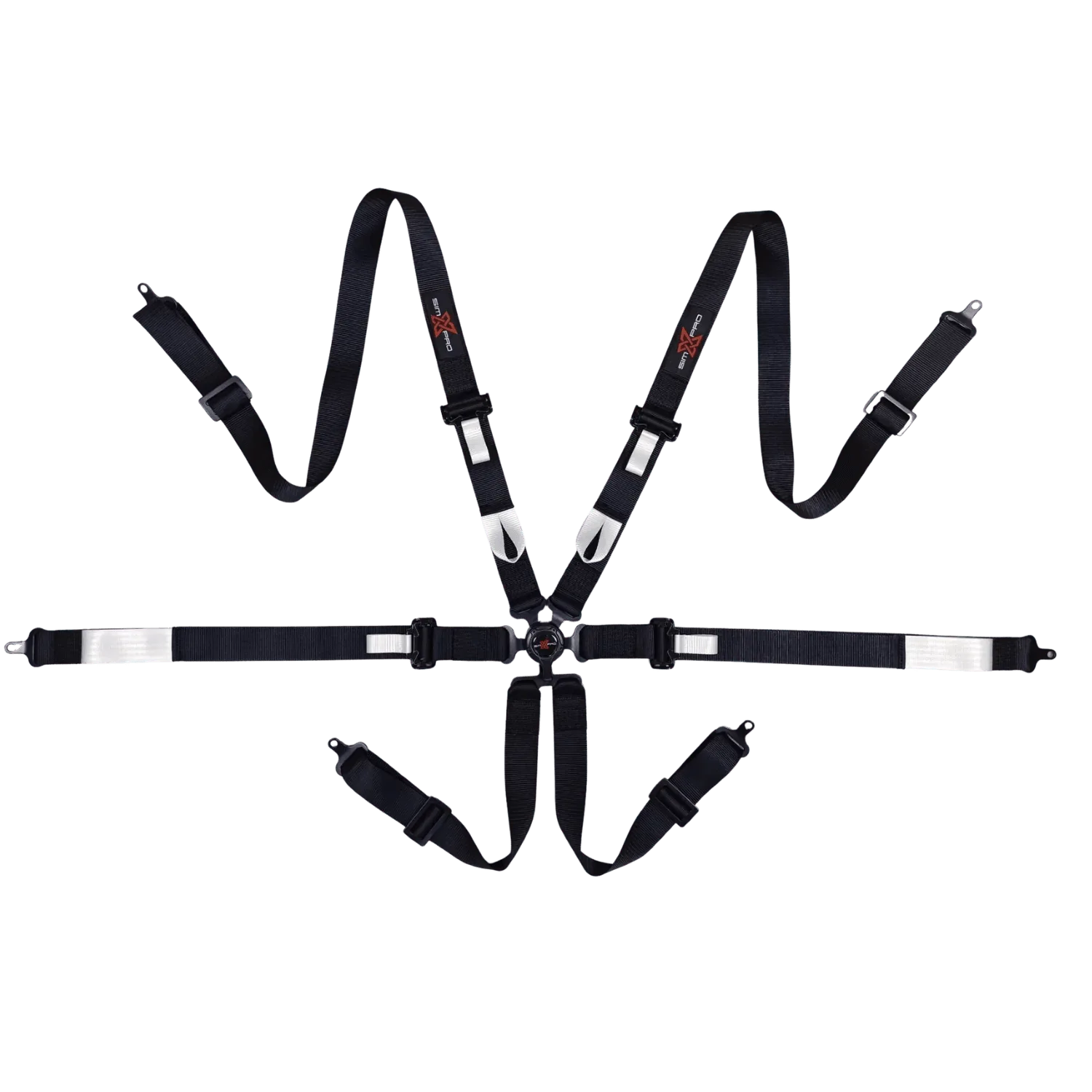
SimXPro Seat Harness: Available in 4-point or 6-point restraint systems with five color options. Includes mounting kit and T-nuts. Backed by a 2-year warranty. You can choose the restraint level that matches your driving style and cockpit setup, and the included hardware simplifies installation on standard aluminum-profile rigs.
SimXPro Seat Harness