Quick Answer
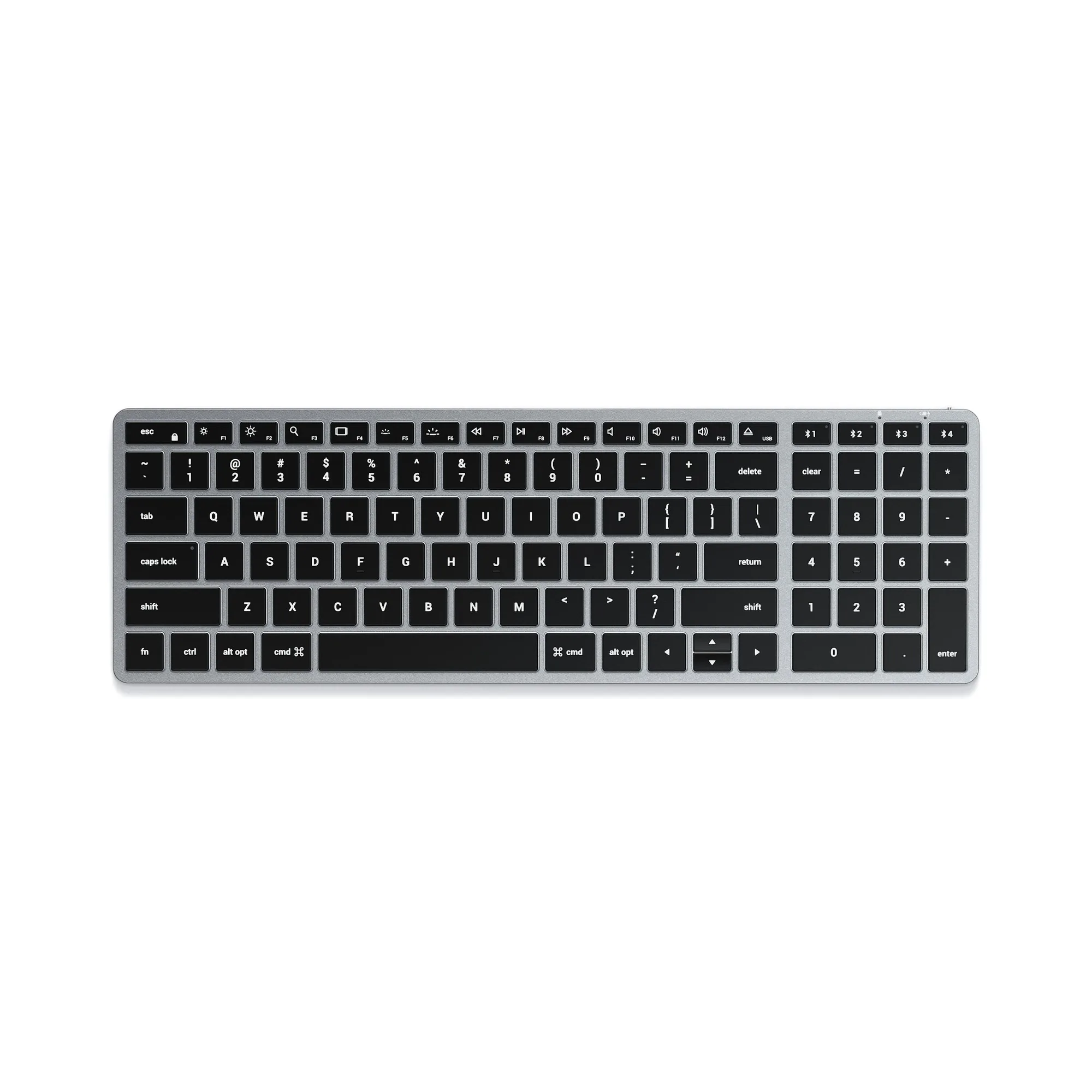
To type comfortably in dim light with the Slim X2, press the backlight key (sun icon) to cycle through brightness levels. If the keys appear unevenly lit, ensure the keyboard is fully charged and reconnect via Bluetooth.
Why Backlight Might Seem Uneven
The Slim X2 uses a single-layer backlight design common in ultra-slim keyboards. This means the light spreads from the edges, which can make keys near the center appear slightly dimmer than edge keys in very dark rooms. This is normal behavior, not a defect.
If you notice one section is completely dark, the most likely cause is a low battery. The backlight dims automatically to preserve power when charge drops below 20%. Recharging via USB-C restores full brightness.
Battery Trade-Off
The Slim X2's rechargeable battery lasts several weeks with backlight off, but continuous backlight use reduces that to a few days. For regular low-light work, plugging the keyboard in overnight ensures you never run out mid-task.
If you prefer wireless freedom, consider turning the backlight off during well-lit periods and only enabling it when needed. The keyboard remembers your last brightness setting after reconnecting.
Diagnosis: Dim or Uneven Backlight
- Symptom: Keys appear dim or unevenly lit in a dark room.
- Likely Cause: Low battery (below 20%) or normal edge-lighting behavior for an ultra-slim keyboard. Check battery level by pressing any key – if the backlight flickers, charge immediately.
- Corrective Action: Connect the USB-C cable and charge for 2 hours. Then press the backlight key (sun icon) to cycle through Off > Low > High. For persistent unevenness, disconnect and reconnect Bluetooth. If backlight remains uneven after full charge and reconnection, the keyboard may have a hardware issue – contact Satechi support.
- Stop / Choose Another Option: If you require perfectly uniform backlight across all keys in total darkness, consider a mechanical keyboard with per-key RGB lighting instead. The Slim X2 is optimized for general low-light use, not pitch-black environments.
Product Details
-
Slim X2 Bluetooth Backlit Keyboard: The Slim X2 features adjustable backlit keys and a rechargeable USB-C port. You can customize brightness to match your lighting conditions and recharge without replacing batteries.
Slim X2 Bluetooth Backlit Keyboard