Quick Answer
Replacing a small power LED in your retro console is a straightforward soldering job that brings the power indicator back to life. You can do it yourself with basic tools and a compatible LED like the Small Power LED from Powr Up Gaming.
Why Replace the Power LED?
A dead or dim power LED is often the first sign that your retro console needs attention. While it doesn't affect gameplay, the power light is your quickest visual check that the system is receiving power, so ignoring it can leave you guessing whether the console is actually on.
Replacing the LED is a low-risk repair compared to other console mods. It requires basic soldering but doesn't involve complex chip work, making it a good entry-level project for someone comfortable with a soldering iron.
Choosing the Right LED
Not all LEDs are identical. The Small Power LED from Powr Up Gaming comes in white, blue, yellow, red, and green, so you can match the original color or customize it. Its compact size makes it suitable for most retro console power indicator slots.
Before ordering, confirm the LED's forward voltage and current rating match your console's circuit. The catalog doesn't list these specs, so check your console's service manual or measure the existing LED to avoid burning out the replacement.
Step-by-Step Small Power LED Replacement
- Gather tools and safety gear: You need a soldering iron, solder, desoldering wick or pump, a small Phillips screwdriver, and safety glasses. Work in a well-ventilated area and unplug the console. Check that your soldering iron tip is clean and tinned before starting.
- Open the console and locate the power LED: Remove the screws on the bottom or back of the console and carefully separate the shell. Find the LED near the power button or front panel; it's usually a small cylindrical component with two legs. Take a photo of the board layout before disconnecting anything, so you remember where wires go.
- Desolder the old LED: Heat the solder on each leg and use desoldering wick or a pump to remove it. Gently pull the LED out once both legs are free. Avoid lifting the pad with excessive force. If the LED doesn't come out easily, reapply heat rather than pulling harder to avoid damaging the circuit board.
- Install the new Small Power LED: Insert the new LED legs into the holes, matching the polarity: the longer leg (anode) goes to the positive pad, often marked with a plus sign. Solder both legs and trim any excess length. Double-check polarity before soldering; reversing it will prevent the LED from lighting up.
- Test and reassemble: Plug in the console and power it on to confirm the LED lights up. If it works, unplug, reassemble the shell, and tighten the screws. If it doesn't light, recheck the solder joints and polarity. Leave the console unplugged while reassembling to avoid shorting anything.
Product Facts
-
Small Power LED: The Small Power LED is available in white, blue, yellow, red, and green, with a compact size for easy integration. You can match your console's original light color or choose a custom one, and the small footprint fits most stock LED slots without modification.
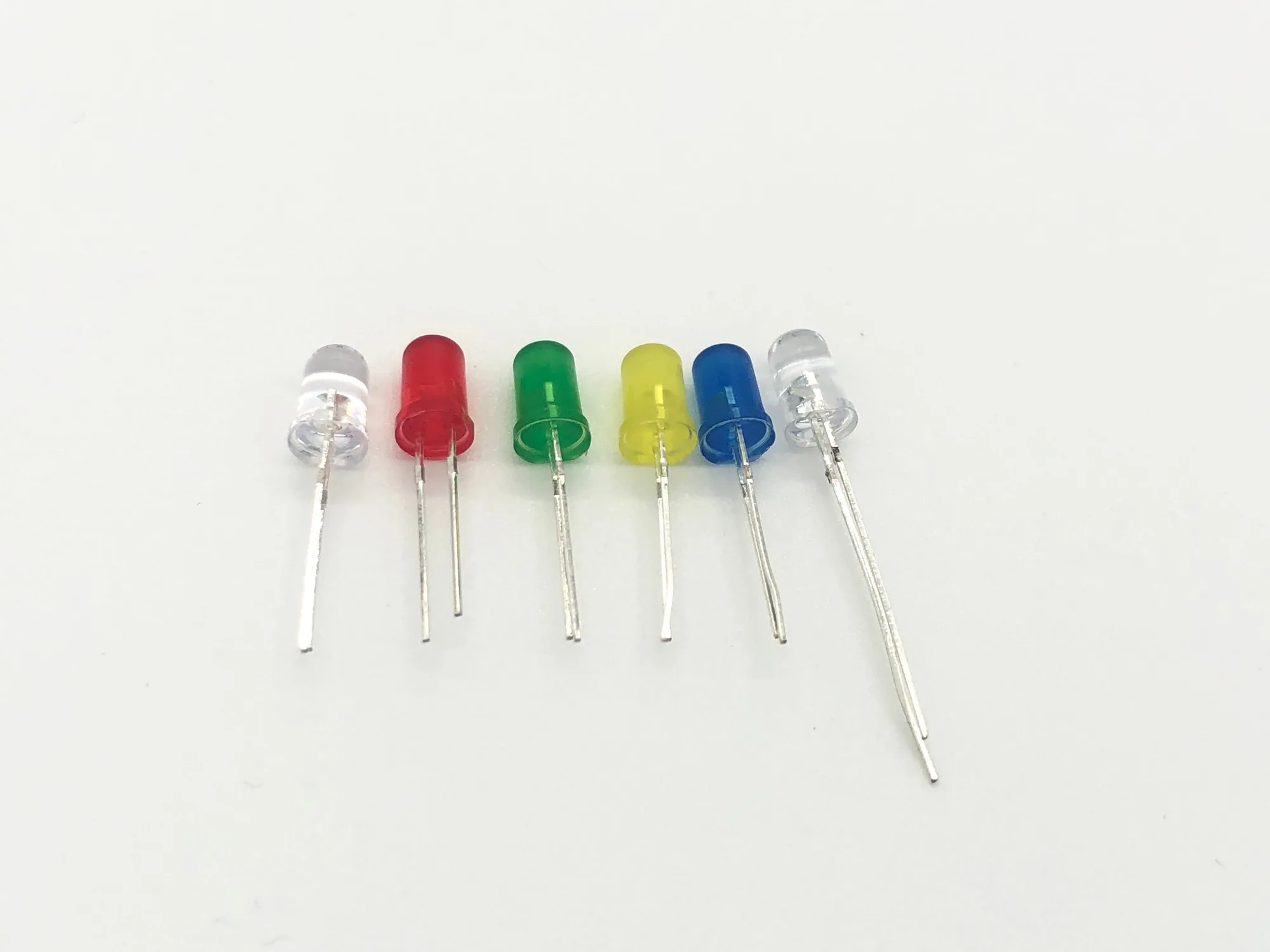
Small Power LED


