Quick answer
Buy the bundled kit first if you want entry coverage, motion detection, and a camera in one purchase and you have not mapped your home yet. Buy individual sensors first if you already know the exact gap you need to close, such as one leaky basement corner or one back door. The kit lowers the cost of getting started; single sensors lower the cost of overbuying.
What the kit actually covers
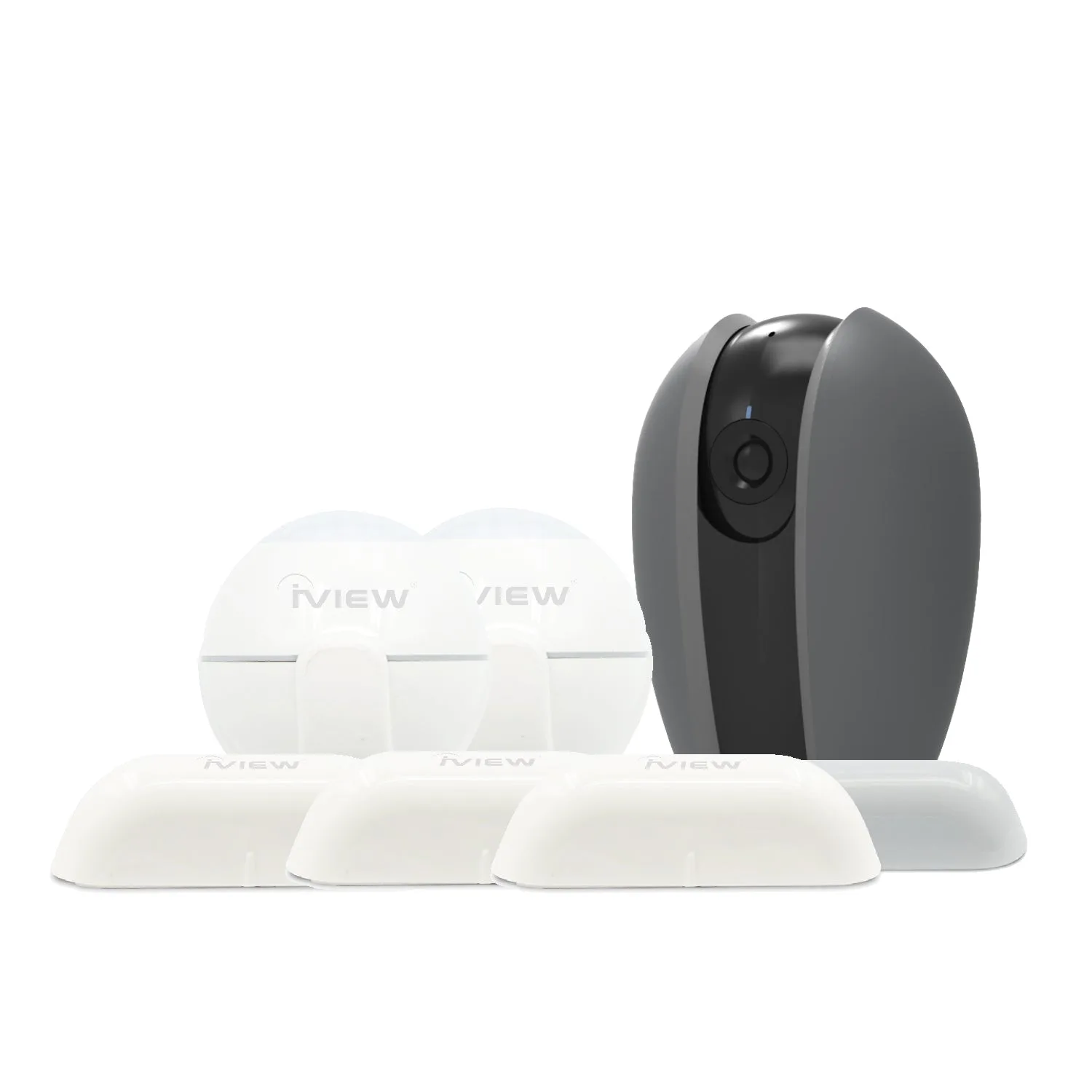
A starter kit is a bundle of different device types, so its value depends on whether you would have bought those devices anyway. The Safe Guard Kit pairs one CAM100 panoramic camera with three door and window sensors and two motion sensors. That combination covers three jobs at once: seeing a room, knowing when an entry opens, and detecting movement inside. If you priced those pieces separately, the bundle is the cheaper way to cover a small apartment or a first floor. The trade-off is that every device in the box shares the same 2.4 GHz wireless requirement, so your router needs a 2.4 GHz band available before any of it works.
When a single sensor is the smarter first buy
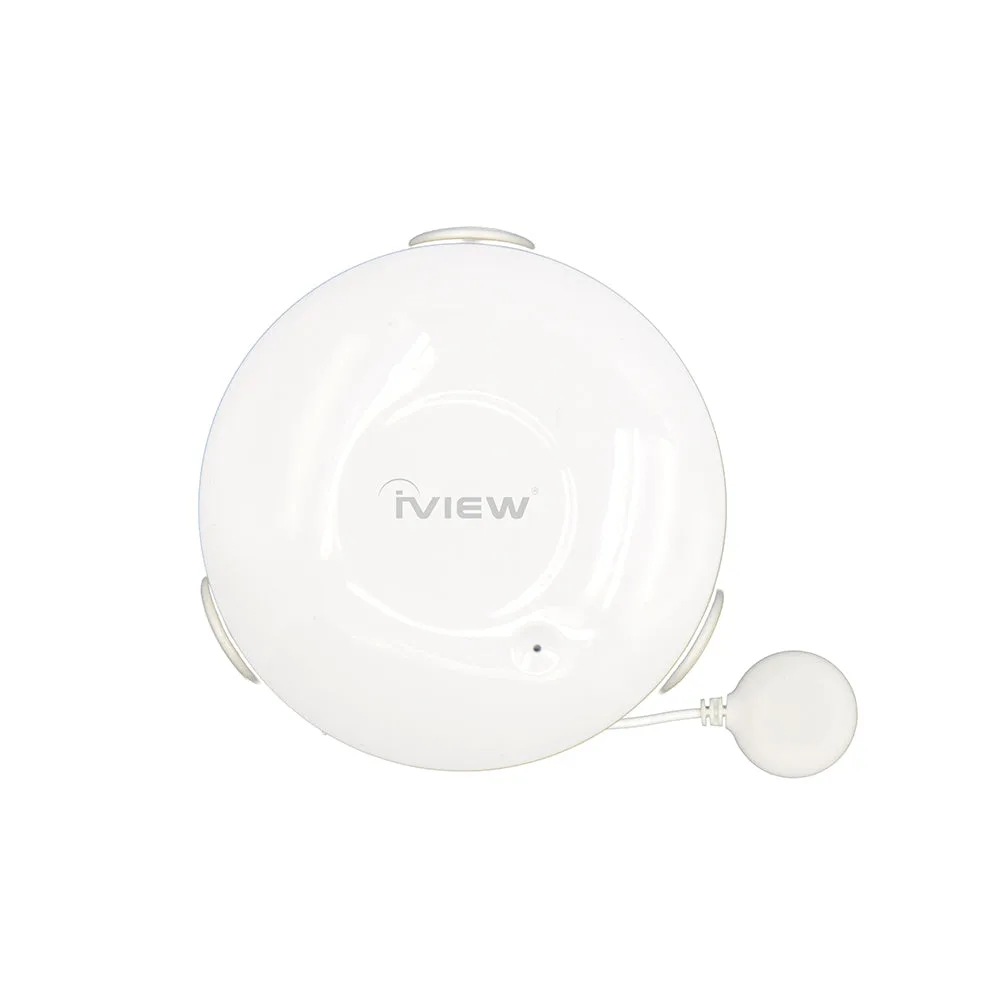
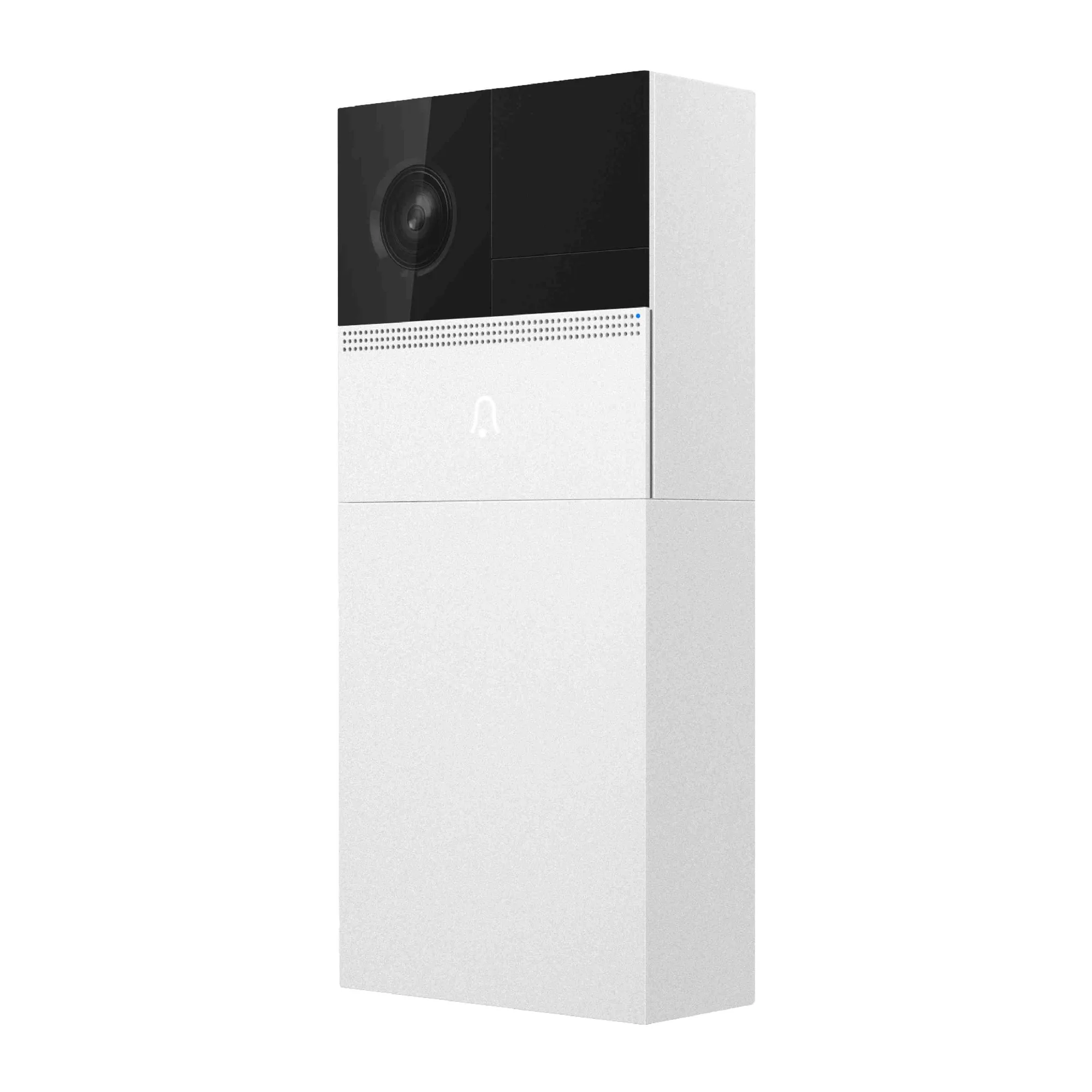
Individual sensors make sense when your problem is narrow and specific. A water leak under a sink or near a water heater is a one-device problem, and the S300 Water Sensor reports leakage and pushes an alert to your phone on a single CR2 battery. It is not a security camera and it will not detect an intruder, so buying it does not commit you to a full system. The same logic applies to a doorbell: the ISD100 Smart Bell handles the front-door visitor question with a 1280 × 720 picture and a 6,000 mA rechargeable battery, but it does not replace interior motion coverage. Buy the single device that solves the problem you can name today, then expand later.
How to sequence your first purchase
Start by listing the entry points and the rooms you actually care about, then match devices to those spots rather than buying by category. If your list includes a front door, a back door, and one main hallway, the kit covers it in one order. If your list is one basement corner that floods, a single water sensor is the correct first buy and a camera would be wasted there. Check two practical limits before ordering: all of these devices use 2.4 GHz Wi-Fi only, and the water sensor has a stated wireless range of 45 m, so a detached garage or far shed may fall outside reliable coverage.
Trade-offs to weigh before you order
- Kit coverage vs. paying for unused devices: The Safe Guard Kit gives you a camera, three door and window sensors, and two motion sensors in one purchase. If you only have one door and no interest in interior motion tracking, some of those devices will sit in a drawer. Count your real entry points first; if the number is three or more, the kit is the better value.
- Camera visibility vs. sensor reliability: A camera shows you what happened, while a door or motion sensor tells you that something happened with far less bandwidth and no field of view to block. Cameras can be obscured or aimed wrong; contact sensors report the door state directly. Use sensors for detection and the camera for confirmation, not one instead of the other.
- Single-device simplicity vs. app sprawl: Buying one sensor at a time keeps each purchase cheap and focused, but every added device type is another thing to name, place, and monitor. A kit arrives with its roles already defined. If you dislike managing multiple devices, start with the bundle and add only what the kit misses.
Device facts that change the decision
- Safe Guard Kit (1 × Smart Home Security Camera, 2 × Motion Sensors, 3 × Door & Window Sensors): Includes 1 CAM100 Smart Panoramic Camera, 3 S100 Door Sensors, and 2 S200 Motion Sensors, all requiring a 2.4 GHz wireless connection. One order covers camera, entry, and motion coverage, but only if your router broadcasts a 2.4 GHz band.
- ISD100 Smart Bell - 1280 × 720 Max Picture, DC 5V, 6000mA Rechargeable Battery Smart Door Bell: ISD100 Smart Bell captures up to 1280 × 720, supports an SD card up to 128 GB, and runs on a 6,000 mA rechargeable battery with DC 5V optional power. It answers the front-door question on its own, so you can delay a full kit if the doorbell is your only real gap.
- S300 Water Sensor - Water Leakage Detection, Water Damage Prevention & Realtime Push Alerts: S300 Water Sensor detects leakage and pushes phone alerts, runs on one CR2 battery with a stated 5-year standby time, and works over 2.4 GHz with a 45 m wireless range. A low-cost single-device fix for one known leak risk, but it will not detect motion or entry, so it does not replace a kit.
Which should you buy first?
Buy the kit first if you
- Are securing a first apartment, rental, or small first floor with a front door, back door, and hallway
- Want camera, entry, and motion coverage without researching each device separately
- Have a router with a 2.4 GHz band and a floor plan small enough for one camera to cover the main room
Buy individual sensors first if you
- Have one specific problem, such as a single leak-prone basement corner or one monitored door
- Only want a front-door camera and do not need interior motion detection
- Need coverage far from the router, where the water sensor's 45 m stated range or 2.4 GHz limits may not reach