Quick answer
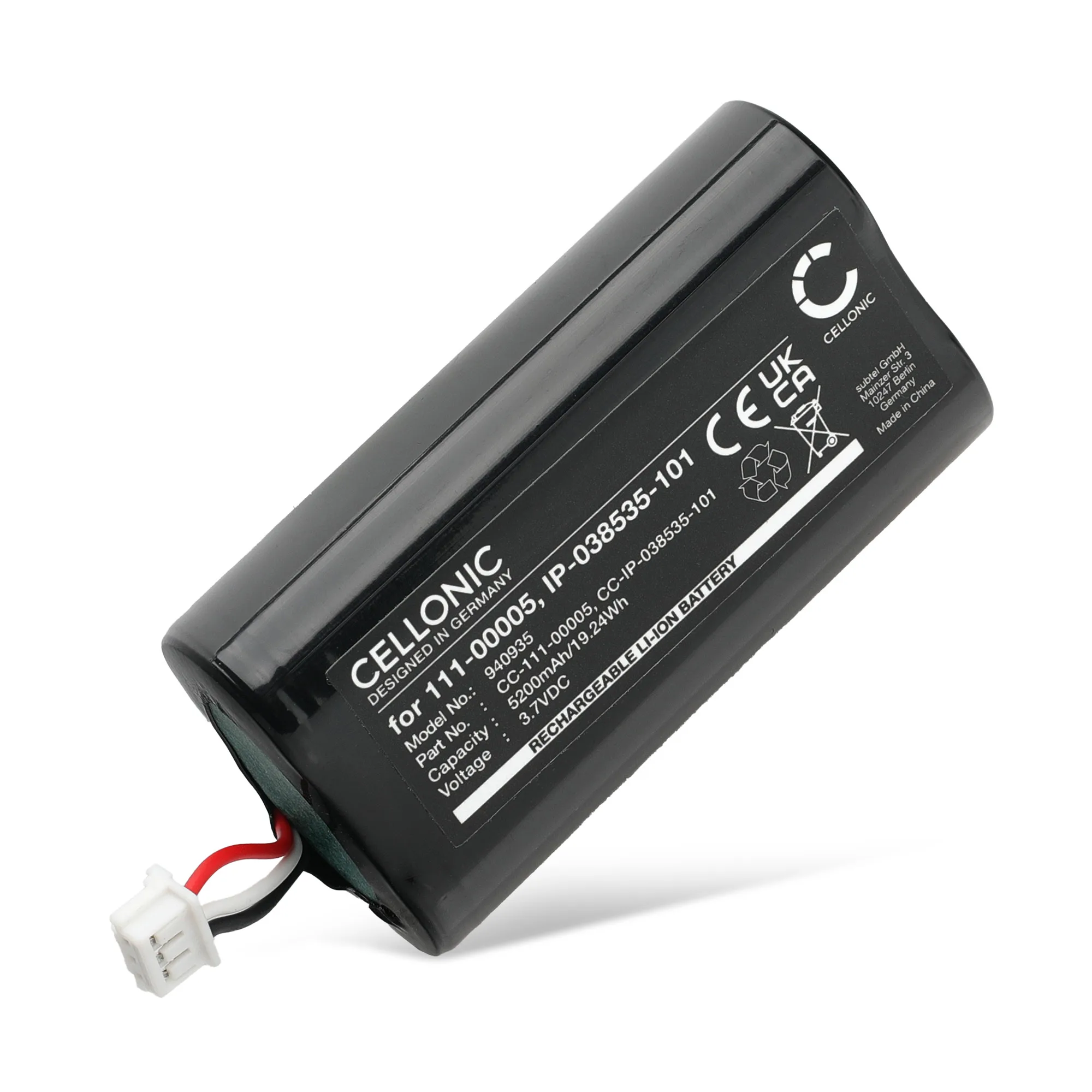
Most Sonos Roam battery drain comes from Wi-Fi standby, Bluetooth plus Wi-Fi running together, high volume, and cold temperatures rather than a worn cell. If runtime is still short after those are addressed, a Sonos Roam battery replacement with a 5200mAh pack such as the 111-00005 / IP-038535-101 unit restores normal playtime.
What actually drains a Sonos Roam battery
The Roam keeps a network connection alive even when idle, so a small amount of power is always being used. The biggest real-world drains are leaving it on Wi-Fi when you only need Bluetooth, streaming at high volume, and using it in cold rooms or outdoors where lithium cells lose capacity temporarily.
Charging habits matter too. Leaving the speaker on a charger for weeks at a time, or running it to 0% every day, ages the cell faster than partial top-ups. If the speaker is more than a few years old and gets heavy use, the battery itself is often the limiting factor.
- Use Bluetooth-only mode when Wi-Fi is not needed.
- Lower volume reduces current draw noticeably.
- Avoid leaving the Roam in freezing temperatures.
- Top up between 20% and 80% instead of full cycles.
Settings and habits that extend playtime
Sonos offers battery-saving options in the app, and using them is the fastest way to slow drain without buying anything. Switching off Wi-Fi when you are away from home, dimming the status LED, and avoiding unnecessary voice assistant wake-ups all reduce standby consumption.
If you use the Roam as a portable speaker rather than a permanent home unit, treat it like a phone: charge it before long trips, keep it out of direct sun, and do not store it fully discharged for months.
When to replace the battery instead of changing settings
If you have already reduced Wi-Fi use, lowered volume, and the speaker still drops from full to empty in a fraction of its original runtime, the cell is likely worn. A replacement pack restores the original capacity and is far cheaper than a new speaker.
The Sonos Roam uses a 5200mAh battery, and the 111-00005 / IP-038535-101 replacement matches that capacity. Subtel lists it with three years of warranty, so it is a reasonable long-term fix rather than a stopgap.
Sonos Roam battery questions
How long should a Sonos Roam battery last?
Sonos rates the Roam for up to 10 hours of playback, but real results depend on volume, Wi-Fi use, and temperature. If you are getting two or three hours from a full charge, the battery is the likely cause. Compare your runtime against a realistic 10-hour baseline before replacing anything.
Does Wi-Fi or Bluetooth drain the battery faster?
Wi-Fi keeps a constant network link and generally uses more power than Bluetooth alone. Switching to Bluetooth-only when you are away from home is one of the simplest ways to slow drain. Turn off Wi-Fi when portability matters more than multi-room audio.
Is the 111-00005 battery the right replacement for the Roam?
Yes, the 111-00005 / IP-038535-101 pack is the correct 5200mAh replacement for the Sonos Roam. It is sold by Subtel with a three-year guarantee. Match the part number and capacity before ordering to avoid a poor fit.
Replacement battery facts
- Vervangende Batterij voor Sonos Roam speaker 111-00005, IP-038535-101 - 5200mAh accu luidspreker: 5200mAh replacement battery for the Sonos Roam speaker, part 111-00005, IP-038535-101. Matches the original capacity, so runtime returns to normal instead of being reduced by a lower-capacity cell.