Quick answer
Start by charging the battery, mounting the 28-70mm lens, and setting the camera to Auto mode for a test shot. Then switch to Aperture Priority, set autofocus to AF-C with Wide area, and enable Eye AF before you shoot anything important.
Why the kit lens rewards a slower start
The 28-70mm f/3.5-5.6 lens is compact and covers wide to short telephoto, but its variable aperture means you lose light as you zoom in. That makes it a good lens for learning how shutter speed, aperture, and ISO interact before you add a fast prime.
The a7 III body has more menu depth than a beginner needs on day one. Setting a few core controls now—focus mode, drive mode, and file format—prevents the frustration of missing shots while you hunt through menus later.
When the kit lens is the wrong choice
If you mostly shoot indoor sports, night events, or very shallow portraits, the 28-70mm kit lens will struggle in low light and won't blur backgrounds as strongly as a dedicated fast lens. Rent or save for a brighter lens rather than pushing the kit lens beyond its comfort zone.
For landscapes and travel, the 28mm wide end is useful but not ultra-wide. If you need a wider field of view, plan for a separate wide-angle lens or stitch panoramas.
Setup steps for your Sony a7 III and 28-70mm kit
- Charge and insert the battery: Charge the battery fully before first use, then insert it and a formatted SD card. Format the card in-camera rather than on a computer to avoid compatibility issues. A freshly formatted card prevents write errors during your first session.
- Mount the 28-70mm lens correctly: Align the white dot on the lens with the white dot on the body, twist until it clicks, and remove the front cap. Do not force the lens if it doesn't seat smoothly. A half-mounted lens can cause a blank screen or error message.
- Set file format and quality: Choose RAW+JPEG if you plan to edit, or Extra Fine JPEG if you want ready-to-share files. Avoid shooting only small JPEGs if you might crop later. RAW gives more recovery room for exposure mistakes.
- Configure autofocus for everyday subjects: Set the focus mode dial to AF-C, choose Wide focus area, and enable Eye AF for people. For still subjects, switch to AF-S and Flexible Spot. AF-C with Wide is a reliable default for moving subjects; switch to AF-S for static scenes.
- Set a practical starting exposure mode: Use Aperture Priority at f/5.6 to f/8 for sharpness across the frame, and set Auto ISO with a minimum shutter speed of 1/125 sec for handheld shots. Raise ISO only when needed. Auto ISO with a shutter-speed floor prevents blur from slow shutter speeds.
- Turn on grid and level for straight horizons: Enable the rule-of-thirds grid and electronic level in the display menu. Use them to keep horizons straight, especially at the 28mm wide end. Straight horizons are harder to fix later than exposure.
- Take a test shot and review it: Shoot a static subject at 28mm and 70mm, then zoom in on the LCD to check focus and sharpness. If it's soft, confirm you're not too close for the minimum focus distance. Testing both zoom ends catches focus errors before a real shoot.
Product facts
-
Sony a7 III Camera With 28-70 mm f/3.5-5.6 Lens: In stock with a 1-year warranty and free UK delivery. You can start shooting quickly and have warranty coverage while you learn the camera.
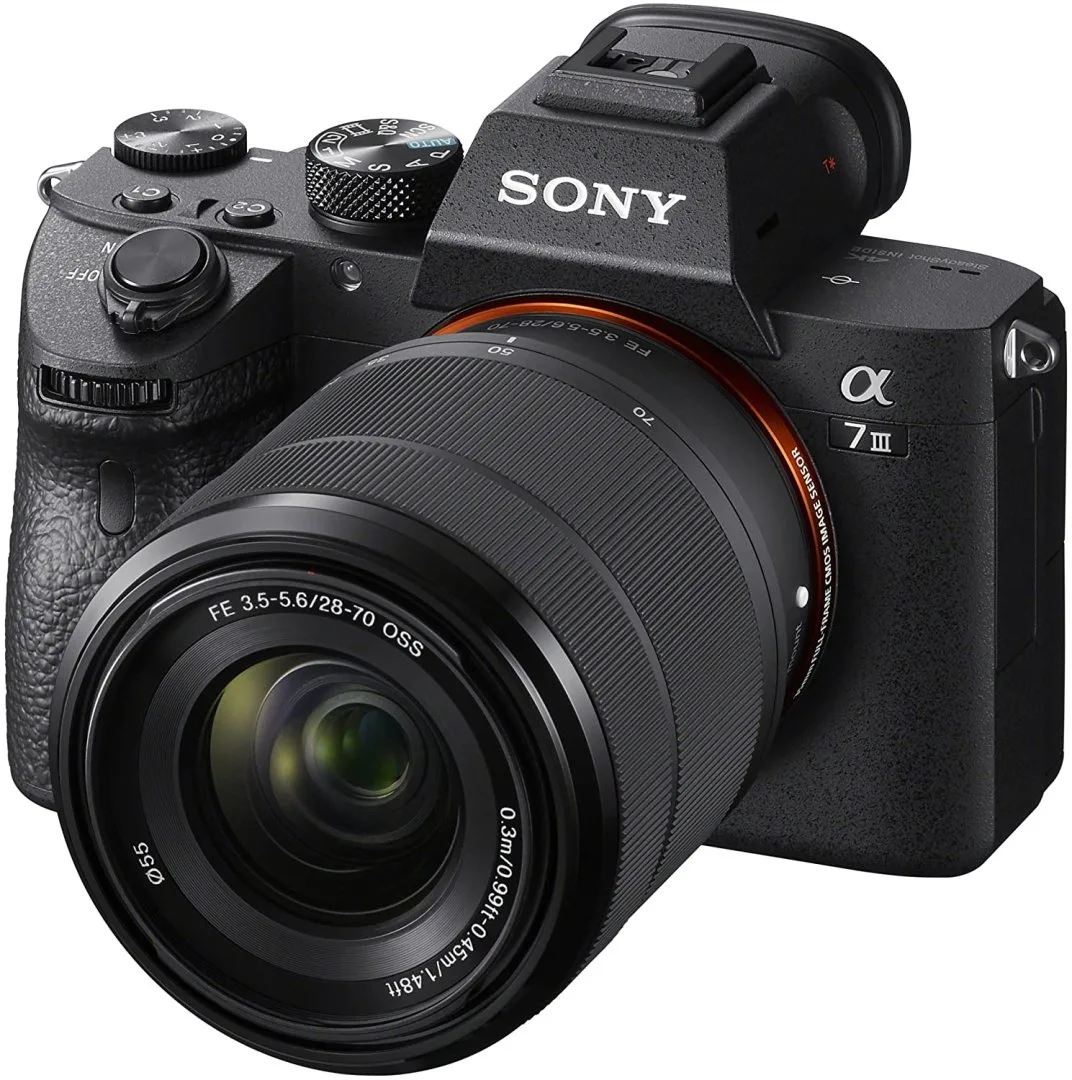
Sony a7 III Camera With 28-70 mm f/3.5-5.6 Lens