Configuring the Sony Alpha 1 for Fast Action
The Sony Alpha 1 (A1) is built for demanding photography across sports, wildlife, and action. Its 50.1-megapixel stacked CMOS sensor and advanced processing allow you to capture images at up to 30 frames per second with compatible settings. To get the most out of this speed, you need to set up the camera deliberately. This guide walks through the key settings for high-speed action photography, covering the electronic shutter, autofocus, and burst mode options.
Sony Alpha 1 Key Specs for Action
-
Sony Alpha 1 (A1) Body Only: The A1 can capture images at up to 30 frames per second with compatible settings, making it well suited to fast-moving subjects. This burst rate is among the highest available in a full-frame camera, giving you a strong chance of capturing the decisive moment in sports or wildlife.
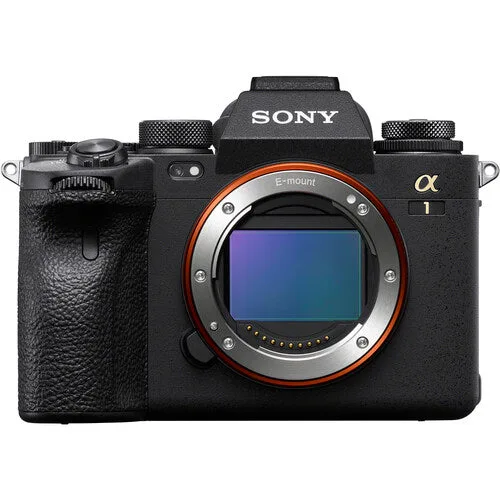
Sony Alpha 1 (A1) Body Only
-
Sony Alpha 1 (A1) Body Only: Electronic Shutter: 1/32000 to 30 Second The ultra-fast electronic shutter eliminates blackout and lets you shoot silently, which is critical when every millisecond counts and you cannot afford to miss a frame.
-
Sony Alpha 1 (A1) Body Only: Real-time Tracking and Eye AF help maintain focus on people and animals, while sophisticated subject-recognition technology assists with demanding moving-subject scenarios. These autofocus modes reduce the guesswork, so you can concentrate on composition and timing rather than manual focus adjustments.
Setting Up the Sony A1 for High-Speed Shooting
The following steps assume you have a compatible lens mounted and a memory card with sufficient write speed. The A1 accepts CFexpress Type A and SD UHS-II cards; use a fast card to sustain the burst rate.
- Switch to Electronic Shutter: Press the drive mode button on the top plate, then select the electronic shutter icon (a camera with "ELEC" or similar). This enables 1/32000 sec shutter speeds and silent, blackout-free shooting at the full 30 fps burst rate.
- Set Burst Mode to Hi+: In the drive mode menu, choose "Continuous Shooting: Hi+" (often marked as H+). This is the setting that unlocks the maximum 30 fps capture. Confirm that the camera displays "30 fps" in the viewfinder or on the LCD.
- Configure Autofocus for Moving Subjects: Set the focus mode to Continuous AF (AF-C). Then choose the focus area: Wide or Zone works well for tracking erratically moving subjects. Enable Real-time Tracking by pressing the menu button, navigating to the AF submenu, and turning it on. For people or animals, also enable Face/Eye AF in AF-C.
- Adjust Release Priority: In the AF menu, set "Priority Set in AF-C" to "Release" (or "Balanced Emphasis" if you want the camera to prioritize focus slightly). This tells the camera to keep shooting even if focus is not perfectly locked on every frame, which is often necessary for unpredictable action.
- Choose the Right Shutter Speed: For most action, start at 1/1000 sec or faster. With the electronic shutter you can go up to 1/32000 sec, which freezes even the fastest motion. If you need to blur motion creatively, reduce the shutter speed accordingly.
- Set ISO and Aperture for Your Light: Use Auto ISO with a minimum shutter speed of 1/1000 sec (or faster) to maintain exposure. The A1's ISO range is 100–32000 (expandable to 50–102400), so you have flexibility in low light. Choose an aperture that gives you the depth of field you need (e.g., f/2.8 for subject isolation, f/8 for more in-focus action).
Electronic vs. Mechanical Shutter Trade-offs
The electronic shutter is essential for hitting 30 fps and avoiding blackout, but it can introduce rolling shutter distortion with very fast panning or extremely fast-moving subjects (like a propeller blade). For most sports and wildlife, it works flawlessly. If you notice distortion, switch to the mechanical shutter (1/8000 sec max, lower burst rate) or use the electronic shutter's anti-flicker mode if available.
Autofocus Fine-Tuning for Action
The A1's intelligent autofocus system includes Real-time Tracking and Eye AF for humans and animals. For best results, assign a custom button to toggle between tracking and a fixed focus area. You can also adjust the AF tracking sensitivity and speed in the AF submenu: set sensitivity to "Locked On" for subjects that move predictably, or "Responsive" for erratic movement. Experiment with these settings during practice sessions to see what works for your specific sport or wildlife scenario.
Final Checks Before Shooting
Before heading out, confirm that your memory card is fast enough to sustain the burst. The A1's buffer depth depends on the card speed and file format (JPEG, Raw, or HEIF). Also ensure the battery is fully charged; the NP-FZ100 battery provides good runtime, but high-speed shooting drains it faster. Finally, test the setup on a moving subject to verify that the autofocus and shutter settings are dialed in.