Quick answer
Mount the scope on a solid tripod, fit a rigid phone adapter so the camera lens sits square to the eyepiece, zoom the phone to roughly 1x or 2x, then focus with the scope and lock focus and exposure before you shoot. The three things that decide whether your digiscoping setup works are alignment, rigidity and light — get those right and a mid-range phone is enough.
What you need before you start
You do not need much: a spotting scope with a usable eyepiece, a tripod that will not drift, a phone adapter that clamps the phone body rather than resting it against the eyepiece, and a phone with a main camera you can control manually. A remote shutter or a two-second self-timer is the cheapest upgrade you can make, because pressing the screen by hand is the single biggest cause of blurred digiscoped images.
Think about weight before you commit to a walk. A scope plus adapter plus phone can be heavier than a camera kit, so a travel tripod with a modest head capacity is often the practical limit for field use rather than a studio-style support.
Match the adapter to your eyepiece, not just your phone
Adapters come in two broad styles: a clamp that grips the eyepiece barrel and holds a phone cradle, and a case-based system that positions the phone against a specific eyepiece diameter. The clamp style is more universal but more prone to slipping if the eyepiece barrel is tapered or has a rubber eyecup that compresses under pressure.
Check the eyepiece diameter range the adapter claims to cover and whether it works with the eyecup folded down. If your scope has a zoom eyepiece, expect the phone position to need re-checking every time you change magnification, because the exit pupil moves.
Balance the rig before you point it at anything
Set the tripod up with the legs splayed for stability, extend the thickest leg sections first, and only raise the centre column as a last resort. A scope mounted on a long quick-release plate will hang forward, so slide the plate back until the rig balances without the head tightened. If the head creeps when you let go, the load is beyond what that head handles comfortably — a 5kg-capacity head on a compact travel tripod is a sensible ceiling for scope, adapter and phone together.
For window mount digiscoping setup, rest the scope on a beanbag or window clamp rather than the door frame, and switch off the engine. Idle vibration is invisible in the viewfinder and obvious in the file.
Align the phone camera to the eyepiece
Turn the phone so its main camera — not the ultrawide or telephoto — sits over the eyepiece. Ultrawide cameras usually show a black ring or heavy vignetting through a scope, and telephoto cameras on phones can be harder to align because their field of view is already narrow.
Zoom the phone to about 1x or 2x, look at the live view, and adjust the cradle in small increments until the bright circle is centred and the edges are even all round. Tighten everything, then nudge the scope focus. If the circle will not centre, the adapter is sitting crooked on the eyepiece — reseat it rather than fighting it with the cradle screws.
Focus, then lock exposure
Focus with the scope's focus wheel, not the phone. Phone autofocus tends to hunt on low-contrast subjects like distant birds or a hazy horizon, so tap the subject on screen and lock focus if your camera app allows it. Then drag the exposure slider down slightly: bright sky and water fool the meter into underexposing the subject, and you can recover shadow detail later more easily than blown highlights.
Shoot in the phone's standard photo mode rather than a heavily processed night mode, and keep digital zoom off. Cropping later gives you more control than letting the phone interpolate.
Release the shutter without touching the rig
Use a Bluetooth remote, a wired shutter, or the self-timer. If you have neither, rest two fingers on the tripod and press the shutter with a third so your hand is already braced. Take three frames in a row — one will usually be sharper than the others because atmospheric shimmer varies second to second.
On windy days, shield the scope with your body, weight the tripod with a bag hung from the centre hook, and shoot between gusts. Long-distance digiscoping is limited by air quality as much as by gear.
Digiscoping step by step
- Set up the tripod and balance the scope: Extend the thickest leg sections first, keep the centre column down, and slide the quick-release plate until the scope balances without the head locked. Checkpoint: let go of the scope. If the head creeps, redistribute the plate or lighten the rig.
- Fit and square the phone adapter: Clamp the adapter to the eyepiece with the eyecup folded down, then seat the phone so its main camera sits over the centre of the eyepiece. Common mistake: using the phone's ultrawide camera, which produces a black ring around the image.
- Centre the bright circle in live view: Zoom the phone to 1x or 2x and adjust the cradle in small steps until the exit pupil is centred with even edges. Checkpoint: if it will not centre, the adapter is crooked on the eyepiece — reseat it before adjusting screws.
- Focus with the scope, then lock exposure: Use the scope's focus wheel, tap and lock focus on the subject in your camera app, and pull the exposure slider down a little for bright skies. Common mistake: letting phone autofocus hunt on low-contrast distant subjects.
- Shoot without touching the rig: Use a remote shutter or two-second self-timer, and take three frames to allow for atmospheric shimmer. Next step: review at 100% on the phone, then reshoot rather than relying on heavy sharpening later.
Tripod options that suit a scope and phone rig
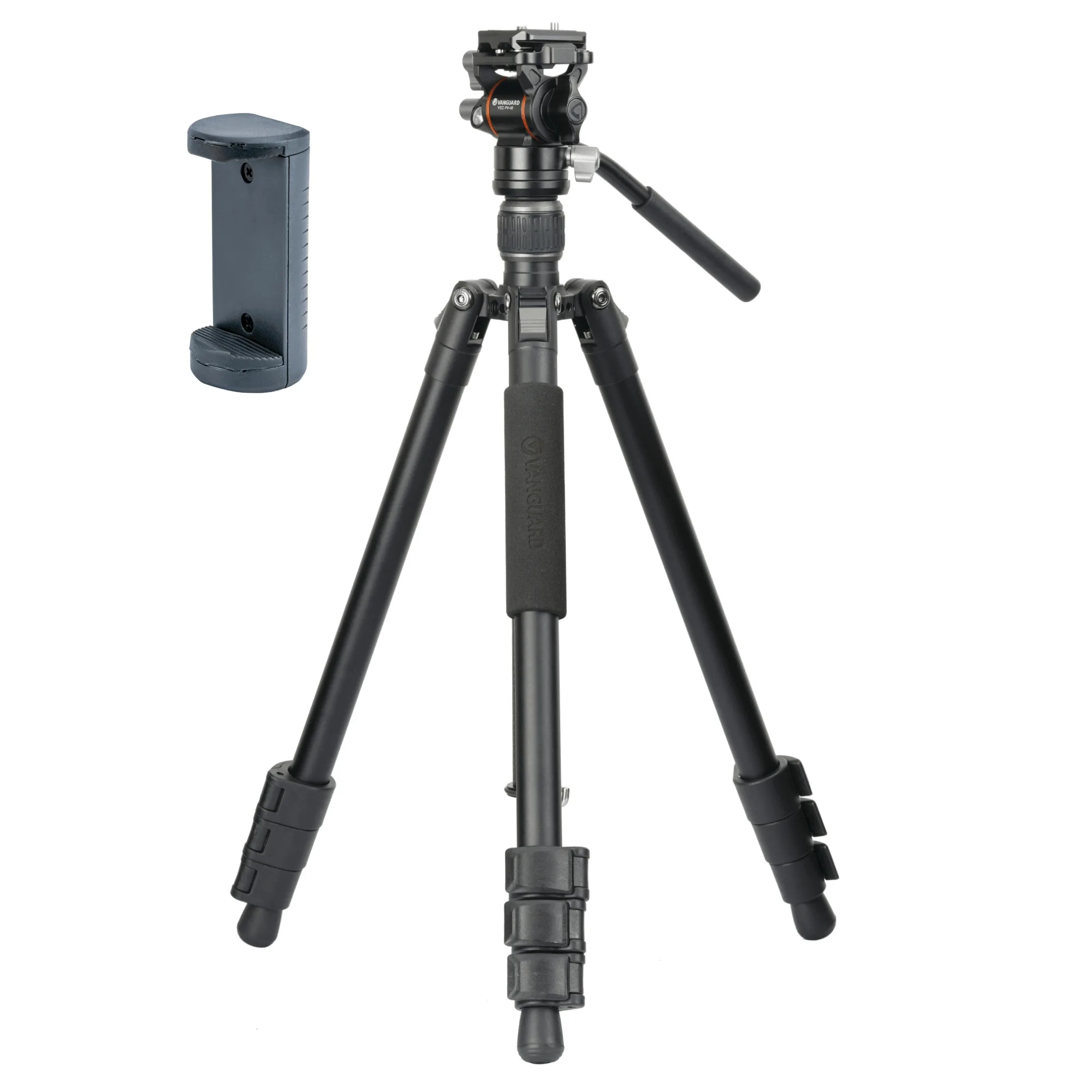
- VESTA GO 234AV 10 Aluminium Travel Tripod with Video Head - 5kg Capacity: VESTA GO 234AV 10 aluminium travel tripod kit with a compact Arca Swiss compatible VEO PV-10 two-way video head and a 5kg maximum load capacity. The two-way video head pans and tilts smoothly for tracking moving subjects, which suits digiscoping a bird or boat rather than a static scene.
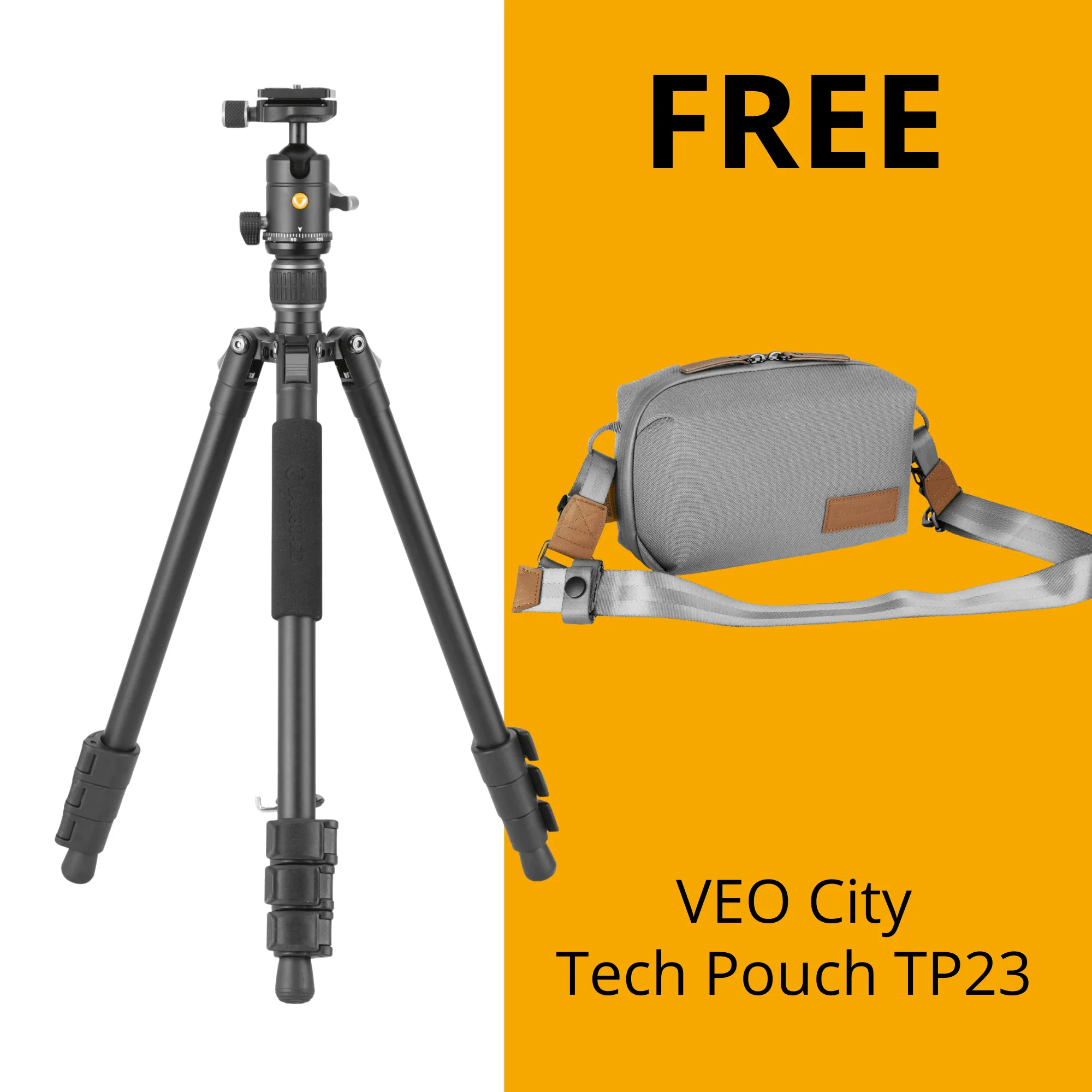
- VESTA GO 234AB Aluminium Travel Tripod with Ball Head - 4.5kg Load Capacity: VESTA GO 234AB aluminium travel tripod kit with an Arca Swiss compatible ball head and a 4.5kg maximum load capacity. A ball head is quicker to reposition and packs smaller, but it is less precise for slow panning while filming through a scope.
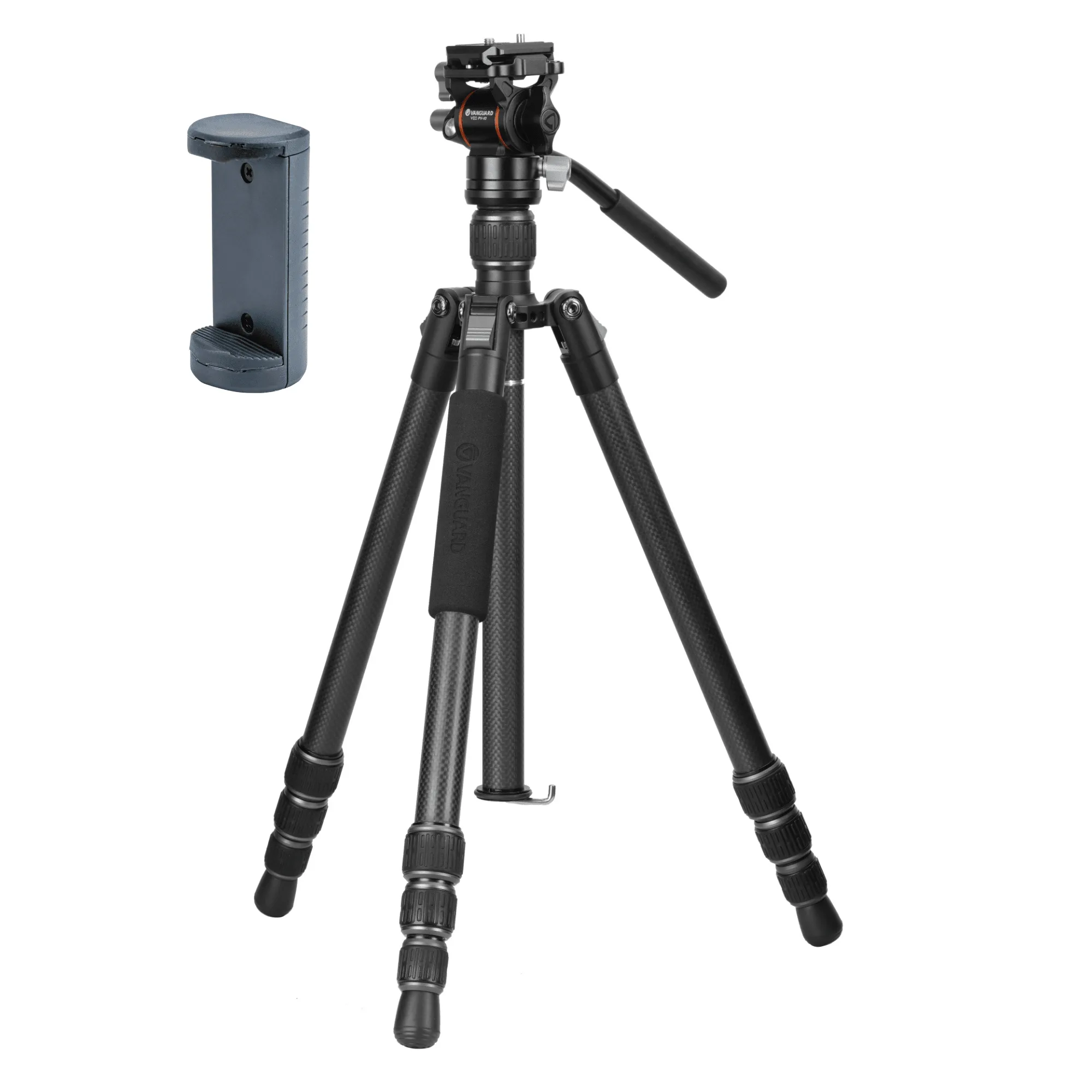
- VESTA GO 234CV 10 Carbon Travel Tripod with Video Head - 5kg Capacity: VESTA GO 234CV 10 carbon fibre travel tripod kit with a compact Arca Swiss compatible VEO PV-10 two-way video head and a 5kg maximum load capacity. Carbon fibre reduces the weight you carry to a hide or viewpoint, and its damping behaviour is often preferred when you want to cut vibration on long-lens setups.