Quick answer
Attach the Steelie vent clip to a horizontal vent blade, then snap on the magnetic mount plate. For MagSafe iPhones, the Steelie Orbiter Plus Vent Kit provides a secure hold with 360-degree rotation.
Choosing the right vent blade
Not all car vents are the same. The Steelie vent clip works best on horizontal blades that are at least 3mm thick. If your vent has vertical or curved blades, you may need to rotate the clip or choose a different mounting location. Avoid attaching the clip to flimsy or loose blades, as they may not support the weight of your phone.
What to do if the clip feels loose
If the vent clip wiggles after installation, check that the rubber grip pads are clean and free of dust. You can also adjust the clip’s angle by loosening the thumb screw slightly, repositioning, then retightening. For a more permanent fix, consider using the included adhesive pad on a flat surface instead of the vent clip.
Step-by-step installation
- Attach the vent clip: Press the Steelie vent clip onto a horizontal vent blade near the center of the vent. Ensure the rubber pads grip the blade firmly. Tighten the thumb screw until the clip is snug but not overtightened. Overtightening can crack the vent blade or the clip itself. Stop when you feel resistance.
- Snap on the magnetic mount plate: Align the magnetic mount plate with the ball joint on the vent clip and press until it clicks into place. The plate should rotate freely but not wobble. If the plate doesn't click, remove it and check that the ball joint is clean and free of debris.
- Attach your phone or case: For MagSafe iPhones, simply place the phone against the magnetic plate—it will snap into place. For non-MagSafe phones, attach the included metal plate to your case or phone using the adhesive backing. Make sure the metal plate is centered on your phone or case to avoid blocking wireless charging coils.
- Adjust the viewing angle: Rotate the phone to your preferred orientation. The 360-degree rotation allows you to switch between portrait and landscape. If the phone sags, tighten the thumb screw slightly. If the phone still sags after tightening, the vent blade may be too weak to support the weight—consider using a different vent or a dash mount instead.
Product details
-
Steelie® Orbiter® Plus Vent Kit: The Steelie Orbiter Plus Vent Kit is Apple MagSafe compatible and offers a secure magnetic hold with smooth 360-degree rotation. If you have a MagSafe iPhone, this kit provides a strong magnetic connection that keeps your phone stable even on rough roads, while the full rotation lets you switch between portrait and landscape easily.
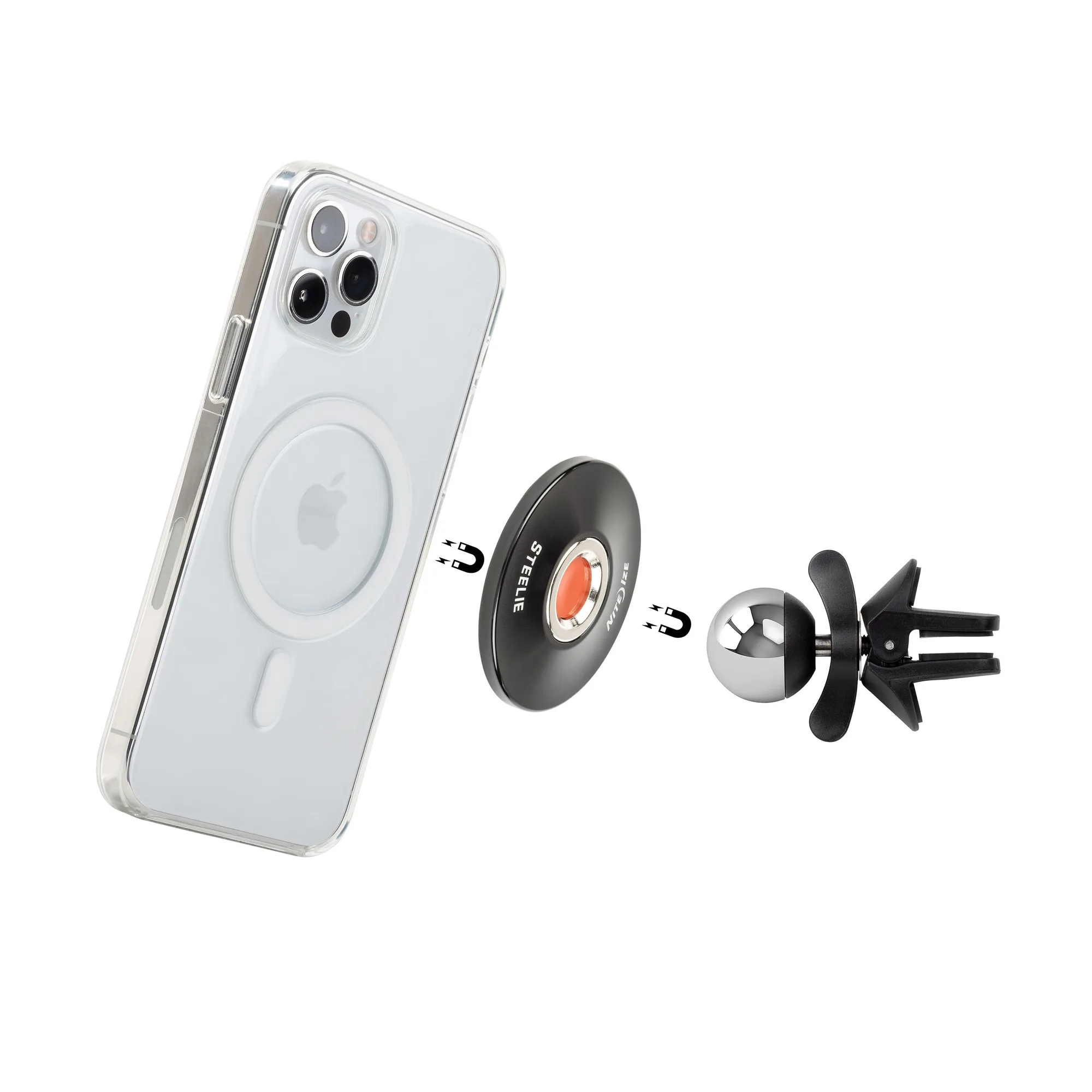
Steelie® Orbiter® Plus Vent Kit


