Quick Answer
To get started with a SWIR lens on your QHY990 or QHY991, mount the lens securely, attach the appropriate bandpass filter (e.g., 1200–1800nm), and set your camera to a short exposure like 1.3ms at a moderate gain for daytime imaging.
Why a SWIR Lens for QHY990/991?
The QHY990 and QHY991 are specialized cameras designed for short-wave infrared (SWIR) imaging. Pairing them with a dedicated SWIR lens ensures that the optics transmit the infrared wavelengths your camera is sensitive to, avoiding the soft focus or vignetting you might get with a visible-light lens.
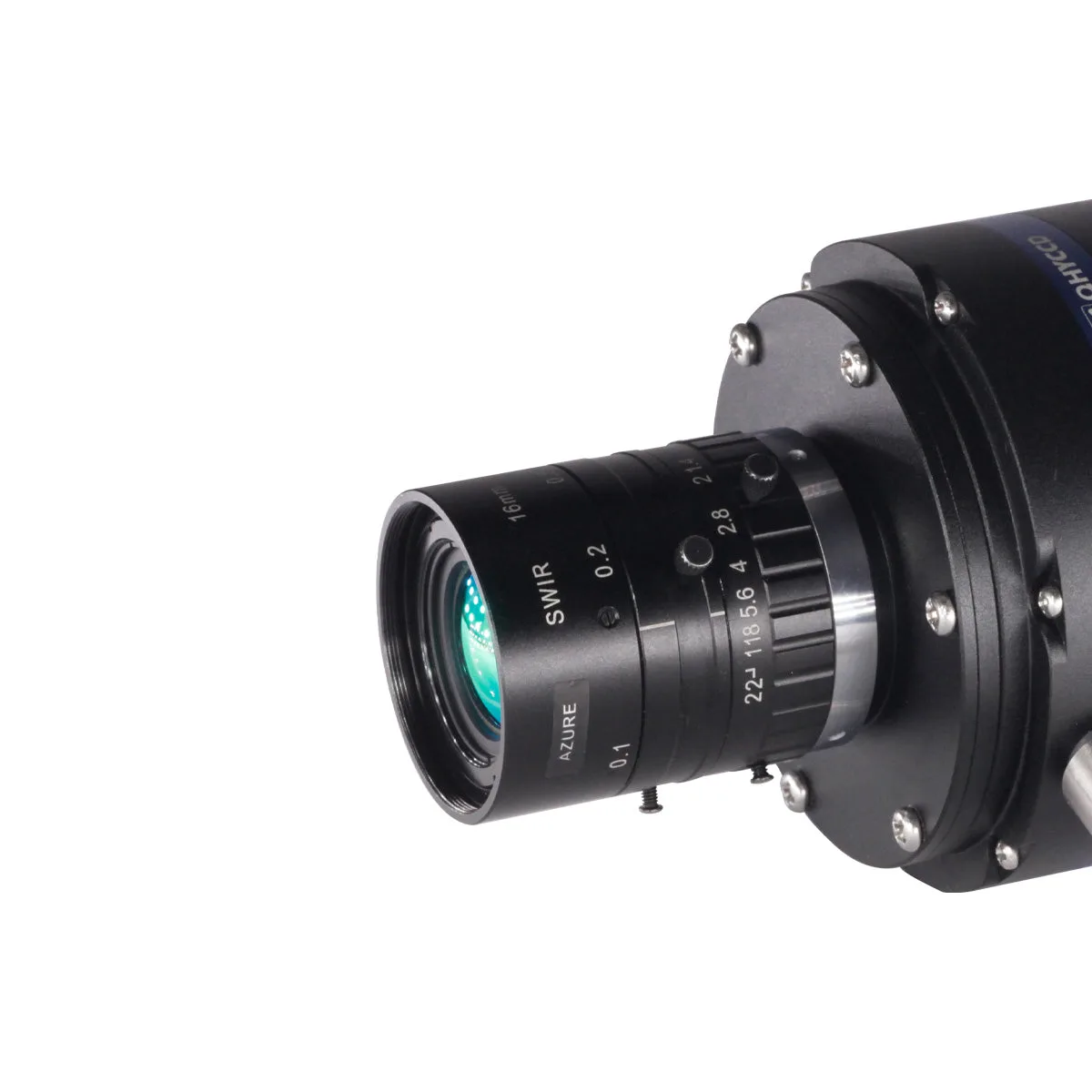
A 16mm F1.4 SWIR lens is a versatile choice for both daytime and low-light infrared work. Its wide field of view suits surveillance, scientific imaging, and even some astronomical targets that emit strongly in the SWIR range.
Trade-Offs to Keep in Mind
SWIR lenses are optimized for infrared, so they may not perform as well in visible light. If you plan to switch between visible and SWIR imaging, you'll need separate optics.
The 1200–1800nm filter blocks visible light, which is essential for clean SWIR images but also reduces the total light reaching the sensor. This is why short exposures and appropriate gain settings are critical—especially in daytime when there's plenty of infrared radiation.
Step-by-Step Setup and Use
- Mount the SWIR Lens: Attach the SWIR lens to your QHY990 or QHY991 camera using the appropriate adapter. Make sure the lens is snug but not over-tightened to avoid stressing the camera body. Check that the lens is parallel to the sensor to prevent focus tilt.
- Install the Bandpass Filter: Screw the 1200–1800nm filter onto the lens or camera, depending on your setup. This filter blocks visible light and lets only SWIR wavelengths reach the sensor. Ensure the filter is clean and free of dust before mounting.
- Set Initial Exposure and Gain: For daytime imaging, start with an exposure of 1.3ms and gain 0, as tested with the QHY990. Adjust only if the image is too dark or too bright. If the image is overexposed, reduce exposure time further; if underexposed, increase gain before lengthening exposure to avoid motion blur.
- Focus Using a Distant Target: Point the camera at a distant object with good infrared contrast, such as foliage or a building. Use live view or a series of test frames to achieve sharp focus. Manual focus is often necessary; take multiple shots and compare sharpness on a computer screen.
- Capture and Review Images: Take a test image and review it for proper exposure and focus. Download the 16-bit FITS file for post-processing if needed. Check the histogram to ensure you're using the full dynamic range without clipping.
Recommended Gear
-
SWIR Lens for QHY990/991: The SWIR Lens for QHY990/991 is a 16mm F1.4 lens that works with a 1200–1800nm filter, and it has been tested with the QHY990 in daytime conditions. This lens is designed to pair with your QHY990/991 camera, and the tested settings (F2.8, 1.3ms exposure, gain 0) give you a proven starting point for your own captures.
SWIR Lens for QHY990/991