Quick answer
Assemble your TC100 RELAXED chair by following the included manual closely, using the wider seat as an advantage for easier alignment, and adjusting the recline and armrests before your first session.
Why assembly order matters for the TC100 RELAXED
The TC100 RELAXED features a racing-inspired design with a wider seat surface. This extra width makes it easier to align the seat with the backrest, but only if you attach the side brackets in the correct orientation. A common mistake is installing the brackets backward, which forces the seat and backrest to sit unevenly.
Taking your time during the first steps prevents stripped bolts and misaligned holes. The fabric upholstery is forgiving, but overtightening can compress the padding near the mounting points.
Adjusting the recline and tilt tension
The TC100 RELAXED is designed for relaxed posture, not aggressive racing lean. After assembly, set the tilt tension so the chair rocks back smoothly without feeling loose. Start with the tension knob turned all the way out, then tighten gradually until you feel gentle resistance.
If the chair feels too stiff or too wobbly, adjust in quarter-turn increments. The recline lock lets you fix the angle for focused work or free-float during breaks.
Assembly and setup steps
- Unbox and organize hardware: Lay out all parts and hardware on a clean, soft surface. Separate the bolts by length – the manual uses clear labels. Identify the side brackets and note which side is left vs right. Mixing up the side brackets is the most common cause of rework. Double-check the orientation before inserting the first bolt.
- Attach the backrest to the seat: Hold the backrest upright and align the brackets on the seat pan. Insert the four main bolts finger-tight first, then tighten with the included tool. Do not fully tighten one side before the other. Tighten bolts gradually in a cross pattern to avoid stressing the fabric or frame. Overtightening can crack the plastic covers.
- Install the gas lift and base: Press the gas lift cylinder into the seat mechanism until it clicks. Slide the base over the cylinder and push down firmly. Attach the casters by pressing each one into the base holes until they snap. If a caster doesn't snap, rotate it 90 degrees and try again. Forcing it can damage the socket.
- Attach the armrests: Slide each armrest into the side bracket slot and secure with the provided screws. The armrests should sit level with the seat edge. Adjust height and angle after the chair is upright. Armrests that are too high or too low can cause shoulder strain. Set them so your elbows rest at a 90-degree angle when typing.
- Set the recline and tilt tension: Sit in the chair and adjust the tilt tension knob under the seat. Turn clockwise to increase resistance, counterclockwise to decrease. Lock the recline angle using the lever under the right side of the seat. If the chair rocks back too easily even with the tension maxed, check that the gas lift is fully seated. A partially inserted cylinder can cause instability.
- Final posture check: Sit back with your feet flat on the floor. Your knees should be at or slightly below hip level. Adjust the seat height so your thighs are parallel to the floor. Verify the lumbar support (if equipped) contacts your lower back. A quick 5-minute test session reveals if you need to tweak the tilt or armrests. Make small adjustments before committing to a full gaming or work session.
Product facts
-
TC100 RELAXED Gaming Chair - Fabric Black/Black: The TC100 RELAXED Gaming Chair features a racing-inspired design with a wider seat surface. The wider seat makes assembly easier because you have more room to align the seat pan with the backrest brackets, reducing the chance of misalignment.
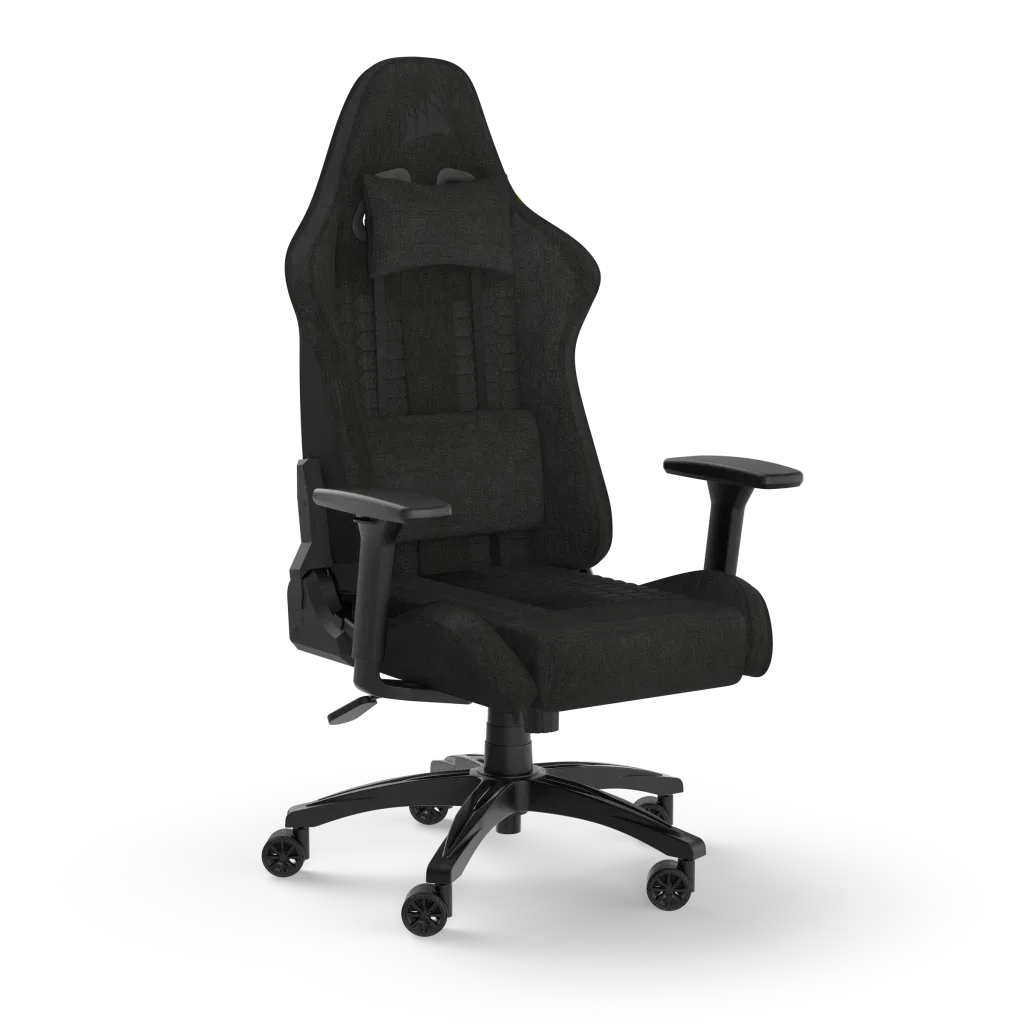
TC100 RELAXED Gaming Chair - Fabric Black/Black