Quick answer
Set up your Tetris Micro Player Pro tray by placing it at eye level on a counter, arranging units with the screen facing shoppers, and restocking from the back to keep the display full.
Why the tray design matters for retail
The Tetris Micro Player Pro tray holds 12 units in a compact footprint, making it ideal for checkout counters or endcaps. Its point-of-purchase format encourages impulse buys, but only if the display stays tidy and accessible.
A common mistake is overloading the tray or placing it too low. Keep the tray at counter height so customers can see the 2.75-inch full color display and pick up a unit without reaching.
Trade-offs: tray vs. shelf display
A dedicated tray keeps the Tetris Micro Player Pro organized and branded, but it limits how many units you can show at once. If you need higher volume, consider using multiple trays side by side or rotating stock from a backroom supply.
The tray also prevents units from sliding around, which is helpful for a clean look. However, it takes up counter space that could be used for other products. Prioritize high-traffic areas where the Tetris theme draws attention.
Steps to set up your Tetris Micro Player Pro tray
- Choose the right location: Place the tray on a counter or shelf at eye level (roughly 48 to 60 inches from the floor) near the checkout or in a high-traffic aisle. Avoid direct sunlight, which can wash out the screen. A low shelf or cluttered area reduces impulse buys.
- Arrange units with screens facing out: Remove each Tetris Micro Player Pro from the tray and rotate it so the 2.75-inch full color display faces the customer. This lets shoppers see the game in action without handling the unit. Screens facing sideways or backward hide the product's main feature.
- Restock from the back: When a unit sells, replace it from a backup supply rather than pulling from the front row. This keeps the tray looking full and prevents empty gaps that signal low stock. Front-loading can leave empty spaces that reduce perceived value.
- Keep the display clean and dust-free: Wipe the tray and units with a dry microfiber cloth weekly. Dust on the screens or tray surface makes the product look neglected. A dusty display discourages customers from picking up a unit.
- Rotate stock to maintain freshness: Every two weeks, swap the front row with units from the back or from storage. This prevents the same units from sitting on display too long and ensures all units get equal exposure. Stale stock can develop faded packaging or dead batteries if not rotated.
Product facts
-
TETRIS MICRO PLAYER PRO TRAY -12 PCS: Includes 12 units of the Tetris Micro Player Pro (DGUNL-7025) in a countertop point-of-purchase retail display tray. You get a complete, ready-to-display set that saves setup time and ensures consistent branding at the register.
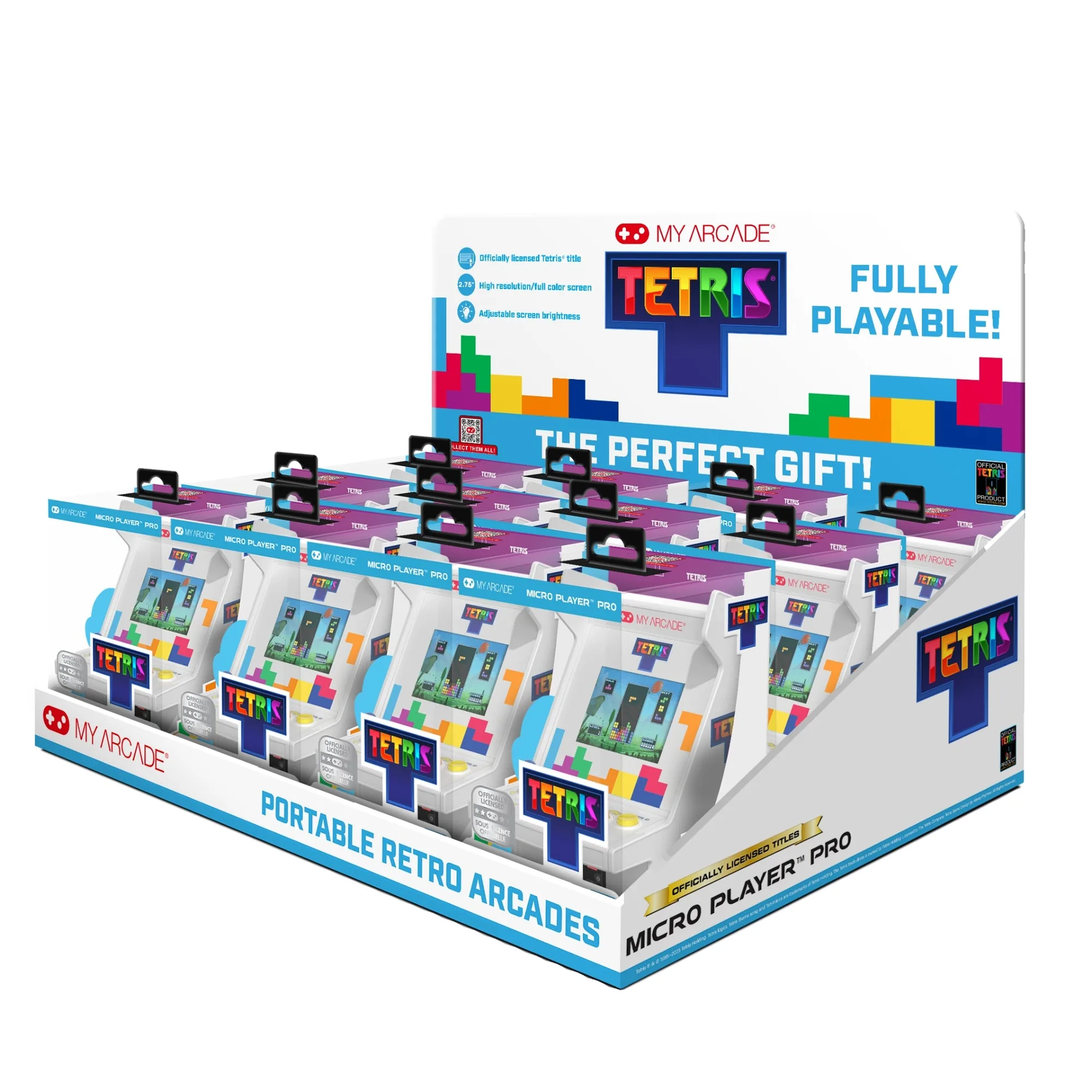
TETRIS MICRO PLAYER PRO TRAY -12 PCS