Quick answer
Buy the Tilta Full Camera Cage V2 if you want a full-frame-style cage that wraps the Sony FX3 or FX30 body and gives you mounting points around the camera. Skip it if you only need a top plate or a minimal half cage, because a full cage adds bulk and changes how the camera handles in the hand.
A full cage is a commitment, not an accessory
The word full matters here. A full cage surrounds the camera body rather than sitting only on top or along one side. That gives you more places to attach handles, monitors, and audio gear, but it also means the camera no longer feels like a bare body. If you often shoot handheld and want the FX3 or FX30 to stay compact, a full cage will feel like a different camera.
The trade-off is straightforward: more mounting real estate versus more weight and more edges to manage when packing. Decide which one you value more before you compare cages.
FX3 and FX30 share a body family, but your kit is the real variable
The cage is listed for both the Sony FX3 and the FX30, which makes sense because the two cameras share a similar body layout. That does not mean every accessory you own will clear the cage. The practical question is not only which camera you have, but what you plan to bolt on and where.
The supplied catalog information does not list individual cutouts, thread sizes, or accessory clearances. Treat that as a decision limitation: if a specific port, card door, or accessory position is critical to your workflow, confirm it with the showroom team before ordering rather than assuming.
Where the money goes in a cage build
A cage is rarely the end of the spend. Handles, monitor mounts, and audio brackets add up quickly, and some of them depend on the cage having the right mounting points. Budget for the cage and at least one or two accessories together so you are not surprised later.
The Tilta Full Camera Cage V2 is listed at USD 111.99, compared with a catalog comparison price of USD 159.99. That price gap is worth noting, but it should not be the only reason to choose a cage. A cheaper cage that does not fit your monitor or handle position will cost more in the long run.
Decision rules for the Tilta Full Camera Cage V2
- Choose a full cage if you build out: Pick the Tilta Full Camera Cage V2 when you plan to add a top handle, monitor arm, or audio bracket and want mounting points around the body. List your planned accessories before buying so you know how many mounting points you actually need.
- Skip it if you shoot bare-bodied: If you mostly shoot handheld with the FX3 or FX30 and no add-ons, a full cage adds bulk without solving a problem you have.
- Confirm critical clearances first: Because the catalog does not list individual cutouts or thread sizes, contact the showroom team to confirm that your specific ports, card door access, and accessory positions remain usable with the cage installed. Bring your camera body or a photo of your current rig setup when you ask.
- Weigh the price against the build: The listed USD 111.99 price is lower than the USD 159.99 catalog comparison price, but compare the total cost of cage plus the accessories you need, not the cage alone.
Product facts
-
Tilta Full Camera Cage V2 for Sony FX3 & FX30 (Black): The Tilta Full Camera Cage V2 for Sony FX3 & FX30 (Black) is listed in the Camera Rigs range at Filmgear Canada in Vancouver. You can order online with Canada-wide shipping or confirm fit with the showroom team before you commit.
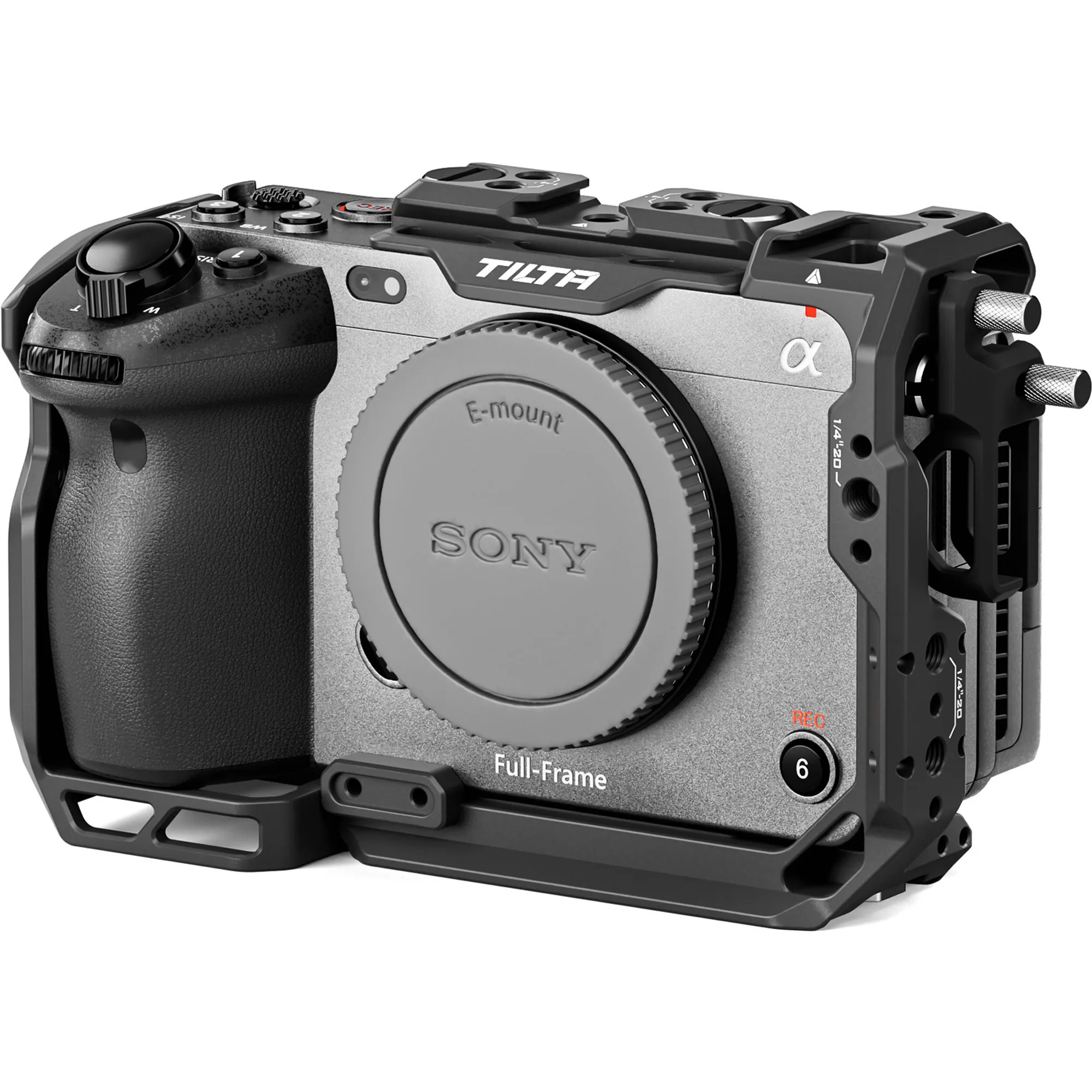
Tilta Full Camera Cage V2 for Sony FX3 & FX30 (Black)
Who should buy this cage
Best for
- Sony FX3 or FX30 owners who want a full cage with mounting points around the body
- Shooters building a rig with a top handle, monitor, or audio accessories
- Buyers in Canada who want to confirm fit with a showroom team before ordering
Not for
- Shooters who want to keep the FX3 or FX30 as compact and bare as possible
- Anyone who only needs a top plate or a single-point accessory mount
- Buyers who need documented cutout and thread specifications before purchase and cannot confirm them with the seller