Quick answer
Most trail camera battery drain comes from one of three things: a power-hungry mode left on (video, long night bursts, or Wi-Fi), mismatched or low-quality cells, or a camera that never sleeps because of a faulty sensor or firmware. Start by pulling the card and checking the last timestamps, then switch to a still-image mode with a longer interval and a shorter night video clip. If a fresh set of matched lithium or rechargeable cells still dies in under two weeks, the camera itself is the problem, not the batteries.
Match the symptom to the likely cause
Battery drain is rarely random. The pattern tells you where to look. If the camera dies in a few days but the card is full of empty frames, the trigger or PIR sensitivity is the culprit. If it dies overnight only on cold nights, the cells are the issue. If it dies in a week regardless of settings, the camera may be waking constantly on a bad sensor or an old firmware build.
- Dies in 1-3 days with many blank photos: PIR sensitivity too high or heat/vegetation triggering the camera.
- Dies overnight in cold weather: alkaline cells losing voltage, not a camera fault.
- Dies in about a week with normal photo counts: video mode, Wi-Fi, or a cell that is weaker than the rest.
- Dies immediately after a fresh install: reversed cell, corroded terminal, or a card that is failing and forcing constant writes.
Fix the power-saving settings first
Settings are the cheapest fix and the one most people skip. Switch from video to still photos, set the photo burst to one or two frames, and lengthen the interval between triggers. Turn off Wi-Fi, Bluetooth, and any live-view feature unless you are actively checking the camera. Set night mode to a shorter exposure or lower IR power if the camera allows it. These changes alone can double or triple runtime on the same cells.
- Use photo mode instead of video; a 10-second night clip can use as much power as dozens of stills.
- Set the trigger interval to 30 seconds or more; a 5-second interval means constant wake-ups.
- Disable Wi-Fi and app sync; they keep the radio alive even when you are not connected.
- Lower PIR sensitivity in windy or sunny locations to stop false triggers.
Choose cells that match the camera and the weather
Trail cameras are hard on batteries because they sit in cold, heat, and humidity. Alkaline cells are fine for mild weather and short sets, but they lose voltage fast below freezing. Lithium AA cells cost more but hold voltage in cold and last longer in high-drain modes. Rechargeable NiMH cells are a good value if you run many cameras and can rotate them, but they self-discharge and some cameras misread their lower nominal voltage. Never mix brands, ages, or chemistries in one camera; the weakest cell drags the whole pack down and can leak.
- Use matched cells from the same pack and the same date code.
- For winter sets, use lithium AA cells or a camera with an external 12V or solar input.
- If you use rechargeables, label them and keep them in sets so you never mix old and new.
- Check the camera manual for the supported voltage range before using rechargeables or an external pack.
When the camera is the problem
If you have fixed the settings and used fresh matched cells and the camera still drains in under two weeks, the fault is likely inside the camera. A failing PIR sensor, a stuck IR filter, or outdated firmware can keep the camera awake. Update the firmware if the manufacturer provides it, then test the camera on a shelf for 48 hours with no triggers. If it still drains, contact support or replace the unit.
- Update firmware from the manufacturer's site using a freshly formatted card.
- Test indoors for two days with the lens capped to rule out false triggers.
- Check for corrosion or moisture in the battery compartment; a small amount of resistance can mimic a dead cell.
- If the camera is under warranty, open a claim before buying more batteries.
Diagnosis: stop or switch when this happens
- Symptom: dies in 1-3 days with many blank frames: Likely cause is PIR sensitivity or heat/vegetation triggering the camera. Lower sensitivity, move the camera away from direct sun and moving branches, and set a longer trigger interval. If blank frames stop and runtime improves, the fix is done.
- Symptom: dies overnight only in cold weather: Alkaline cells are losing voltage. Switch to lithium AA cells or add an external power source rated for the camera. If the camera survives a cold night on lithiums, the cells were the issue.
- Symptom: dies in about a week with normal photo counts: Video mode, Wi-Fi, or a mismatched cell is draining the pack. Switch to still photos, disable wireless, and install a fresh matched set. If runtime is still under two weeks after these changes, stop buying batteries and test the camera itself.
- Symptom: fresh cells die in under two weeks after settings and cell fixes: The camera is likely faulty or running old firmware. Update firmware, test indoors with the lens capped, and check for corrosion. If it still drains, contact the manufacturer or replace the camera. More batteries will not fix a hardware fault.
Product facts that matter for power planning
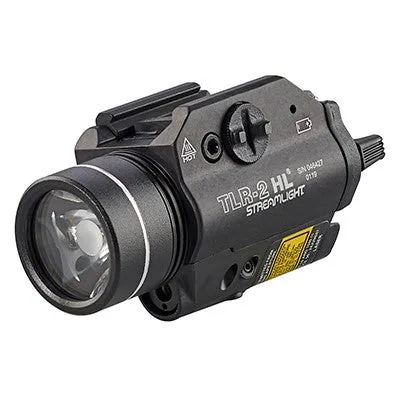
- Streamlight TLR-2 HL Laser Gunlight: Streamlight TLR-2 HL Laser Gunlight runs 1.5 hours in light/laser mode and 45 hours in laser-only mode on two CR123A batteries. This is a weapon light, not a trail camera, but it shows how mode selection changes runtime dramatically. The same principle applies to trail cameras: the mode you choose matters more than the battery brand.
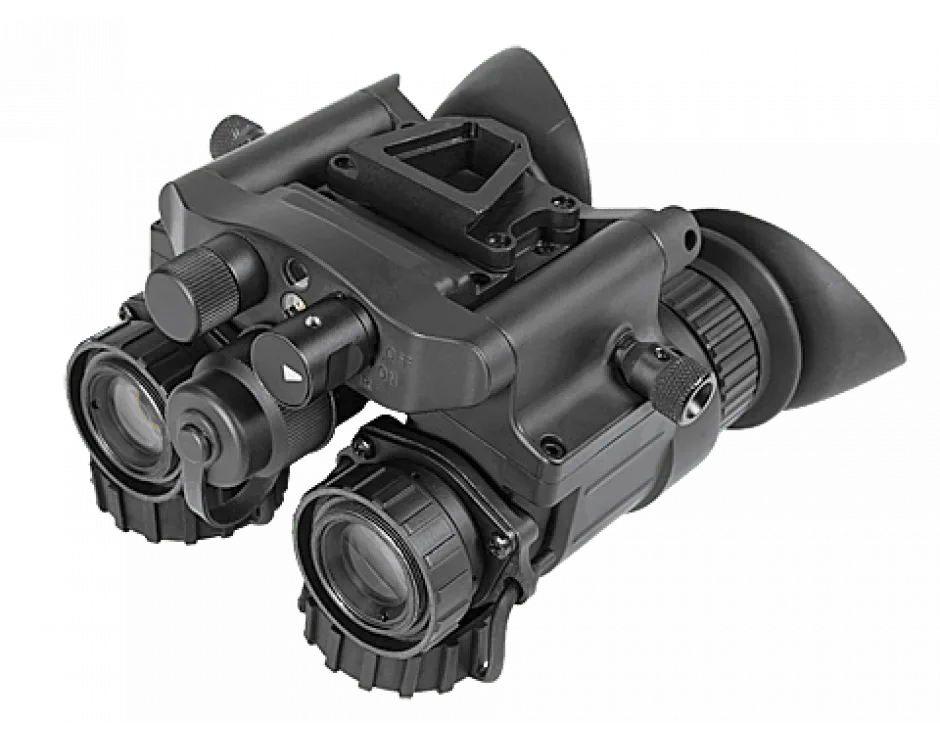
- AGM NVG-50 3AL1 – Dual Tube Night Vision Goggle/Binocular: AGM NVG-50 3AL1 dual-tube night vision goggle uses a compact composite housing and advanced multi-coated optics with a 51° field of view. If you run night vision alongside trail cameras, remember that dual-tube devices have their own power demands. Keep separate, matched battery sets for each device so you are not troubleshooting two systems at once.