Quick Answer
Set up your TV stand with LED lights by choosing the right placement for the stand, routing cables cleanly, and adjusting the light colors to match your room's decor.
Why add LED lights to your TV stand?
LED lights on a TV stand create a soft ambient glow that reduces eye strain during movie nights and adds a modern, personalized look to your living room. They also help highlight the media console itself, turning it into a design focal point rather than just a functional piece of furniture.
Choosing the right TV stand for LED integration
Not all TV stands are equally suited for LED lights. Look for a model that has a flat top surface, open shelves or a clear area underneath the TV, and a built-in power strip or cable management holes. The Modern 68 Inch TV Stand Media Console with LED Lights for Living Room is a good example—it comes with integrated LED lights and a modern white/black finish that complements most decor styles.
Step-by-Step Setup Guide
- 1. Position the TV stand: Place the TV stand against a wall at eye level when seated. Leave at least 2 inches of clearance on each side for ventilation and easy cable access. A common mistake is placing the stand too high or too low—measure your seating eye level first.
- 2. Assemble and mount the LED lights: If your TV stand doesn't have built-in LEDs, attach a stick-on LED strip along the back edge of the stand facing the wall. For built-in LEDs like on the Modern 68 Inch model, simply plug them into the power source and test the colors. Common mistake: attaching the strip too close to the edge, causing a harsh glare instead of a soft glow. Test the light placement with the strip unpeeled first to see the effect before sticking it permanently.
- 3. Route and hide cables: Use the cable management holes or channels on the TV stand to route power cords, HDMI, and other cables. If your stand lacks holes, use adhesive cable clips along the back. A common mistake is letting cables hang loosely in front of the stand—always route them behind or through the stand for a clean look. Label each cable with a small tag before routing so you can identify them later.
- 4. Adjust lighting settings: Set the LED lights to a warm white (2700-3000K) for movie nights or a cool white (4000-5000K) for daytime use. Many LED strips come with a remote or app to change colors and brightness. Common mistake: using bright colors like red or blue at full intensity, which can wash out the TV picture and cause eye fatigue. Use a dimmer or lower brightness setting for ambient lighting—aim for a soft glow, not a spotlight.
- 5. Style the area around the stand: Place a few decorative items on the TV stand—like a small plant, a framed photo, or a soundbar—but keep the surface clutter-free. Avoid placing items directly in front of the LED lights, as they will cast shadows. A common mistake is overcrowding the stand, which distracts from the TV and the lighting effect.
Product Facts
-
Modern 68 Inch TV Stand Media Console with LED Lights for Living Room: This 68-inch TV stand is made of metal and manufactured wood, available in white/black color options. The sturdy metal frame supports larger TVs, while the white/black finish fits both light and dark living room themes.
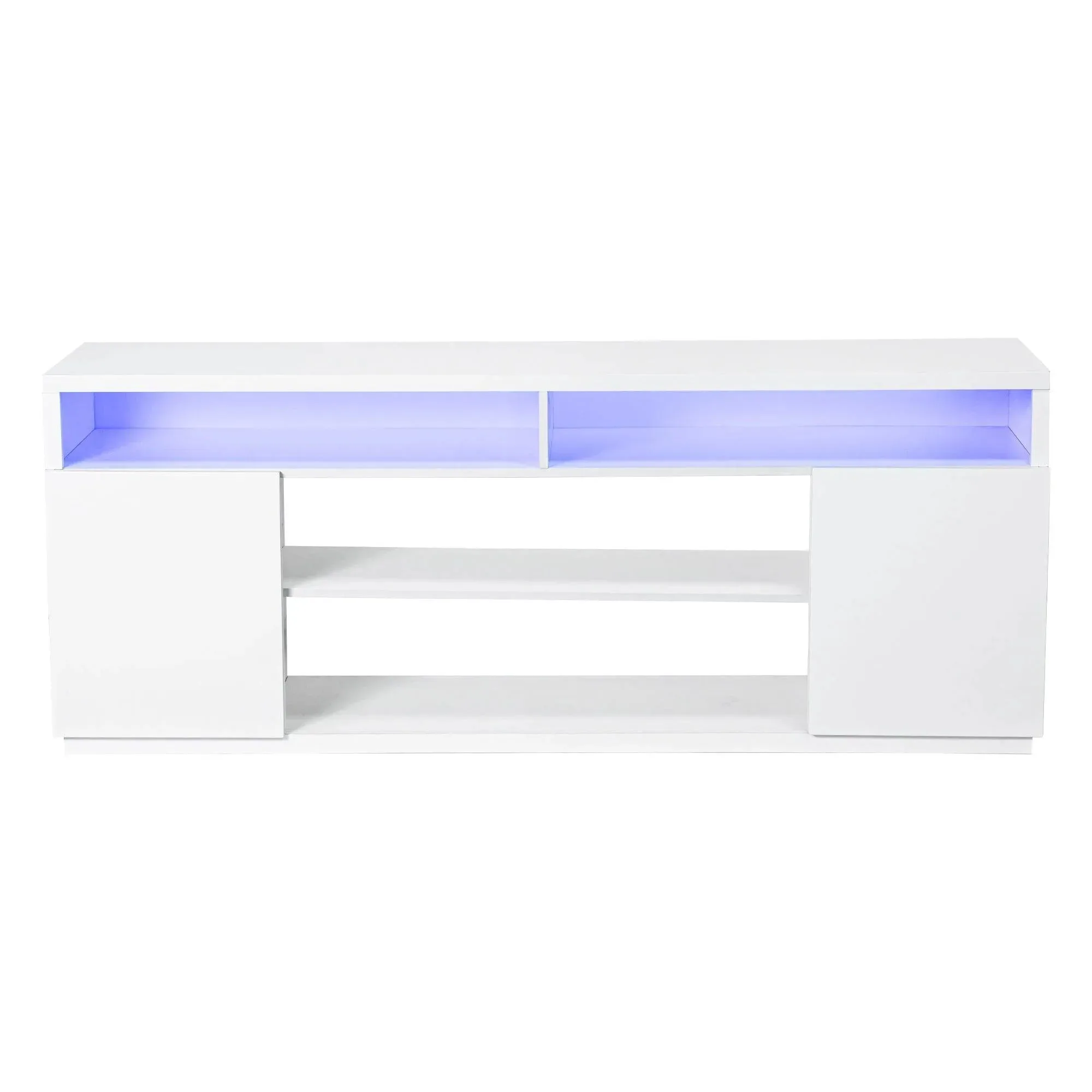
Modern 68 Inch TV Stand Media Console with LED Lights for Living Room


