Quick answer
For a home office where video clarity and professional appearance matter, the UGREEN 2K Webcam's 1440p resolution and auto light correction give you a noticeable step up from typical 1080p webcams, especially in mixed lighting.
Why 1440p matters for home office video calls
Most built-in laptop cameras and budget external webcams top out at 1080p, which is fine for casual chats but can look soft when you're presenting slides or sharing your screen. The UGREEN 2K Webcam captures at 2K Ultra HD (1440p), giving you about 78% more pixels than 1080p. That extra detail makes text on whiteboards, product labels, or your face appear sharper on the other end.
The trade-off is that 1440p video requires more bandwidth. If your internet connection is unstable or you're on a strict data cap, you may want to drop the resolution in your video app settings. The UGREEN 2K Webcam still supports 1080p output, so you can scale down when needed.
Built-in microphone vs external audio
The UGREEN 2K Webcam includes dual microphones, which pick up your voice more clearly than a single-mic webcam. For a home office where you're sitting close to the camera, this is often sufficient for one-on-one calls or small meetings.
However, if you frequently host group calls in a noisy room or need broadcast-quality audio, a dedicated USB microphone will still outperform any webcam mic. The dual mics are a convenience upgrade, not a replacement for a pro audio setup.
2K vs 1080p: The trade-offs at a glance
- Resolution clarity: 2K (1440p) gives visibly sharper image, better for reading text on screen shares or showing product details. 1080p is softer but uses less bandwidth. Choose 2K if you present or share your screen often.
- Lighting adaptability: The UGREEN 2K Webcam's Auto Correct Light adjusts exposure automatically, so you look natural whether you're near a window or under a desk lamp. Most 1080p webcams lack this feature.
- Audio quality: Dual microphones on the 2K model pick up clearer voice than typical single-mic 1080p webcams. Still, for noisy environments, a dedicated mic is better. The built-in mics are good for quiet home offices; upgrade if you have background noise.
- Bandwidth and compatibility: 1440p video needs a stable internet connection. If your Wi-Fi is slow or you're on a limited data plan, you can switch the UGREEN 2K Webcam to 1080p mode in your software. Test your connection before relying on 2K for critical calls.
Product highlights
-
UGREEN 2K Webcam for PC Ultra HD 1440P Computer Camera with Microphone: 2K Ultra HD Image and Auto Correct Light You get sharper video and the camera automatically adjusts exposure, so you don't look washed out or shadowed in typical home office lighting.
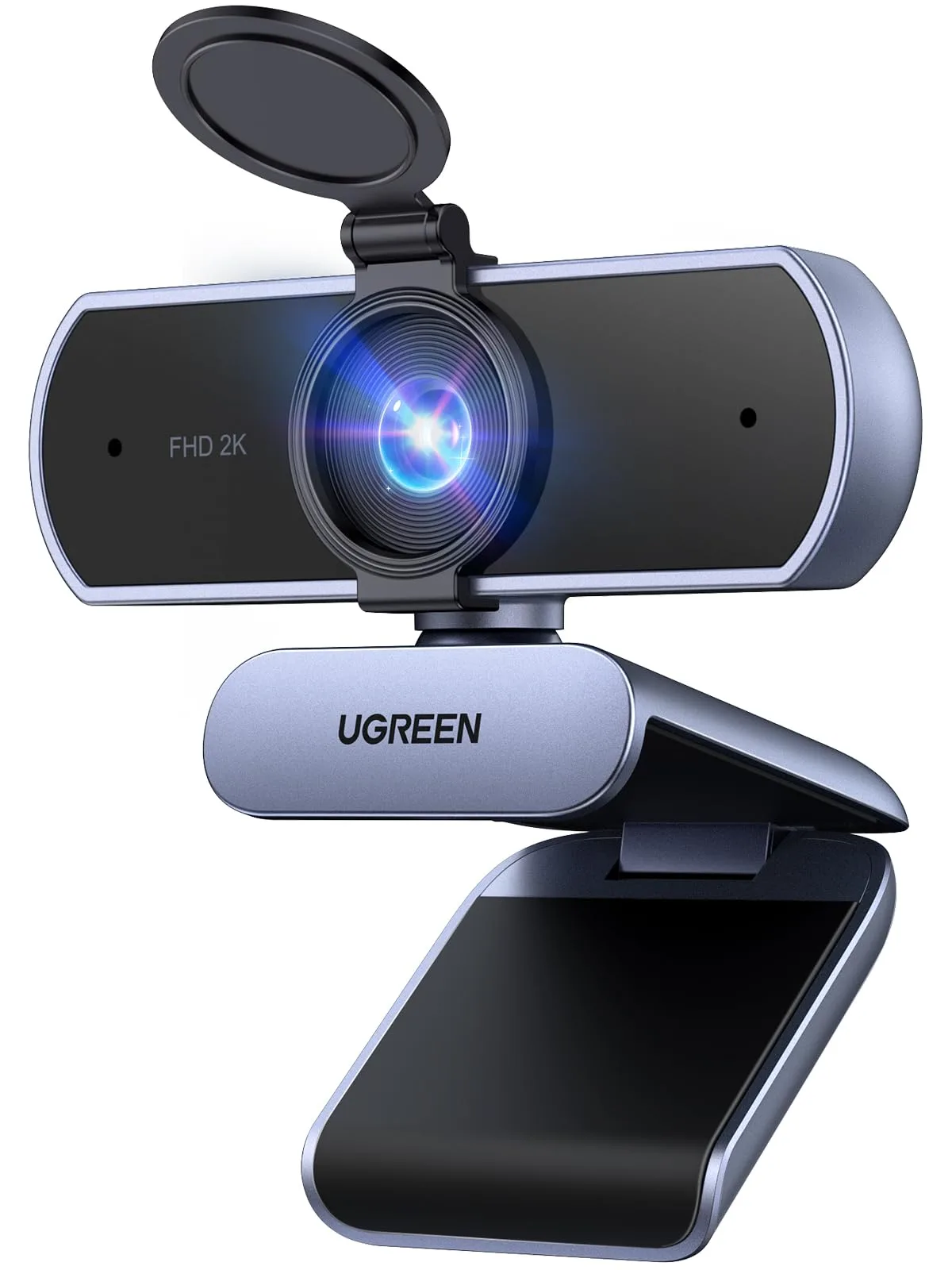
UGREEN 2K Webcam for PC Ultra HD 1440P Computer Camera with Microphone
-
UGREEN 2K Webcam for PC Ultra HD 1440P Computer Camera with Microphone: Dual Microphones Picks up your voice from a wider area than a single mic, reducing the need for a separate microphone for everyday calls.
-
UGREEN 2K Webcam for PC Ultra HD 1440P Computer Camera with Microphone: Powerful Fixed Focus and 80° Field of View No blurry moments when you lean in, and the 80° angle frames one person comfortably without showing too much of the room.
Which webcam fits your home office?
Best for
- Professionals who want sharper video for client calls and presentations
- Home office users who work in varied lighting and want automatic exposure correction
- Anyone who wants a single-device solution with decent built-in audio
Not ideal for
- Users on very slow or capped internet who cannot afford the bandwidth of 1440p streaming
- Those who need a wide-angle or zoom lens for group meetings or large whiteboards