Quick answer
The UGREEN Mac mini M4 Docking Station adds NVMe SSD storage expansion, a 170MB/s SD/TF card reader, and extra USB-A and USB-C ports to your Mac mini M4, all in a single hub that sits under the computer.
Why add a dock to a Mac mini M4?
The Mac mini M4 is compact, but its built-in ports are limited. You get two USB-C (one for power), two USB-A, HDMI, Ethernet, and a headphone jack. If you work with multiple external drives, SD cards, or need extra USB-A for peripherals, you run out of ports fast.
A docking station like this one adds ports without cluttering your desk. It also lets you add internal M.2 NVMe SSD storage, which is faster and less visible than an external USB drive.
What the UGREEN dock adds specifically
The dock supports M.2 NVMe SSDs for up to 8TB of extra storage. That means you can keep your Mac mini's internal drive free for OS and apps, and store large media files, backups, or project archives on the dock's SSD.
It also includes a 170MB/s SD/TF card reader, which is useful if you shoot photos or video and need to offload cards quickly. The dock adds USB-A and USB-C ports for connecting peripherals like a mouse, keyboard, or external hard drive.
Trade-offs to consider
The dock uses a USB-C connection to your Mac mini M4. That means it occupies one of your limited USB-C ports. If you already use both USB-C ports for a monitor and a hub, you may need to rearrange your setup.
The 170MB/s SD card reader is adequate for most still photography and casual video work, but it is slower than dedicated high-speed readers that can exceed 300MB/s. If you offload large video files daily, you might want a faster external reader.
The dock does not include a built-in SSD; you need to purchase an M.2 NVMe SSD separately and install it. The installation is straightforward, but it is an extra step and cost.
Decision rules
- You need more internal storage: If your Mac mini M4 internal drive is nearly full or you want a dedicated drive for media projects, get this dock and add an M.2 NVMe SSD. It keeps your internal drive free for system use.
- You use SD cards regularly: If you transfer photos or video from a camera, the built-in SD/TF reader saves you from buying a separate reader. For occasional use, it is convenient; for heavy daily use, consider a faster external reader.
- You need more USB-A ports: If you connect a mouse, keyboard, external drive, and a printer, the dock adds USB-A ports so you do not have to unplug one device to plug in another. Check how many USB-A devices you currently use. If it is three or more, this dock helps.
Product facts
-
UGREEN Mac mini M4 Docking Station with NVMe SSD and USB A USB C Ports: Support M.2 NVMe SSD up to 8TB storage expansion. You can add a large internal SSD for fast, near-invisible storage without using a USB drive or occupying a port.
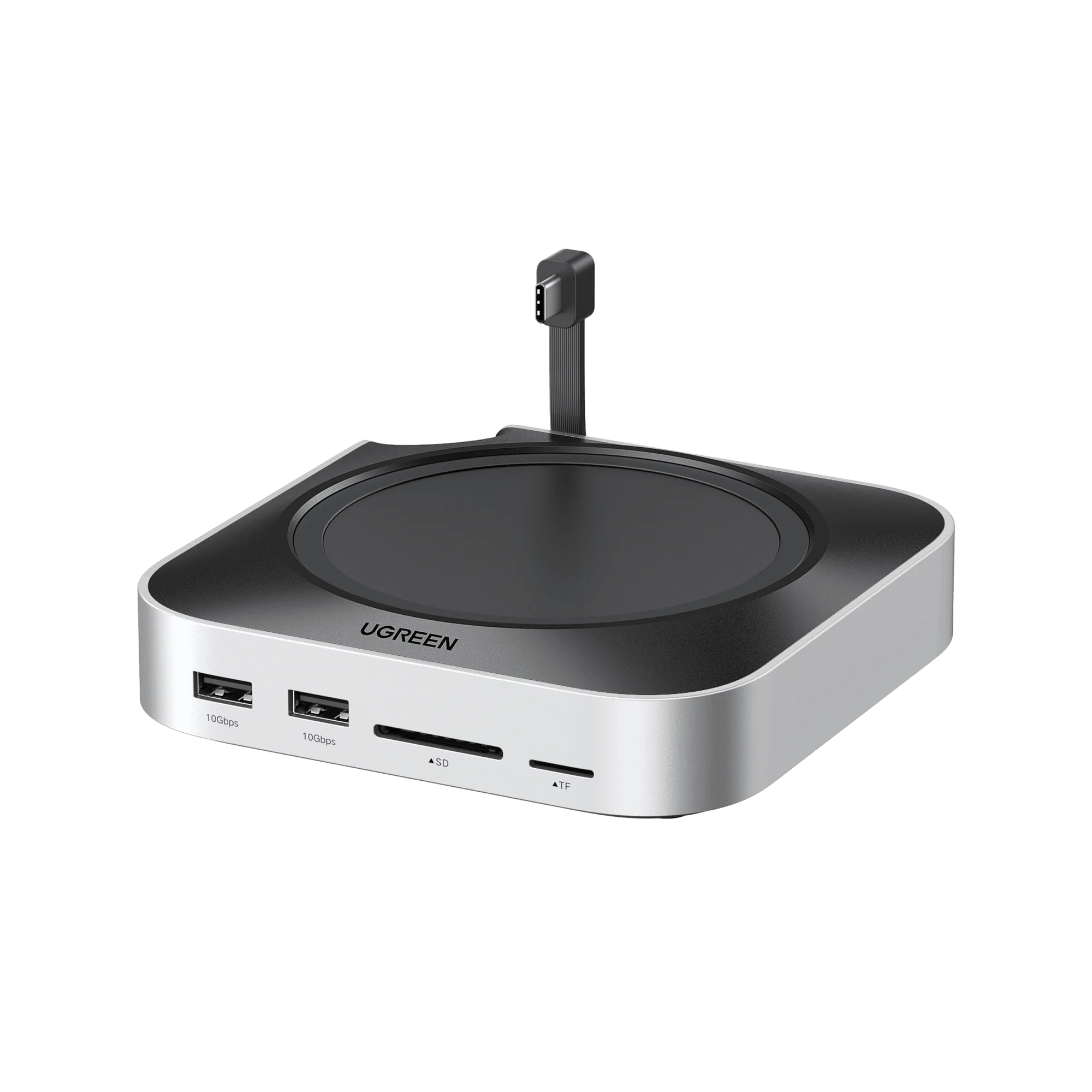
UGREEN Mac mini M4 Docking Station with NVMe SSD and USB A USB C Ports
-
UGREEN Mac mini M4 Docking Station with NVMe SSD and USB A USB C Ports: 170MB/s SD/TF card reader. Lets you quickly import photos and videos from camera memory cards, though it is slower than premium readers.
-
UGREEN Mac mini M4 Docking Station with NVMe SSD and USB A USB C Ports: Built for ease with how-to-install SSD guide included. The dock is designed for simple setup, with instructions that help you install the SSD yourself even if you have not done it before.
Who should buy and who should skip
Best for
- Mac mini M4 users who want to add internal NVMe storage without using an external USB drive
- People who need extra USB-A and USB-C ports for peripherals and also use SD cards occasionally
Not for
- Users who need a Thunderbolt 4 or 40Gbps data transfer speed for video editing or large file transfers
- Anyone who already owns a separate high-speed SD card reader and does not need extra USB ports