Quick answer
Charge your UGREEN Nexode 20000mAh power bank with a USB-C PD charger that matches its input, keep it between 20% and 80% for daily use, and store it cool and dry. Use the smart display to track remaining capacity and output so you can plan charges instead of guessing.
A 20000mAh power bank is a workhorse, but how you charge and store it decides whether it still performs well two years from now. The UGREEN Nexode 20000mAh 145W Power Bank gives you a smart display and high-wattage output, and those features only pay off if you use them correctly.
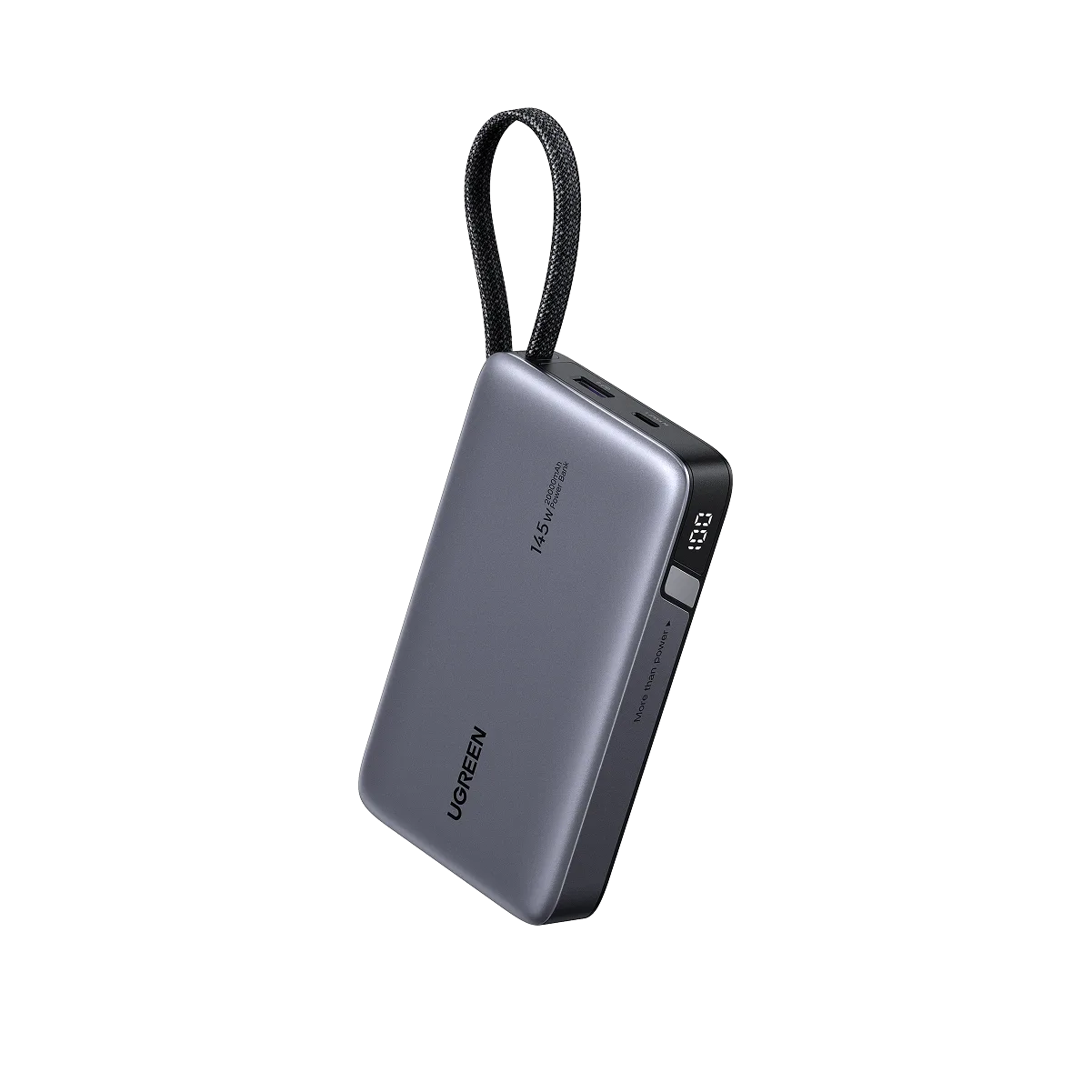
UGREEN Nexode 20000mAh 145W Power Bank
These steps cover the whole routine: charging the bank itself, choosing the right cable and port for your phone or laptop, reading the display, and simple care habits that extend power bank battery life. Each step includes the mistake that quietly shortens battery life or slows charging.
Match your charger and cable to the bank's input
The bank charges fastest when you use a USB-C PD wall charger that can deliver enough wattage, paired with a cable rated for that power. A 45W or higher charger is a sensible match for a 20000mAh pack; a weak 5W phone charger will still work but can take most of a day. Check the cable too, because a charge-only cable or a worn cable can cap the speed no matter how strong the charger is.
The most common mistake is grabbing the first cable in a drawer. If the bank charges unusually slowly, swap the cable before blaming the battery. A short, undamaged USB-C to USB-C cable rated for 60W or more removes the bottleneck.
- Use the bank's USB-C port for input; it handles higher wattage than older micro-USB designs.
- If you also carry the UGREEN Nexode Air Slim Charger (65W, 3-Port, Foldable Plug), it can top up the bank and a phone at the same time.
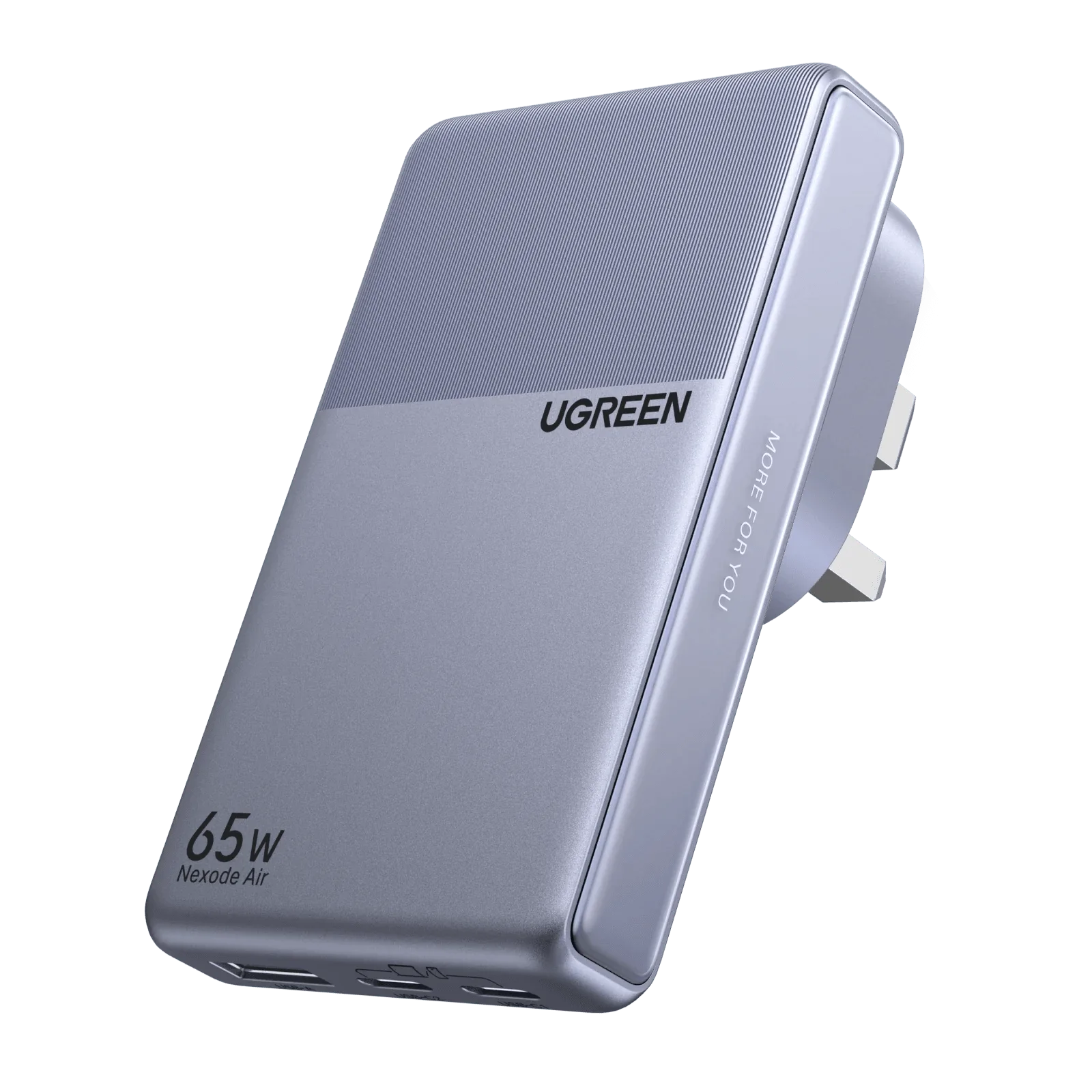
UGREEN Nexode Air Slim Charger (65W, 3-Port, Foldable Plug)
Read the smart display before you plug anything in
The UGREEN power bank smart display shows remaining capacity and active output, which turns charging from guesswork into a quick check. Before a trip, glance at the percentage: 100% on a 20000mAh bank is roughly several phone charges, but a laptop will drain it much faster. During use, the display tells you whether a device is actually drawing power or just sitting idle.
The common mistake is trusting a single bar or blinking light on other banks and assuming this one works the same way. Take ten seconds to read the actual number so you don't leave for a flight with 15% left.
- Check the display after plugging in a device to confirm it is charging, not just connected.
- If the number drops faster than expected, unplug unused devices to stop phantom drain.
Pick the right port for phones, tablets, and laptops
High-wattage banks often have multiple ports with different outputs. Plug a laptop into the highest-power USB-C port, and save lower-power ports for earbuds, watches, or a phone that only needs a top-up. Splitting power across three devices is convenient, but each device charges more slowly than it would alone.
The mistake here is plugging a laptop into a low-power port and concluding the bank is weak. If your laptop charges slowly, move the cable to the main USB-C output and check the display for the active wattage.
- Charge the device that needs the most power first, then add smaller devices.
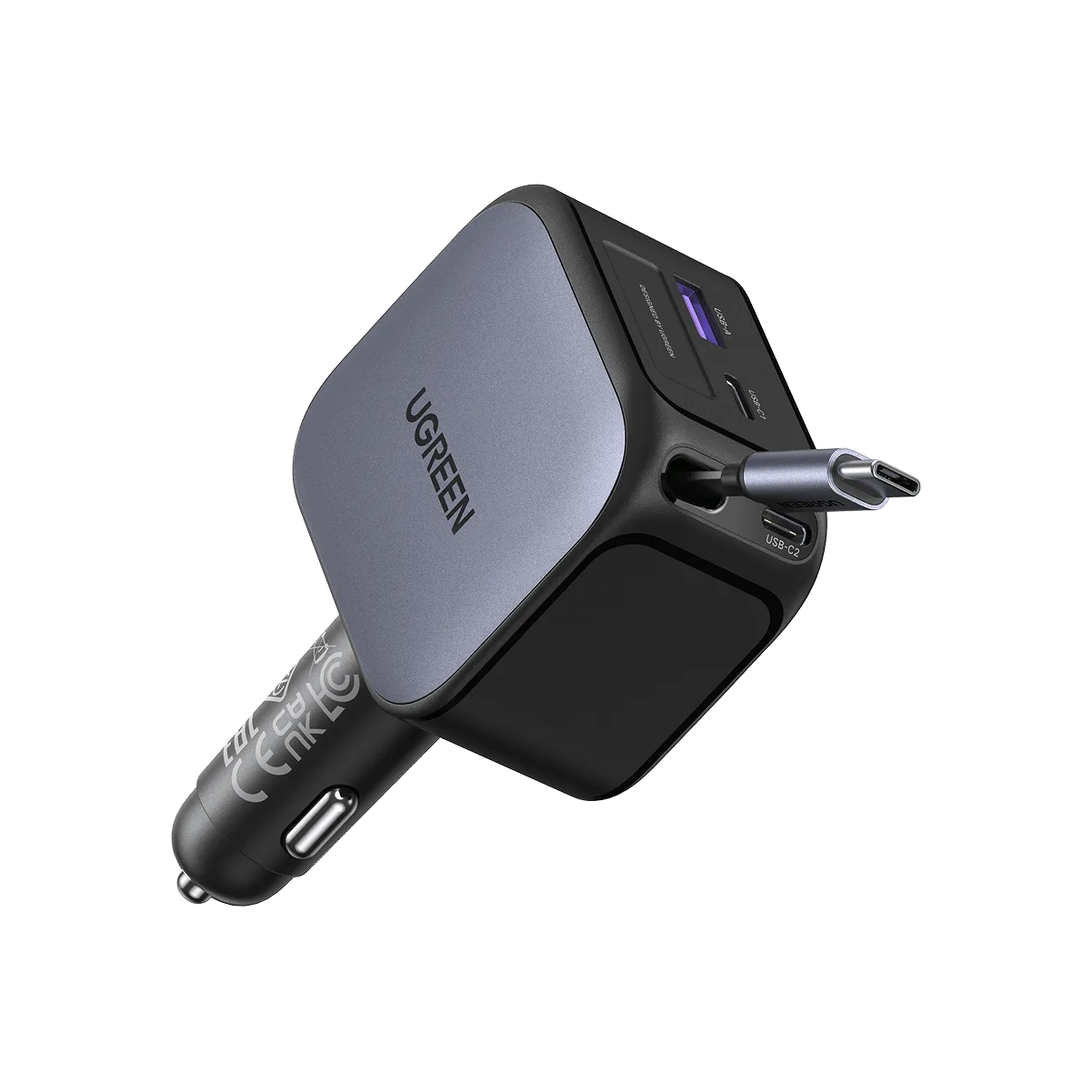
- For a car trip, the UGREEN Nexode Autolader 145W with retractable USB-C cable keeps the same high-wattage approach without loose cables.
Charge the bank itself on a schedule that suits your week
There is no need to fully drain a modern power bank before recharging. For everyday carry, top it up when it drops below about 30% and unplug once it passes 80% to 90%, reserving a full 100% charge for travel days. If you use the bank rarely, charge it to roughly half and check it every few months rather than leaving it at 0% or 100% for long stretches.
The common mistake is leaving the bank plugged in overnight, every night, at 100%. Occasional overnight charging is fine, but constant full-charge storage adds unnecessary stress. A simple habit: charge it while you pack, unplug before you sleep.
- For long storage, aim for around 50% and recharge every three months.
- Avoid charging in a hot car or in direct sun; heat is harder on the cells than the charge level.
Keep it cool, dry, and free of pressure
Heat is the main enemy of lithium batteries, so store the bank at room temperature and avoid leaving it on a dashboard or radiator. Keep ports free of lint and moisture, and don't toss it loose in a bag with keys that can scratch or press the button. A small pouch solves most of this at once.
The mistake is treating a power bank like a spare tire: forgotten in a glovebox for a year. Check it seasonally, charge it to about half, and it will be ready when you need it.
- Wipe ports with a dry cloth; never insert metal objects to clean them.
- If the bank swells, gets hot while idle, or smells odd, stop using it.
Your 6-step Nexode power bank routine
- Step 1: Charge the bank with a 45W or higher USB-C PD charger: Use a USB-C to USB-C cable rated for at least 60W. A weak phone charger works but takes far longer. Checkpoint: if charging is slow, swap the cable first.
- Step 2: Read the smart display before and after plugging in: Confirm the percentage and that the connected device is actively drawing power. Checkpoint: a device that shows no change is not charging.
- Step 3: Match each device to the right port: Put laptops on the highest-wattage USB-C port and smaller gadgets on the remaining ports. Checkpoint: three devices at once means each one charges more slowly.
- Step 4: Keep daily charge between 20% and 80%: Top up before it hits zero and unplug before it sits at 100% for hours. Checkpoint: save full 100% charges for travel days.
- Step 5: Store it cool and half-charged for long breaks: Around 50% is the sweet spot for weeks or months of storage. Recharge every three months. Checkpoint: never store it at 0% or in a hot car.
- Step 6: Inspect ports and body every few months: Look for lint, moisture, swelling, or unusual heat. Clean only with a dry cloth. Checkpoint: any swelling or odd smell means stop using it.
Product facts that shape these tips
- UGREEN Nexode 20000mAh 145W Power Bank: 20000mAh capacity with 145W total output and a smart display. High output means it can charge laptops, not just phones, so matching the right port and cable matters more than with a basic 10W bank.
- UGREEN Nexode Autolader 145W met Retractable USB-C-kabel: 145W total output with an integrated retractable USB-C cable, designed for in-car use. A retractable cable removes the loose-cable problem on road trips and keeps the same high-wattage charging standard as your power bank.
- UGREEN Nexode Air Slim Charger (65W, 3-Port, Foldable Plug): GaN tech, slim foldable design, and 1-, 2-, or 3-port output options. A 65W GaN charger is a practical wall companion for refilling the 20000mAh bank and charging a phone at the same time without carrying a brick.
Treat the bank like a tool you rely on: charge it sensibly, read the display, keep it cool, and it will keep delivering full-speed charges when you are away from a wall outlet.